
01
The blank page, every week
Someone has to think of posts for every channel, every week, on top of their job.
Create posts with AI from your brand kit, schedule them on one calendar and route them through approvals before anything goes out.
Every plan includes unlimited users, so adding a teammate or a client reviewer does not change the bill.
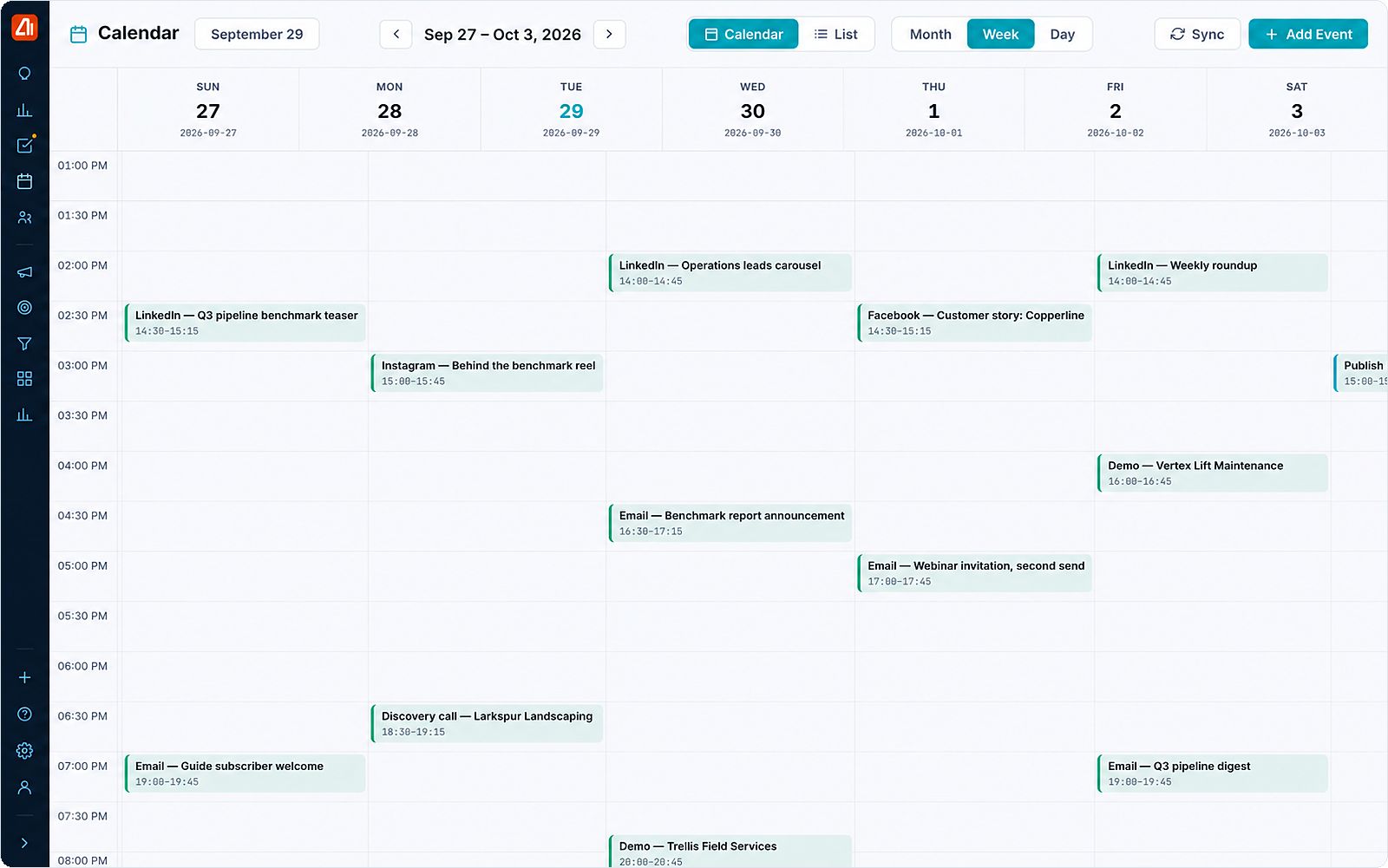
Scheduled posts for each channel sit in the same week as email sends, demos and calls, so a launch is planned against everything else going on.
Not because posting is hard, but because the work around it — deciding what to say, getting it approved, keeping a look consistent — is spread across people and tools.
01
Someone has to think of posts for every channel, every week, on top of their job.
02
When the tool charges per user, the reviewer who signs off once a week costs the same as the person living in it. Here they cost nothing.
03
Drafts bounce between inboxes until somebody finally says yes, and nobody can tell afterwards who did.
1
Ask for what you want — three posts from last month’s customer story — and the AI drafts them in your brand voice.
2
Every channel’s schedule in one view instead of one calendar per network.
3
Nothing publishes until the right person signs off, and the approval is on the record.
4
Posts go out on schedule and the results come back next to each one.
Inside a Darwin strategy, social builds the awareness that email, ads and outreach later convert. Darwin decides who it targets, when it runs and what it should achieve, then tracks it against the plan you approved.
“Charging per seat means the person who approves one post a week costs the same as the person living in the tool.”
Why unlimited users matters here
The AI does the heavy lifting, your team decides. Every feature keeps a full manual path for teams that want to do it themselves.
Work waits in your approvals queue until someone on your team signs off. Autonomy is a setting, not a plan tier.
Open the actual email, ad, post or sequence, edit it in place, then approve. What you see is what goes out.
What each agent did, when, and who approved it.
Halt one campaign or the whole fleet. In-flight work rolls back.
The per-seat model is the thing to look at rather than the headline number: on these plans every additional team member is charged again at the same rate.
| Plan | Published price | Source |
|---|---|---|
| Sprout Social — Essentials | $79/seat/mo annual · $99 monthly | source |
| Sprout Social — Standard | $199/seat/mo annual · $249 monthly | source |
| Sprout Social — Professional | $299/seat/mo annual · $399 monthly | source |
| Sprout Social — Advanced | $399/seat/mo annual · $499 monthly | source |
| Sprout Social — seat model | every plan starts with one seat; extra team members cost the same per-seat rate | source |
| Buffer — Essentials | $5/channel/mo annual · $6 monthly | source |
| Buffer — Team | $10/channel/mo annual · $12 monthly | source |
| Marketing Titan | Flat per plan with unlimited users — from $139/mo founding ($199 list) for the whole team | — |
Our arithmetic, not a sourced figure: five people on Sprout Standard, at their published per-seat rate.
| Our calculation | Working | Result |
|---|---|---|
| Five seats, Sprout Standard, annual rate | $199 × 5 | $995/mo |
| Five seats, Sprout Standard, monthly rate | $249 × 5 | $1,245/mo |
Competitor pricing: published list prices, September 2026 · verified 2026-09-18 · blotato.com, archive.com
Facebook, Instagram, LinkedIn, X, Pinterest, TikTok and YouTube. Snapchat needs a Public Profile and its organic posting is more limited than the others. Paid placements reach further — see Creative Studio for the ad networks.
Yes. Posts wait in the approvals queue until someone signs off, and who approved what is written to the audit trail.
Yes — from your brand kit, your products and your past content. You review every draft, and supervised is the default.
No. Every plan carries unlimited users, so the reviewer who signs off one post a week costs nothing, and Marketing Titan itself starts at $139/mo founding ($199 list) for the whole team rather than per person.
No. Creative Studio builds the images and short video from the same brand kit, so a post and an ad come out looking like the same company. See Creative Studio.
See social publishing plan and schedule a week of posts in a live demo.