
/brand-management
Overview
View and manage all your brands, assets, templates, and guidelines from a central dashboard.
Step 1: Navigate to Brand Module
Click Brands in the sidebar to access the Brand Management module.
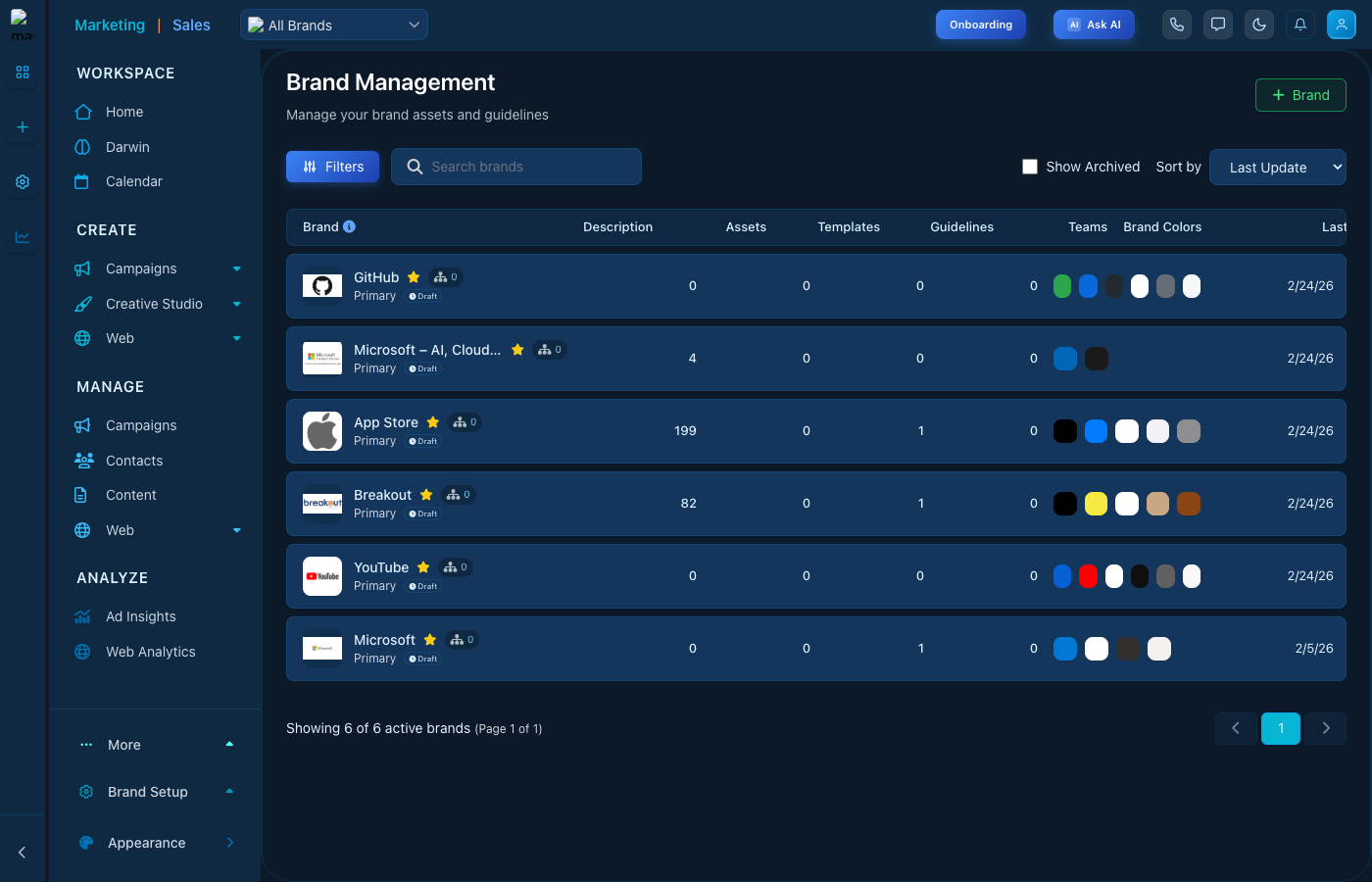
Brand Management - Overview interface
Brand List Features
- Brand Overview - See all brands with their logos, descriptions, and key metrics
- Asset Counts - Track total assets, templates, and guidelines per brand
- Team Assignment - View which teams have access to each brand
- Brand Colors - Quick preview of each brand's color palette
- Quick Actions - Import brand data or view detailed brand analysis
Managing Brands
- Click + Brand to create a new brand
- Use Filters to find specific brands
- Toggle Show Archived to view archived brands
- Sort by Last Update or other criteria
Tips
- Keep brand assets organized in appropriate categories
- Regularly update brand guidelines as your brand evolves
- Use the AI analysis to identify areas for improvement
- Share brand guidelines with team members for consistency