
Build automated email sequences with our AI-powered sequence builder. Design multi-step campaigns that engage contacts over time with personalized content.
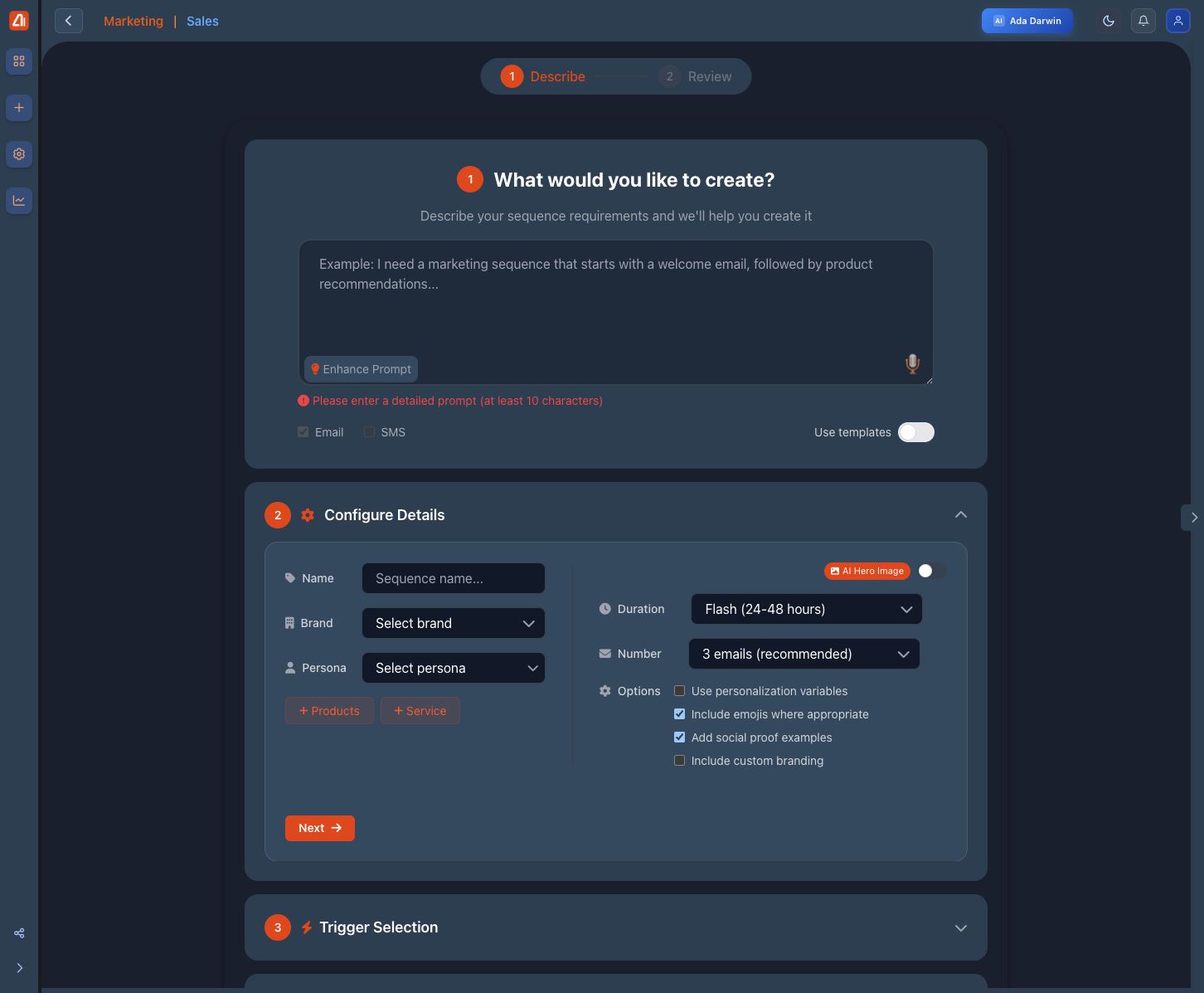
Email Sequence Builder - Create automated email flows
Builder Features
Visual Editor
Drag-and-drop sequence design with real-time preview
Timing Controls
Set precise delays between emails
Conditions
Add branching logic based on recipient behavior
Templates
Start from pre-built sequence templates
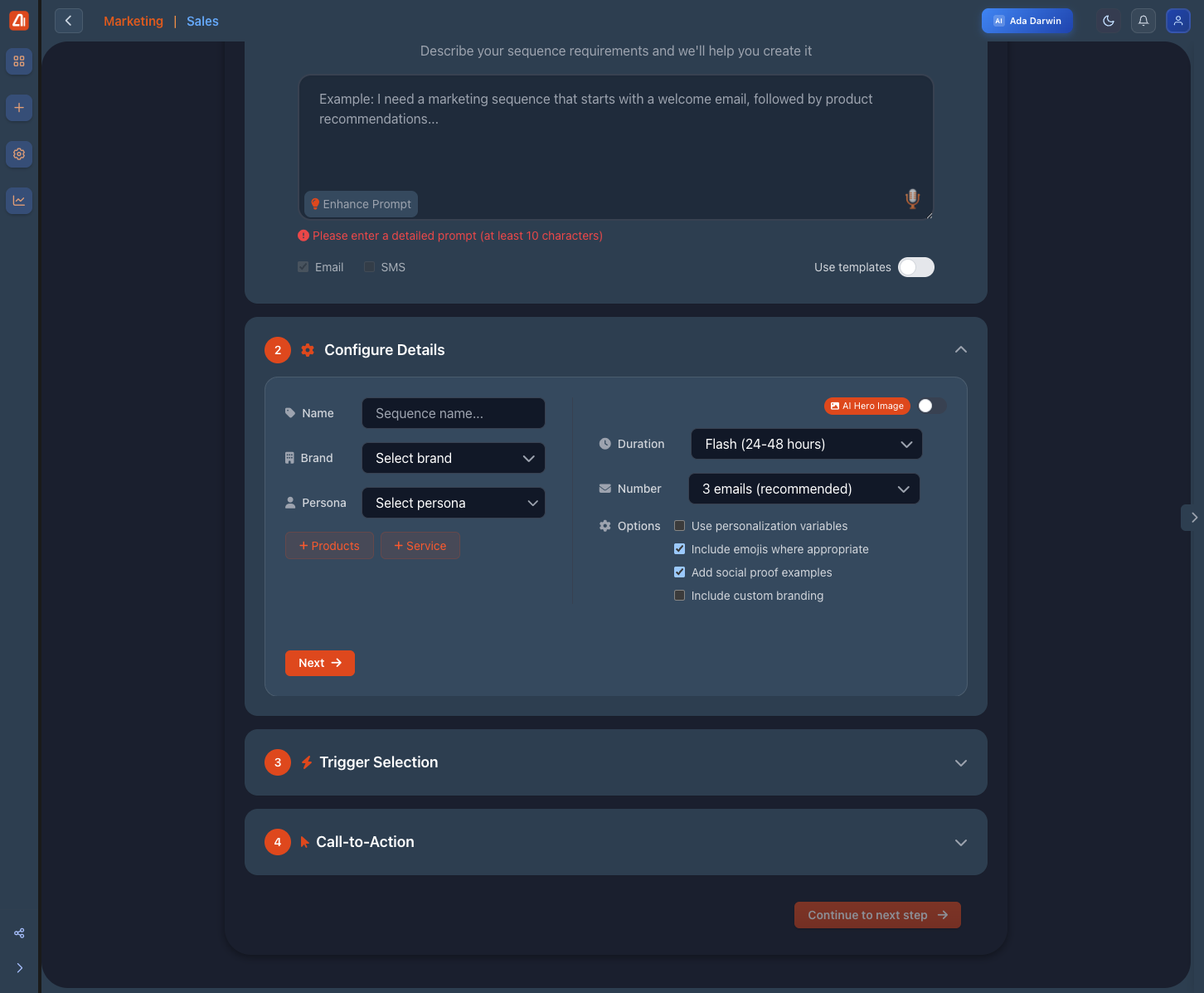
Configure sequence duration, number of emails, and AI options
Building a Sequence
- Start with a trigger or entry point - Define what initiates the sequence
- Add email steps - Create the emails in your sequence
- Set timing - Configure delays between each email
- Add conditions - Branch based on opens, clicks, or custom logic
- Test and activate - Preview, test send, then go live
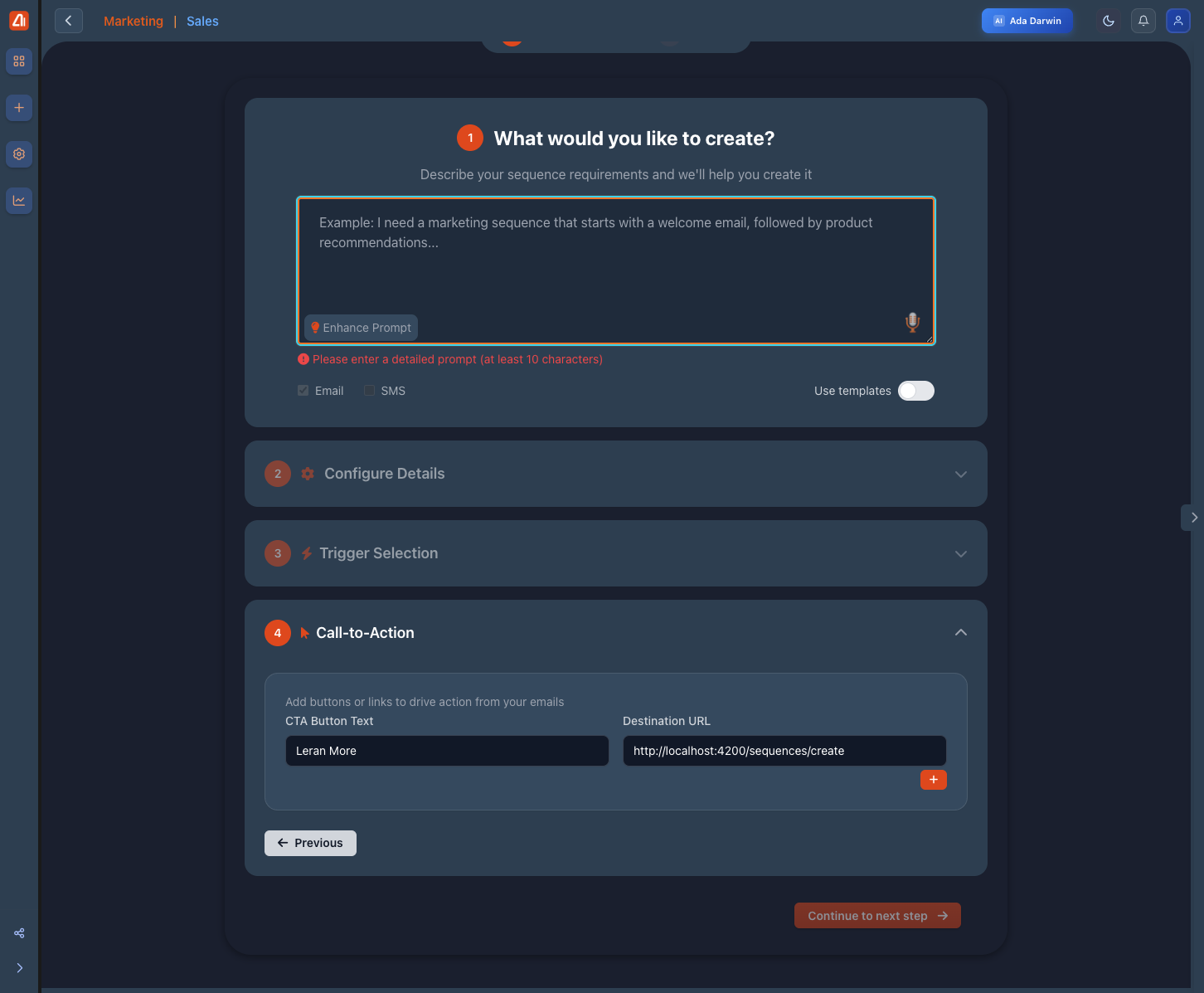
Select triggers and configure call-to-action buttons