
A sequence is a multi-step, automated series of messages — a welcome flow, a win-back, an abandoned-cart nudge. The builder gives you three ways to start, from “let the AI do it” to “I’ll set every step myself.”
Where to find it: Left menu → Marketing → Campaigns → Sequences → Build. Part of the Email Sequences guide.
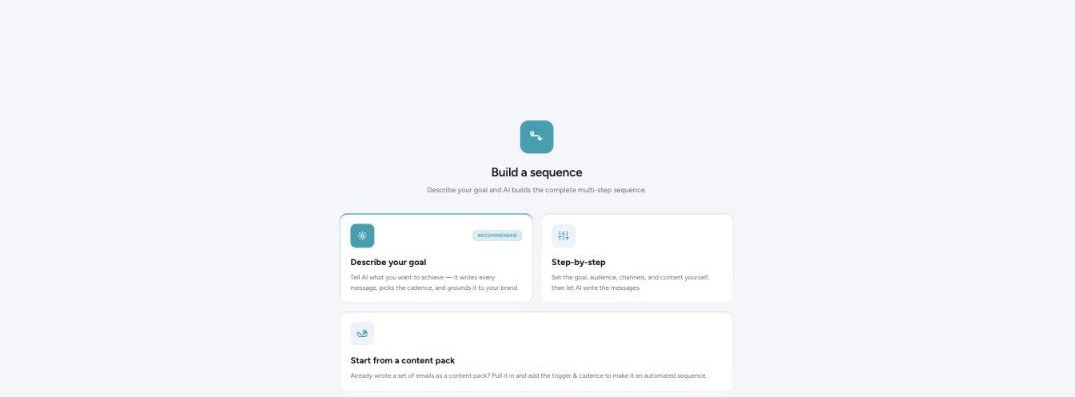
Three ways to build a sequence — pick the one that fits how much you want to write.
The three ways to start
| Option | Best when | What happens |
|---|---|---|
| Describe your goal (recommended) | You want it done fast. | Tell the AI what you want to achieve — it writes every message, picks the cadence, and grounds it in your brand. |
| Step-by-step | You want control over the shape. | Set the goal, audience, channels, and content yourself, then let the AI write the messages. |
| Start from a content pack | You already wrote the emails. | Pull in a set of emails you saved as a content pack, then add a trigger and cadence to turn it into an automated sequence. |
Every send still stops at approval
However you build it, a sequence never sends on its own by default — messages queue for your review first, so an automated flow doesn’t become an unsupervised one.
What’s next
- Back to the Email Sequences guide.
- Manage running sequences from your Campaign Hub.