
The Accounts board is a single detailed table of every customer, built for customer success. It tracks two kinds of account and a rich set of health and revenue columns.
Where to find it: Left menu → Sales → Pipeline → Accounts → Main. Part of the Accounts guide.
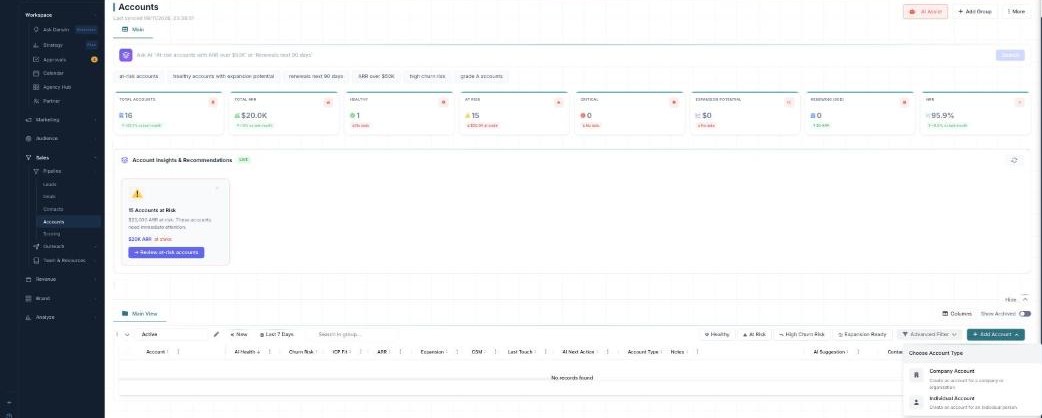
The Accounts table — company or individual, health and revenue at a glance.
Two account types
Click + Add Account and choose the type:
- Company Account — an account for a company or organization.
- Individual Account — an account for an individual person.
Each row shows its type (for example “Riverside Dental Group (Company)”).
The columns
The table is built for account management: Account, AI Health, Churn Risk, ICP Fit, ARR, Expansion, CSM, Last Touch, AI Next Action, Account Type, Notes, and AI Suggestion. Click a cell to edit it in place. Use Columns to open Column Visibility — search, show/hide any column, Reset Columns, and Save your layout — or flip Show Archived.
Groups & quick filters
Accounts are organized into groups, each with quick-filter chips — Healthy, At Risk, High Churn Risk, and Expansion Ready — plus All / Last 7 Days and a Search in group box. Narrow further with the Advanced Filter.
Doing things in bulk
Tick several accounts to open the action bar: Bulk Tags, Change Status, Bulk Email, Bulk SMS, Duplicate, Move to another group, Enrich Data, Archive, or Delete.
What’s next
- Back to the Accounts overview.
- See Groups & Advanced Filter.
- See AI health, churn & follow-ups.