
+ New budget (or the + on a row) opens a single form. What you fill in depends on the level you’re creating.
Where to find it: Left menu → Marketing → Campaigns → Budgets → + New budget. Part of the Budgets guide.
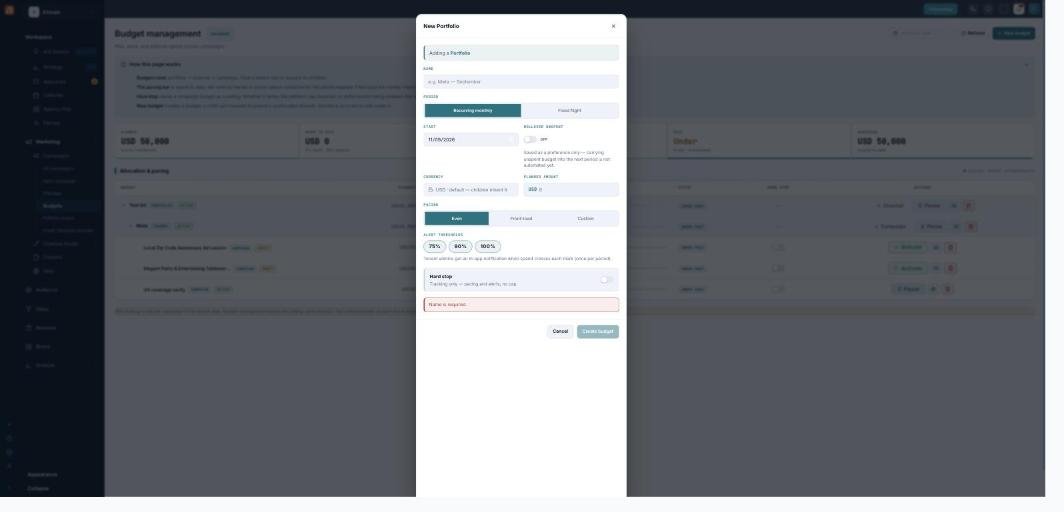
The New Budget form — one screen to set the amount, period, pacing, and alerts.
Pick the level
A budget is one of three levels in the tree:
| Scope | What it is |
|---|---|
| Portfolio | The top total — your overall ad-spend ceiling. |
| Channel | A slice for one ad platform (Meta, LinkedIn, or Google), sitting under a portfolio. |
| Campaign | A budget tied to a specific live campaign, sitting under a channel. |
When you use the + on a row, the level and parent are set for you. The parent picker shows how much of the parent is still unallocated.
The fields
Fill in the plan:
| Field | What it does |
|---|---|
| Name | A label (campaign budgets inherit the campaign name). |
| Period | Recurring monthly (this calendar month) or Fixed flight (an explicit start–end). |
| Start / End | When it runs. Flights have an end date; recurring budgets show a Rollover toggle instead. |
| Currency | Inherited from the parent — one currency per tree. |
| Planned amount | The ceiling for this budget. |
| Pacing | Even (steady), Front-load (spend earlier), or Custom (your own week-by-week curve). |
| Alert thresholds | Notify at 75% / 90% / 100% of the budget (each can be toggled). |
| Hard stop | Marks a campaign budget as a firm ceiling (see the advanced guide for what actually enforces it). |
The one rule to remember
A child can never exceed its parent’s unallocated amount. If a portfolio is $50,000 and its channels already total $45,000, a new channel can be at most $5,000. The form won’t let you over-allocate.
A note on rollover
The Rollover unspent toggle is saved as a preference today — carrying leftover budget into next month isn’t automated yet, so treat each period as its own envelope for now.
What’s next
- Back to the Budgets overview.
- See Pacing, spend & alerts.
- See Enforcement, reconcile & guardrails.