
/creative-studio-v2
Overview
The Gallery tab provides access to millions of stock images, AI-generated visuals, and curated collections for your marketing campaigns. Find the perfect image without leaving Marketing Titan.
Step 1: Browse the Gallery
Navigate to Creative Studio → Gallery to explore available images:
- Curated collections - Browse themed collections (Business, Nature, Technology, etc.)
- Trending images - See what other marketers are using
- New additions - Fresh content added weekly
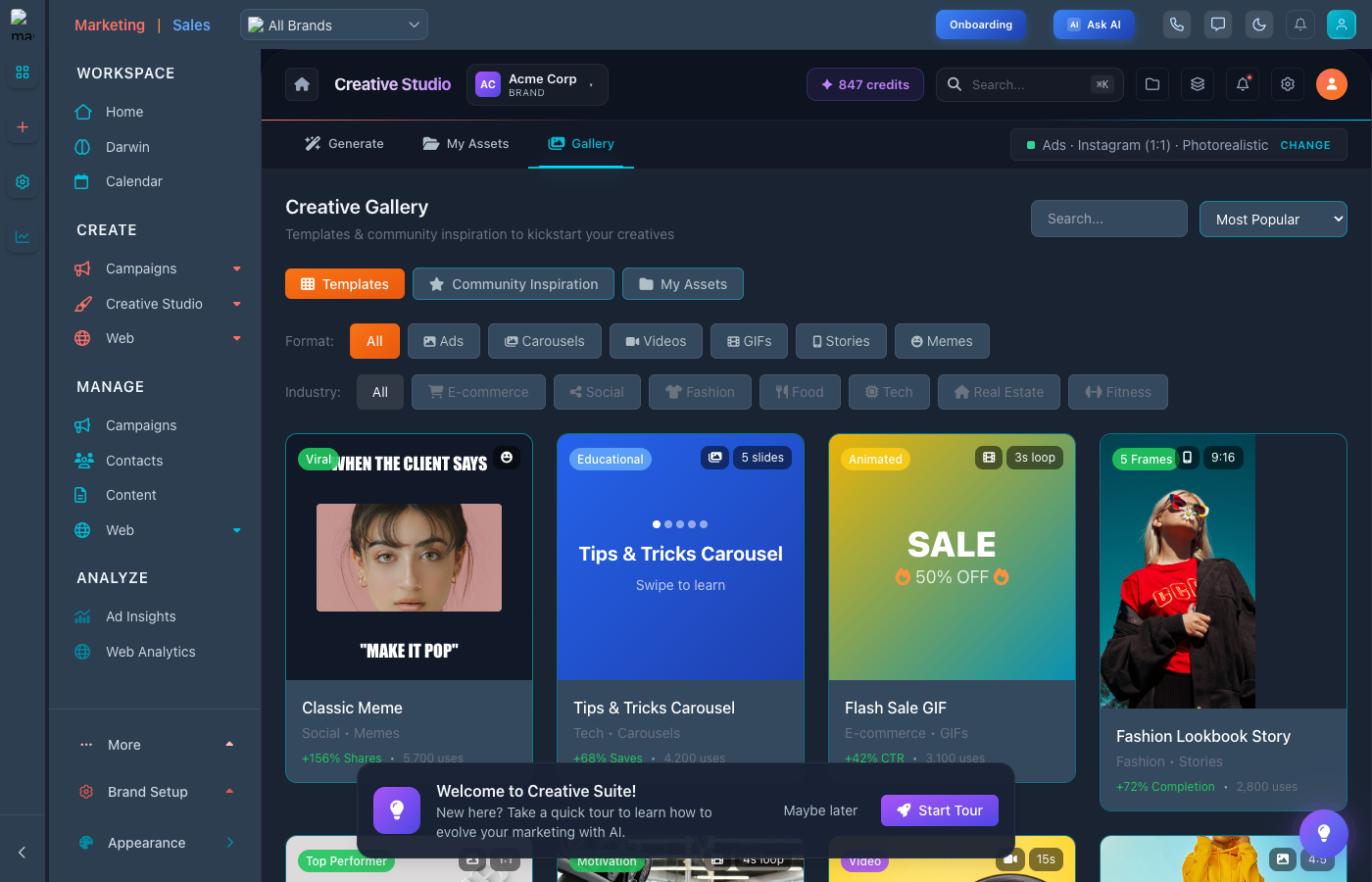
Browse millions of stock images and AI-generated visuals
Step 2: Search for Images
Use the powerful search to find exactly what you need:
- Enter keywords describing your desired image
- Apply filters for color, orientation, or style
- Use AI search: "professional team meeting in modern office"
- Browse related images by clicking "More like this"
Step 3: Generate AI Images
Can't find what you need? Generate custom images with AI:
- Click Generate with AI
- Describe the image you want in detail
- Select style (Photorealistic, Illustration, 3D, etc.)
- Generate multiple variations to choose from
- Download or use directly in your designs
Step 4: Use Gallery Images
Once you find the perfect image:
- Download - Save to your Downloads for later use
- Use in design - Open directly in Design Canvas
- Add to Assets - Save to My Assets for reuse
- Edit - Apply filters, crop, or enhance before using
Tips for Gallery
- Be specific - Detailed search terms get better results
- Check licensing - All Gallery images are licensed for commercial use
- Save favorites - Heart images to find them later
- Use AI for unique - Generate custom images for truly unique campaigns