
From CRMs to ad platforms, here’s the full range of tools you can connect, grouped by category.
Where to find it: Left menu → Settings → Integrations. Part of the Integrations guide.
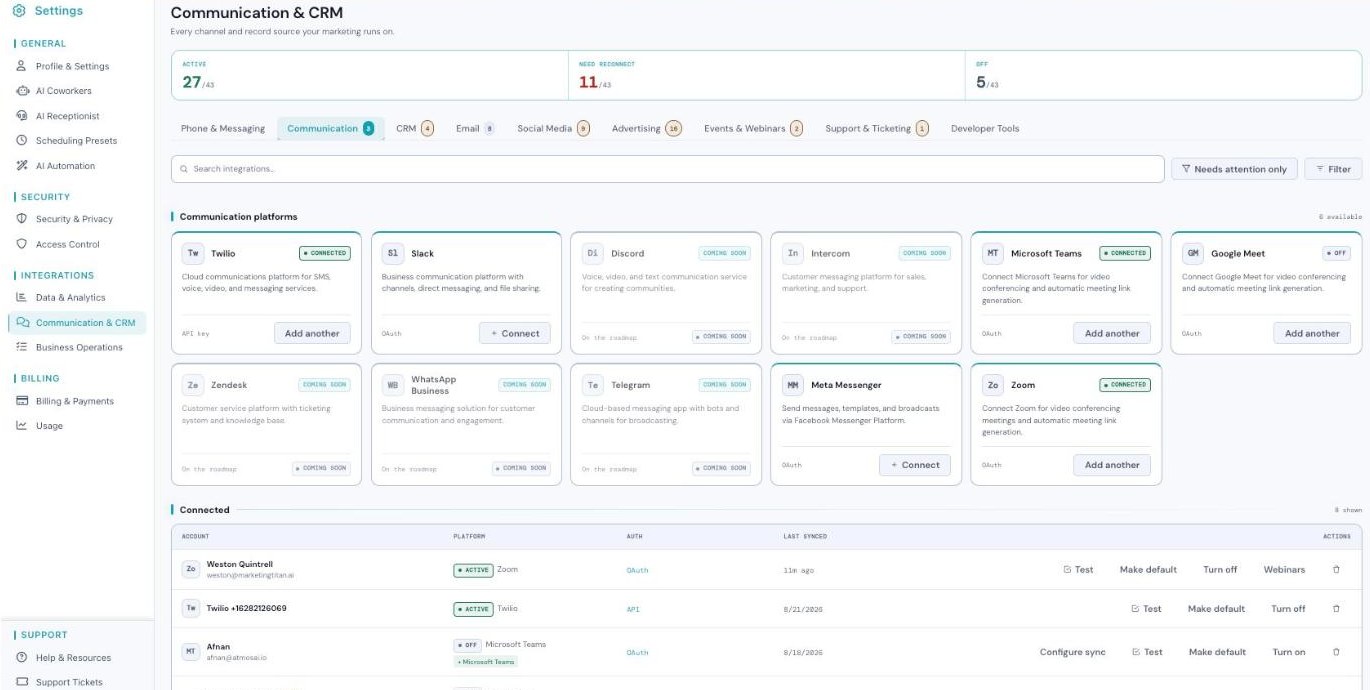
Communication & CRM — the category tabs and platforms (Connected and Coming soon).
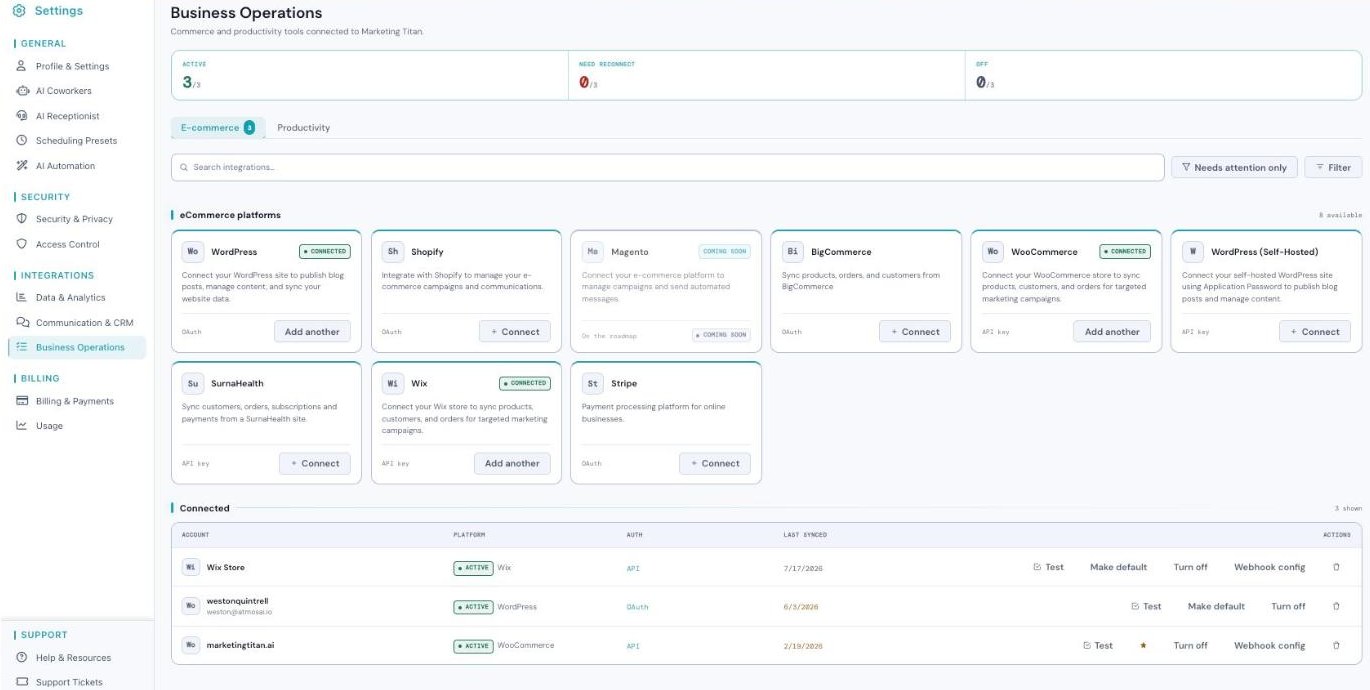
Business Operations — e-commerce (Shopify, WooCommerce, Wix, Stripe…) and productivity tools.
What you can connect
Every category connects a real set of platforms. Here’s what each one does and the tools you’ll find inside.
CRM
Keeps contacts, opportunities, and customer data in sync between your CRM and Marketing Titan. Platforms: Salesforce, HubSpot, Zoho CRM, Pipedrive, Zendesk, and Microsoft Dynamics.
Lets Darwin send your marketing and transactional emails. Platforms: Gmail, Outlook, SendGrid, Mailchimp, SMTP, Yahoo Mail, Zoho Mail, and Amazon SES. Email connections also show Configure sync so you can control what flows in and out.
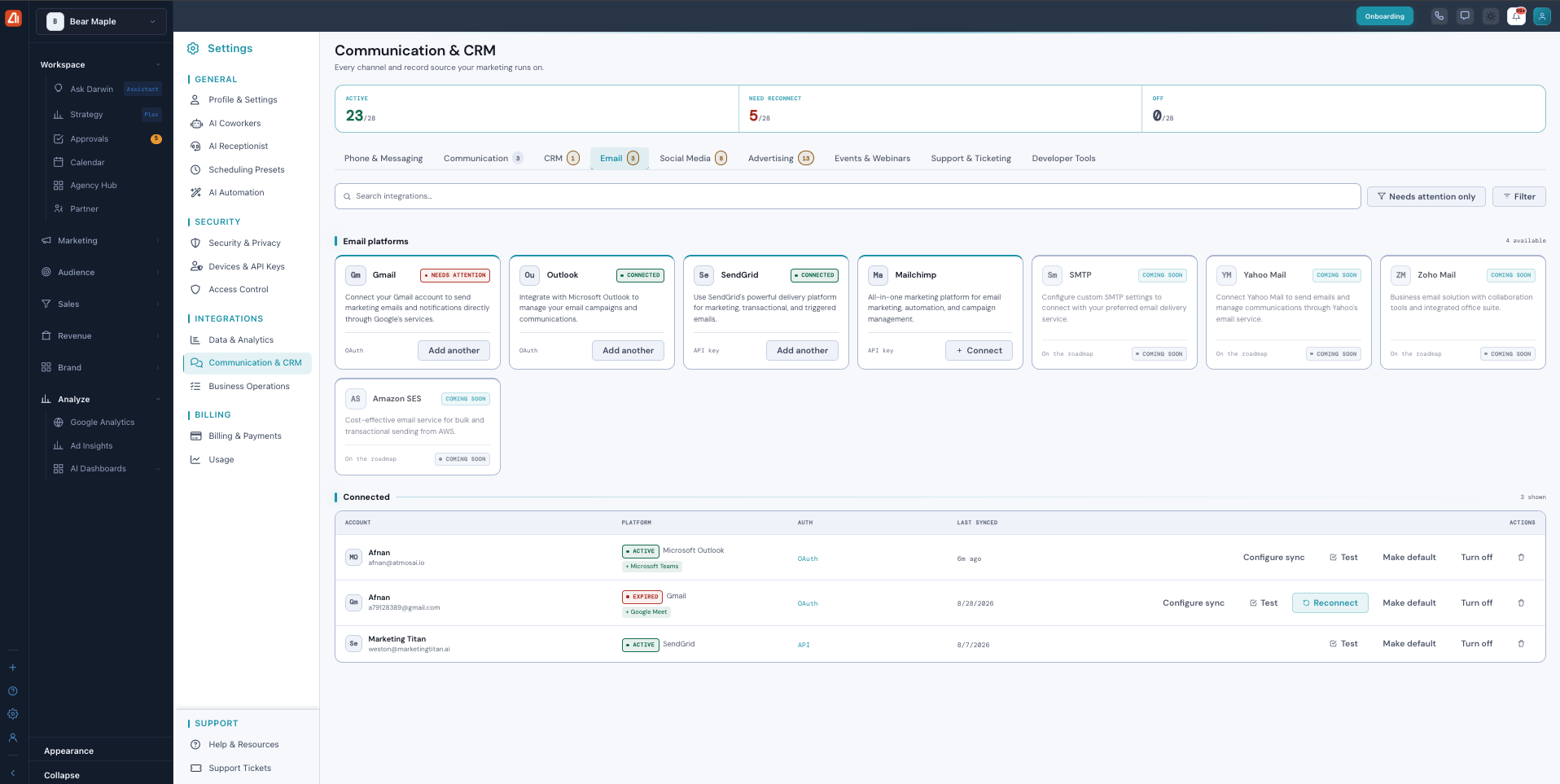
Connect the email service Darwin sends from — here Outlook, Gmail, and SendGrid are connected, each with Configure sync.
Social Media
Publish content, manage comments, and track engagement. Platforms: Facebook, Instagram, Twitter/X, LinkedIn, YouTube, TikTok, Pinterest, and Snapchat. One LinkedIn account can cover multiple pages.
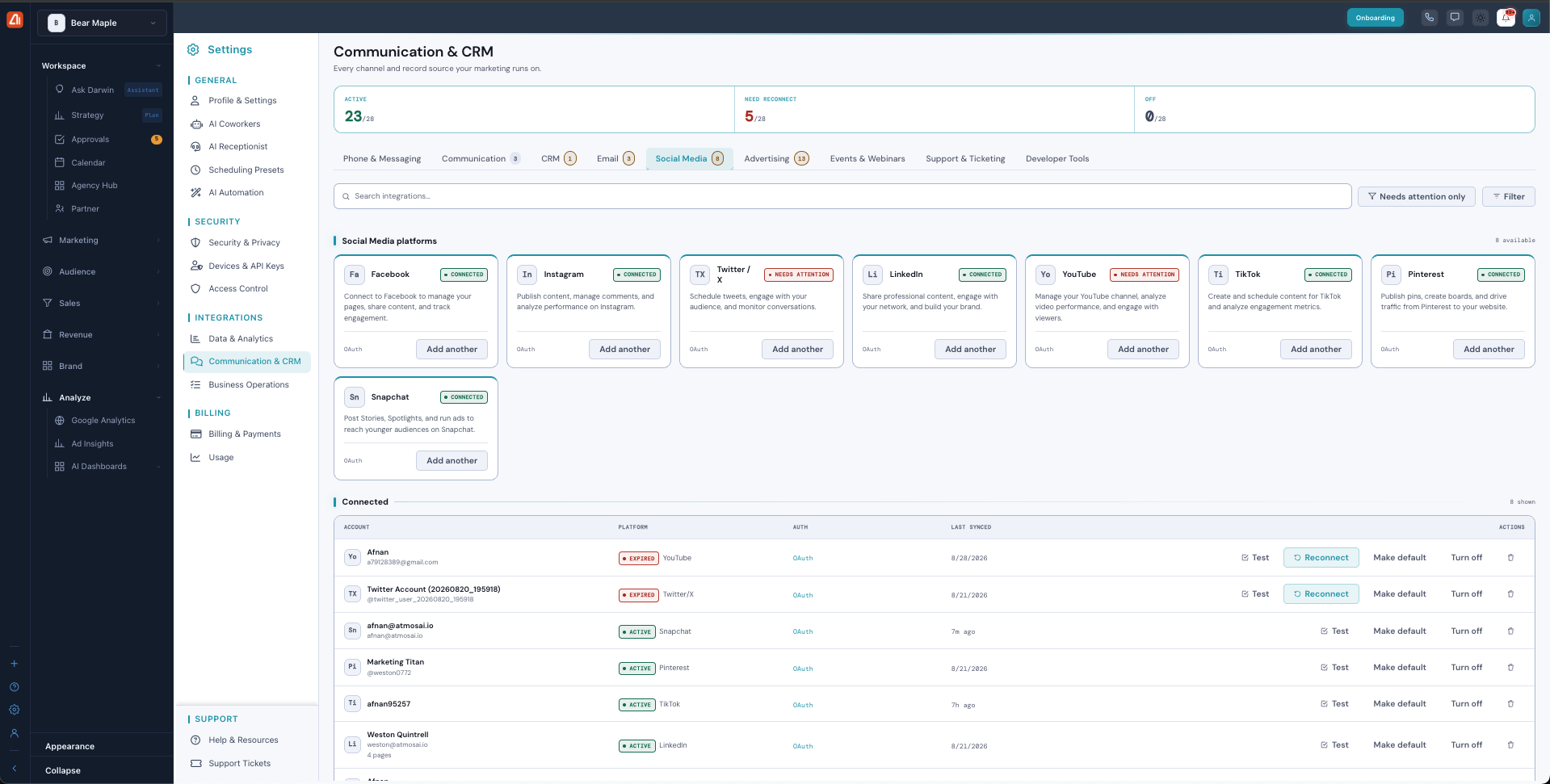
Link your social accounts so Darwin can publish and track engagement across every channel.
Advertising
Create and manage paid campaigns across every major ad network from one place. Platforms: Google Ads, Microsoft Advertising, Google Local Services, Meta Ads, LinkedIn Ads, Twitter/X Ads, TikTok Ads, Snapchat Ads, Pinterest Ads, Reddit Ads, Instagram Ads, Amazon Ads, Taboola, Outbrain, and Apple Search Ads.
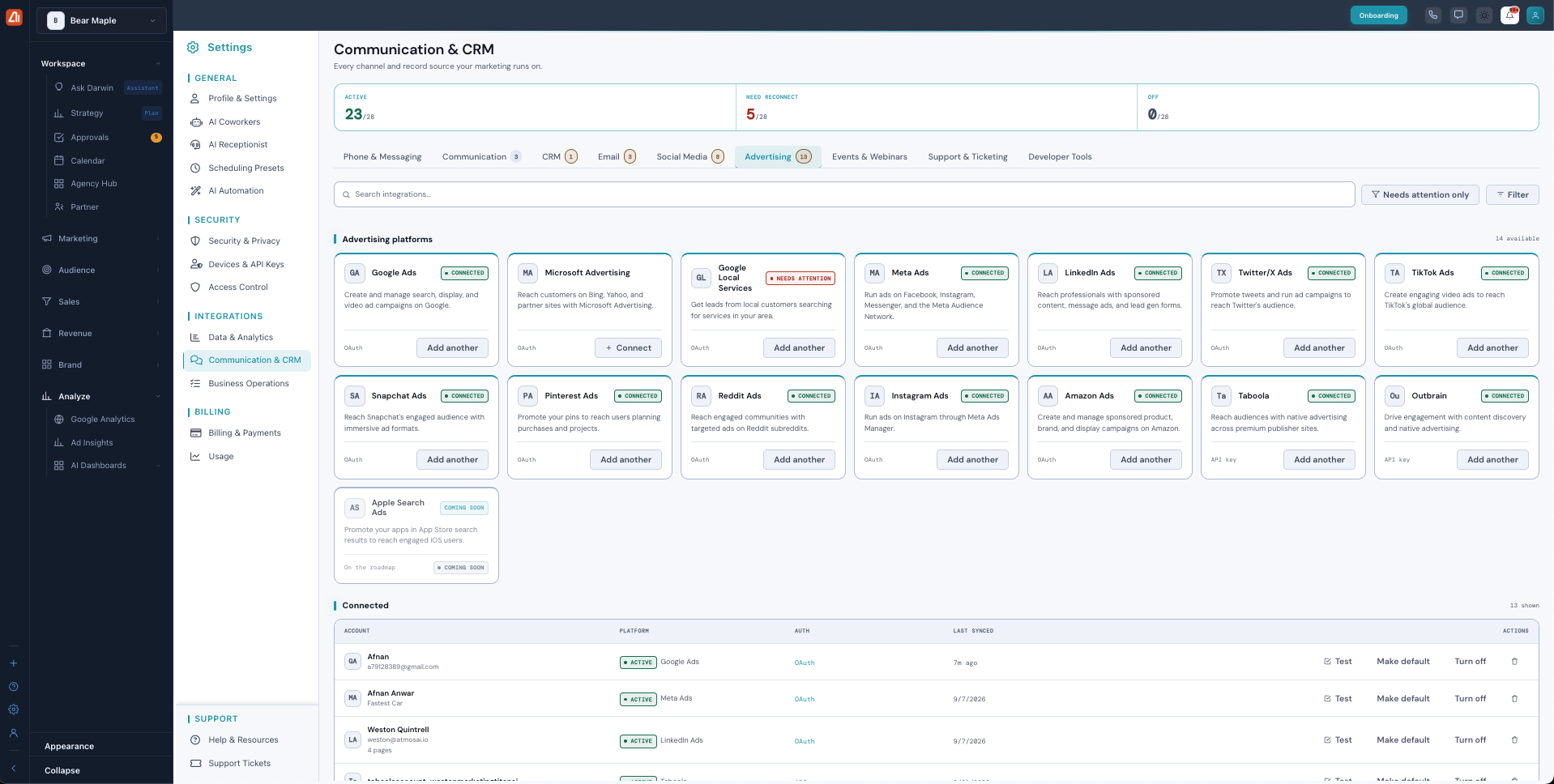
Connect your ad accounts to run and manage paid campaigns from one place.
Events & Webinars
Bring event sign-ups and attendance into your marketing. Platforms: Zoom Webinars, GoToWebinar, Eventbrite, Calendly, and Google Calendar. When nothing is connected yet, you’ll see “No events & webinars connected yet — connect one and it’ll start syncing within a few minutes.”
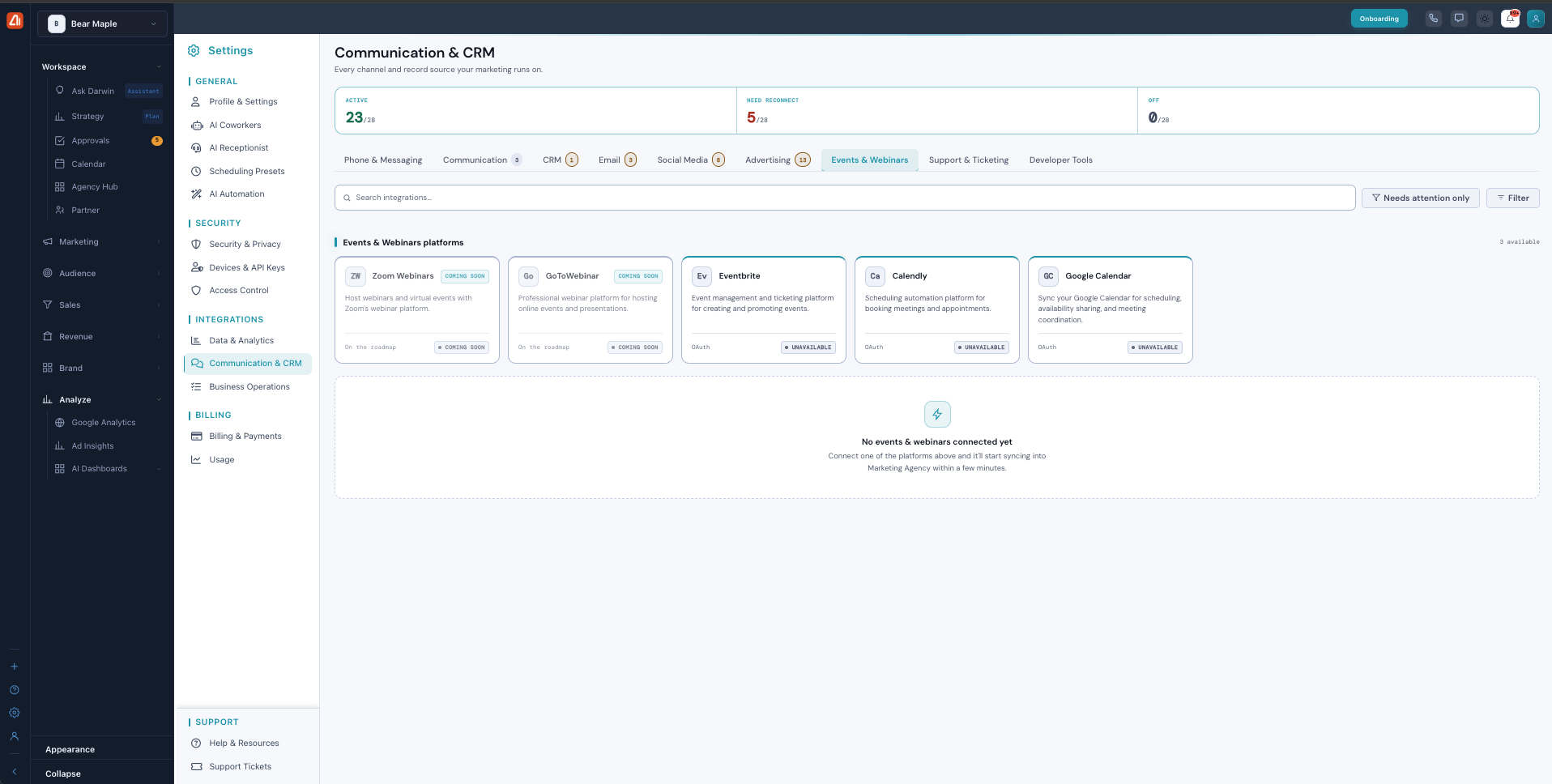
Connect a webinar or calendar tool and events sync in automatically.
Support & Ticketing
Bring support conversations into your marketing view. Platforms: Zendesk, Intercom, and Freshdesk.
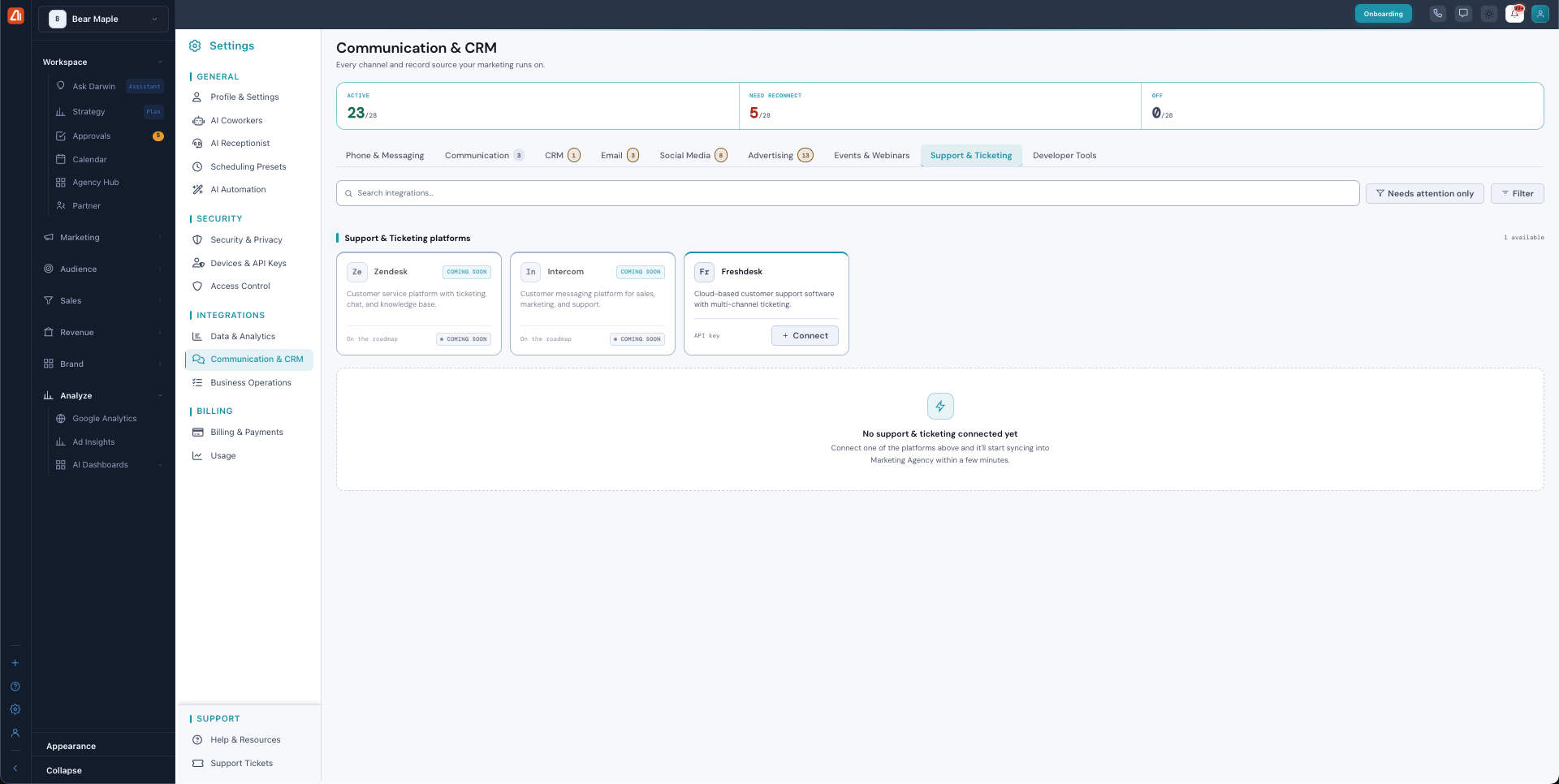
Bring support conversations into your marketing view.
Developer Tools
For custom, code-level integrations. You’ll find Webhooks (send real-time event notifications to any URL endpoint), REST API (full API access for custom integrations and automation), and Zapier (connect with 5,000+ apps — coming soon).
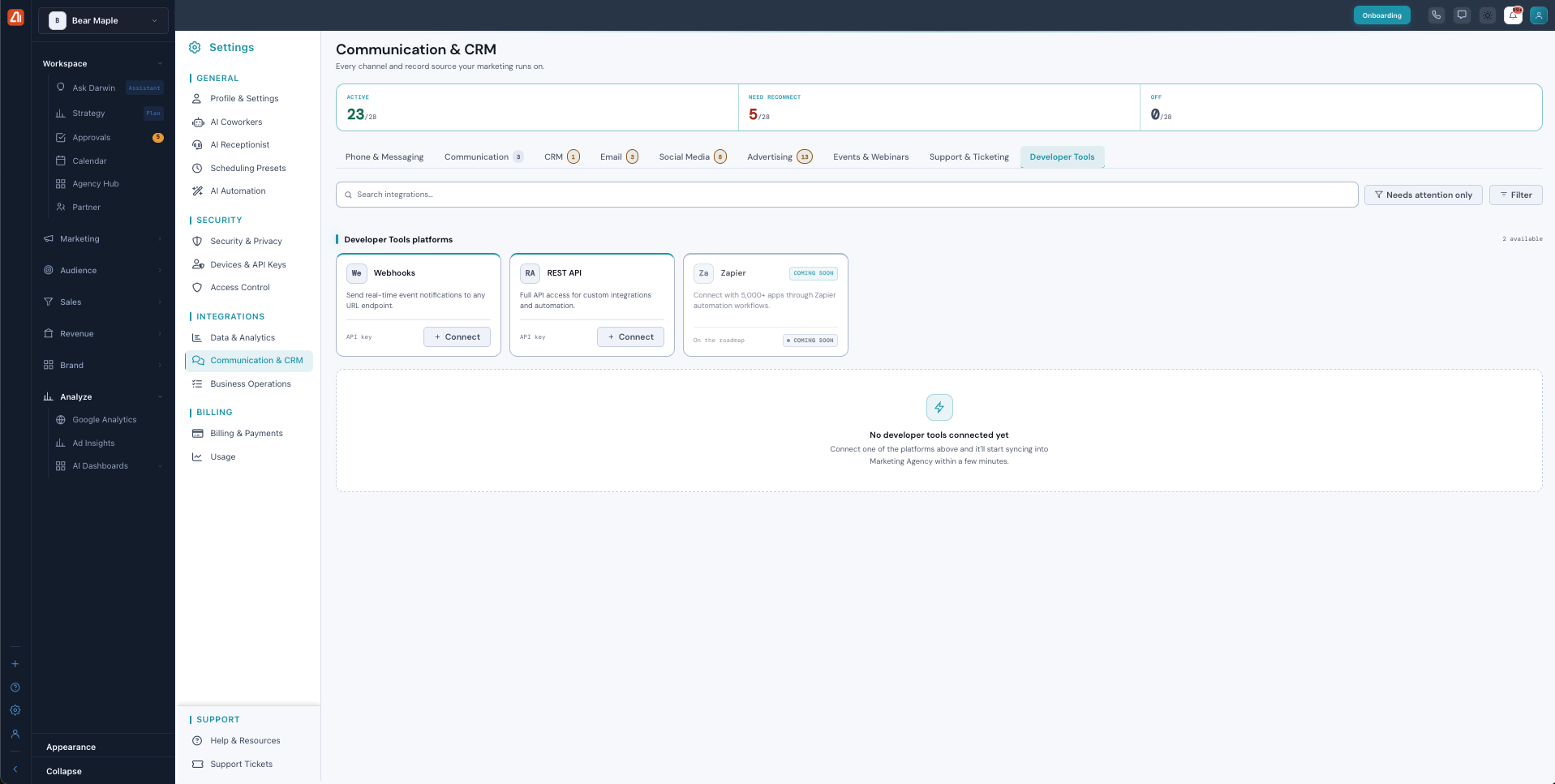
For developers — webhooks, a REST API, and Zapier for custom automations.
Data & Analytics
Connects the analytics and database sources that feed Marketing Titan — so Darwin can track performance across every channel. This group has two tabs: Analytics, which connects your analytics tools, and Database, which connects your database sources. Platforms: Google Analytics (connected in the example), plus Mixpanel, Hotjar, Amplitude, Segment, Adobe Analytics, Matomo, and Heap (on the roadmap / coming soon).
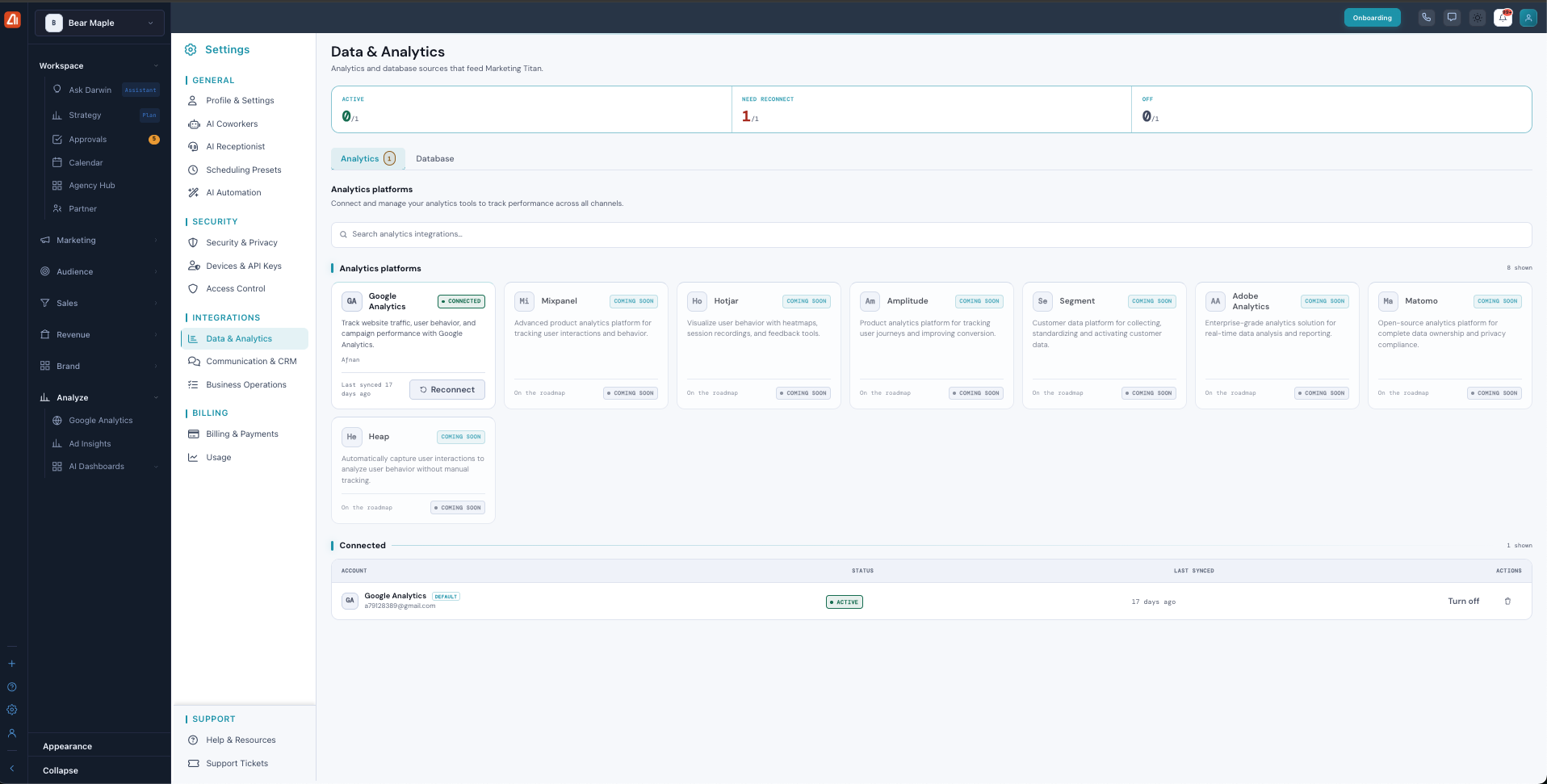
Data & Analytics — connect Google Analytics and other analytics tools so Darwin can measure performance across your channels.
Business Operations
Connects the commerce and productivity tools you run on — sync products, orders, and customers, and publish content to your site. This group has two tabs: E-commerce and Productivity. Platforms: WordPress, WordPress (Self-Hosted) (connect using an Application Password), Shopify, Magento, BigCommerce, WooCommerce, Wix, and Stripe (payments). Some connect with OAuth, others with an API key — the card tells you which.
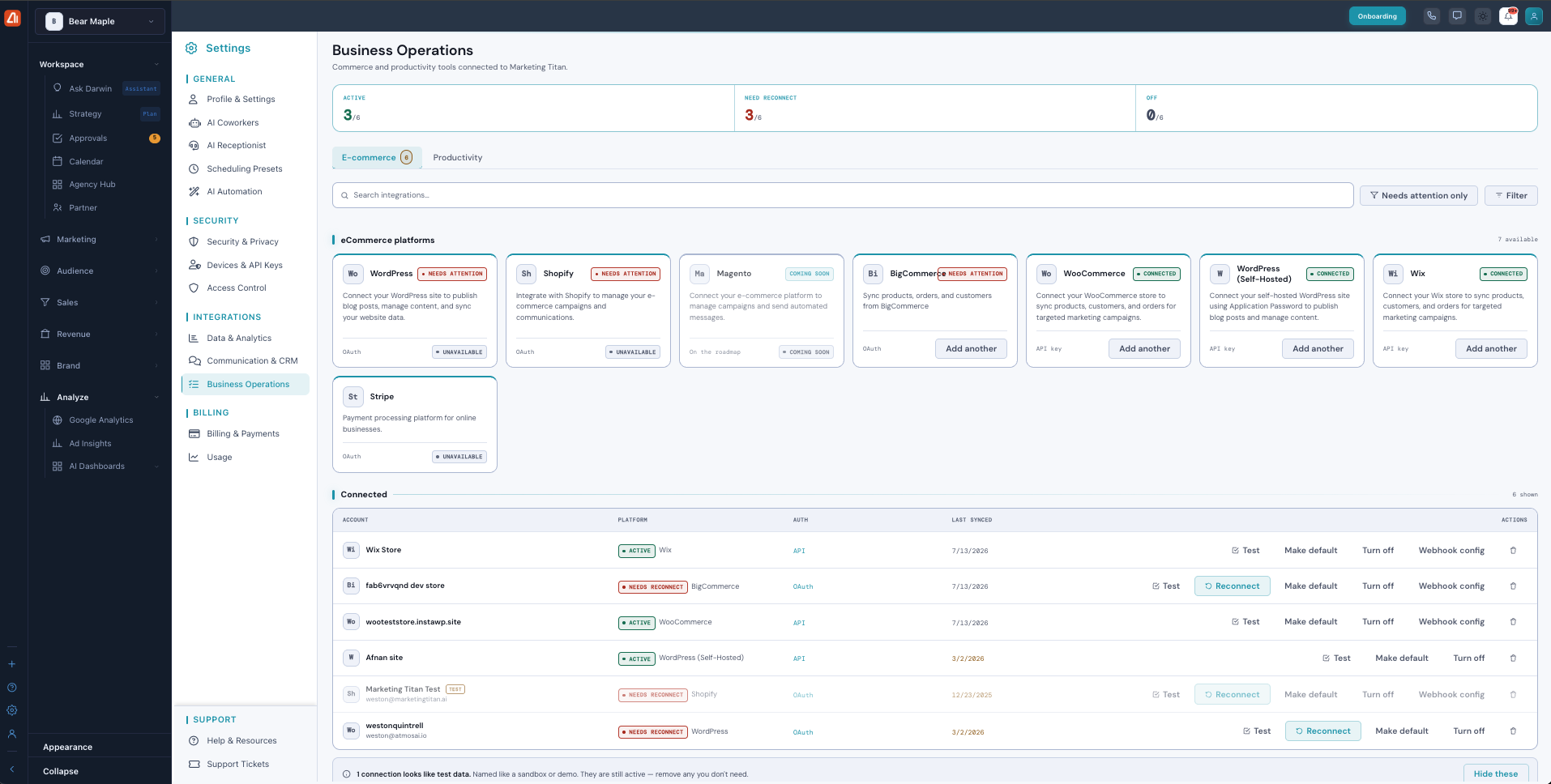
Business Operations — connect your store (Shopify, WooCommerce, Wix, WordPress and more) to sync products, orders, and customers.
Commerce connections add a Webhook config action so you can set up webhooks for that store. Marketing Titan also flags connections that “look like test data” (named like a sandbox or demo) and gives you a Hide these option, so you can clean up ones you don’t need.
What’s next
- Back to the Integrations overview.
- See How Connecting Works.
- See Fixing a Connection.