
Publishing (the Publish queue) is your single delivery-status dashboard — it shows what happened to every social post, paid ad, and email across your campaigns. It’s a monitor, not a composer: you create and schedule content in the campaign and social tools, and this page is where you watch it go out, catch what fails, and fix it.
Where to find it: Left menu → Marketing → Campaigns → Publish queue (the page is titled Publishing).
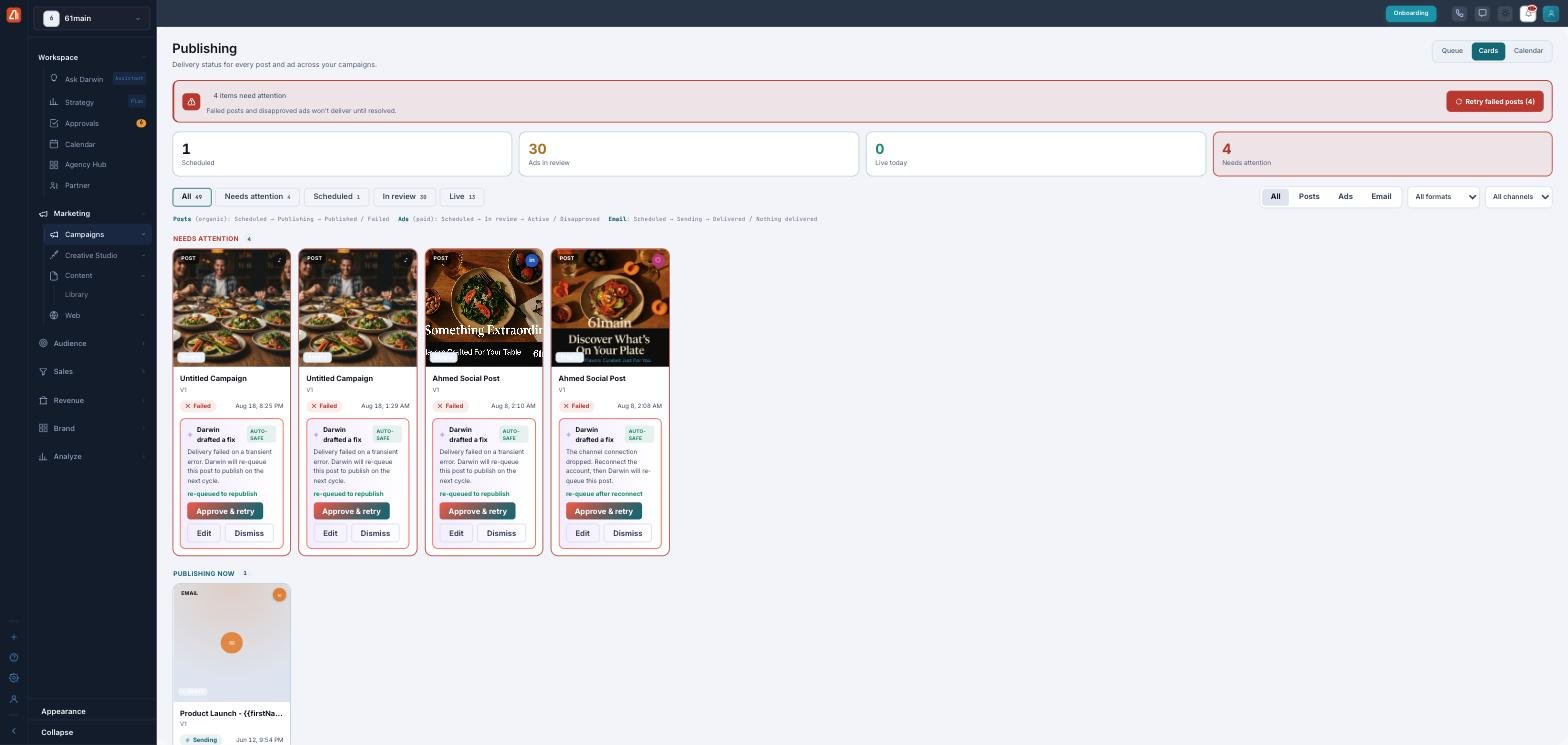
The Publishing dashboard — delivery status for every post and ad, most urgent first.
What it covers
Three kinds of delivery flow into one place:
| Type | Channels |
|---|---|
| Posts (organic) | Facebook, Instagram, LinkedIn, TikTok, X, YouTube, Pinterest, Reddit, Snapchat. |
| Ads (paid) | Your connected ad platforms. |
| Email campaigns. |
The four numbers at the top
The summary cards give you the state of everything at a glance: Scheduled (queued to go out), Ads in review (with the ad platforms), Live today, and Needs attention (failed or disapproved — the ones to deal with).
Three views, one dataset
Toggle how you look at it — Cards (a visual gallery, the default), Queue (a grouped list), or Calendar (by day). The page also updates itself: anything mid-flight re-checks every ~20 seconds.
Learn each part
| Topic | What it covers | Guide |
|---|---|---|
| Views | Cards, Queue, and Calendar — when to use each. | Open → |
| Statuses & filters | The lifecycle per type, honest states, and filtering. | Open → |
| Fixing failures | Retry, routing ads/emails, and Darwin’s drafted fixes. | Open → |
A window, not a workshop
You don’t write or schedule posts here — that happens in the composer, ad, and email tools. Publishing is the honest, cross-channel status window over all of them: it tells you what’s live, what’s waiting, and what needs a hand.
What’s next
- Explore the Queue, Cards & Calendar views.
- Understand statuses & filters.
- Learn to fix failures.