
Posts, ads, and email don’t share one status list — each follows the path its platform actually uses. The legend on the page spells them out.
Where to find it: Left menu → Marketing → Campaigns → Publish queue (the page is titled Publishing). Part of the Publishing guide.
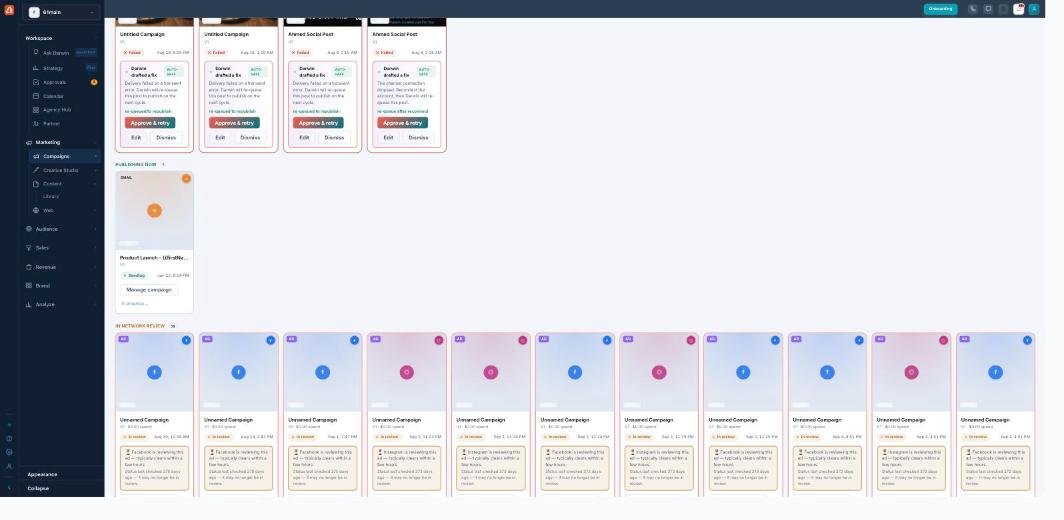
Statuses — each content type moves through its own lifecycle.
The three lifecycles
| Type | Lifecycle |
|---|---|
| Posts (organic) | Scheduled → Publishing → Published / Failed |
| Ads (paid) | Scheduled → In review → Active / Disapproved |
| Scheduled → Sending → Delivered / Nothing delivered |
The four summary cards at the top roll this up: Scheduled, Ads in review, Live today, and Needs attention. A + on a count means there’s even more than shown (the page counts up to a limit).
Honest states, not green-washing
A few statuses exist specifically so the page never pretends something shipped when it didn’t:
| Status | What it really means |
|---|---|
| Draft | Not approved yet — it will not auto-publish (rather than showing a misleading “Scheduled”). |
| Status not reported | The ad platform never told us the ad’s state — so we don’t guess “live.” |
| Nothing delivered | The email finished sending but the report shows 0 delivered. |
Because nothing refreshes an ad’s status on a fixed schedule, ads also show a “last verified” age so you know how fresh that reading is.
Filtering
Narrow the list three ways: the status tabs (All, Needs attention, Scheduled, In review, Live) with live counts; the type segment (Posts / Ads / Email); and the format and channel dropdowns (Facebook, Instagram, LinkedIn, TikTok). If a feed source is temporarily unavailable, a banner tells you the list is partial rather than hiding it.
It updates itself
Anything mid-flight — Publishing, Sending, or In review — re-checks about every 20 seconds, so a stuck “Publishing” resolves without a reload. Times are shown in your local timezone.
What’s next
- Back to the Publishing overview.
- See Queue, Cards & Calendar views.
- See Fixing failures.