
The Ads tab lists every individual ad you’re running, so you can see which specific creatives are working.
Where to find it: Left menu → Analyze → Ad Insights → the Ads tab. Part of the Ad Insights guide.
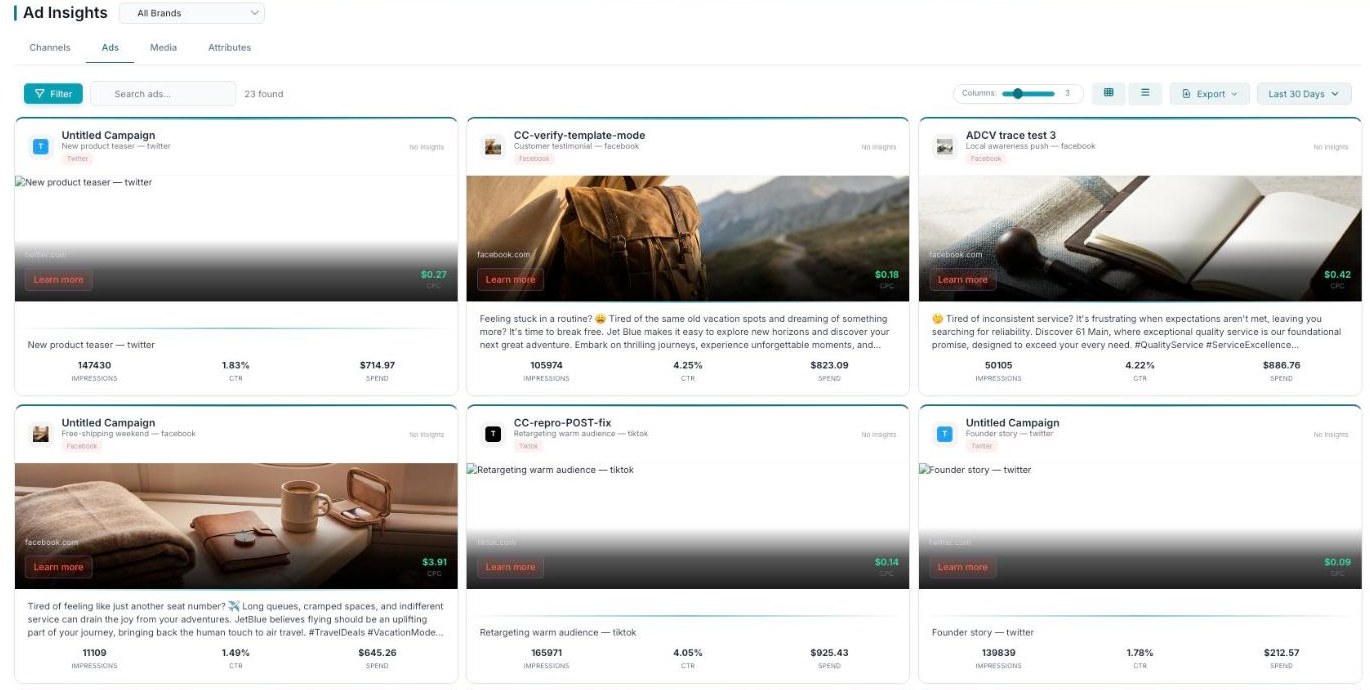
Ads — every individual ad, shown as a card with its creative and key metrics.
Each ad card
Every ad appears as a card showing the creative preview, the ad name, and the platform it ran on. On each card you see the ad’s CPC (cost per click), impressions, CTR (click-through rate), and spend.
Find an ad fast
Use Filter and Search to narrow the list; a count shows how many ads were found.
What’s next
- Back to the Ad Insights overview.
- See the Channels tab.
- See the Media tab.
- See the Attributes tab.