
The Media tab is about your ad media itself — the images and videos, and how each one performs.
Where to find it: Left menu → Analyze → Ad Insights → the Media tab. Part of the Ad Insights guide.
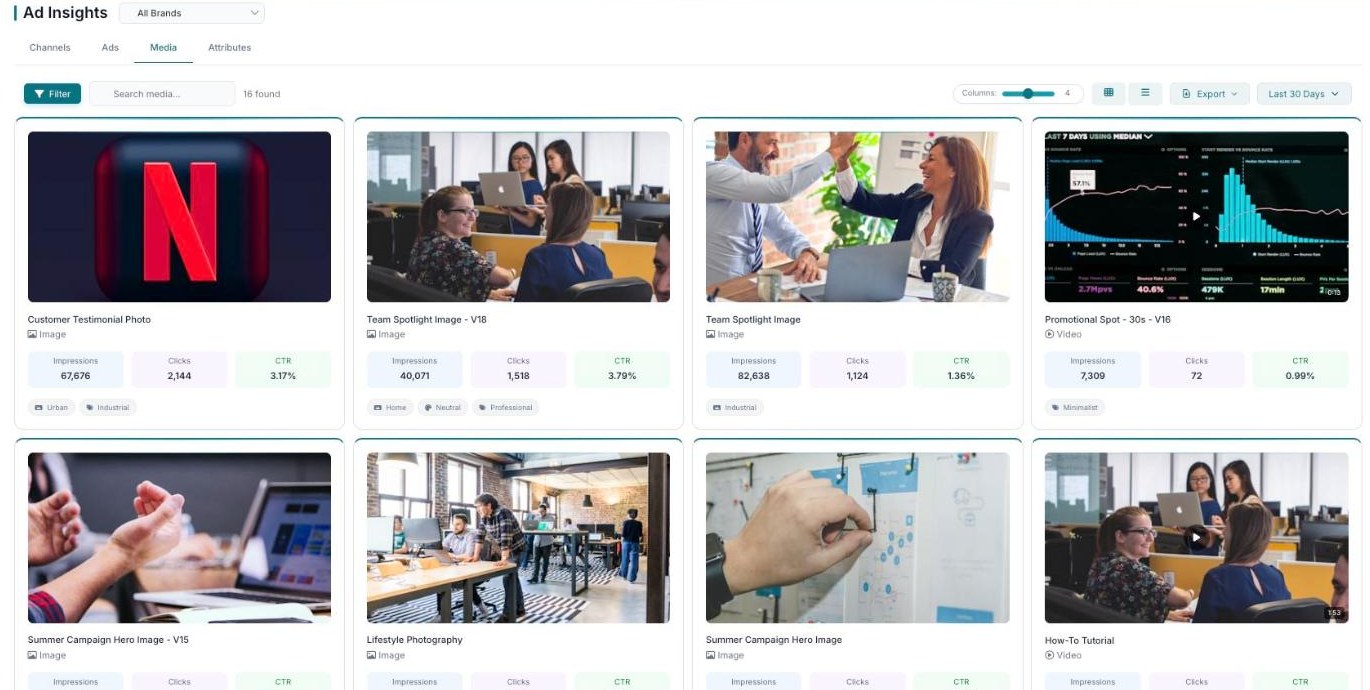
Media — your images and videos, each with performance and descriptive tags.
Each asset card
Every asset appears as a card showing the image or video, its type, and its Impressions, Clicks, and CTR.
Tags that describe the asset
Each card also carries tags — like Urban, Industrial, or Neutral — so you can spot patterns in the kind of media you run.
What’s next
- Back to the Ad Insights overview.
- See the Channels tab.
- See the Ads tab.
- See the Attributes tab.