
The Experiences tab is a visual gallery of the finished creatives your workspace has produced — the actual ads, emails, and displays, across every channel, with where they came from and their status.
Where to find it: Left menu → Marketing → Content → Library → Experiences (the page is titled Content). Part of the Content guide.
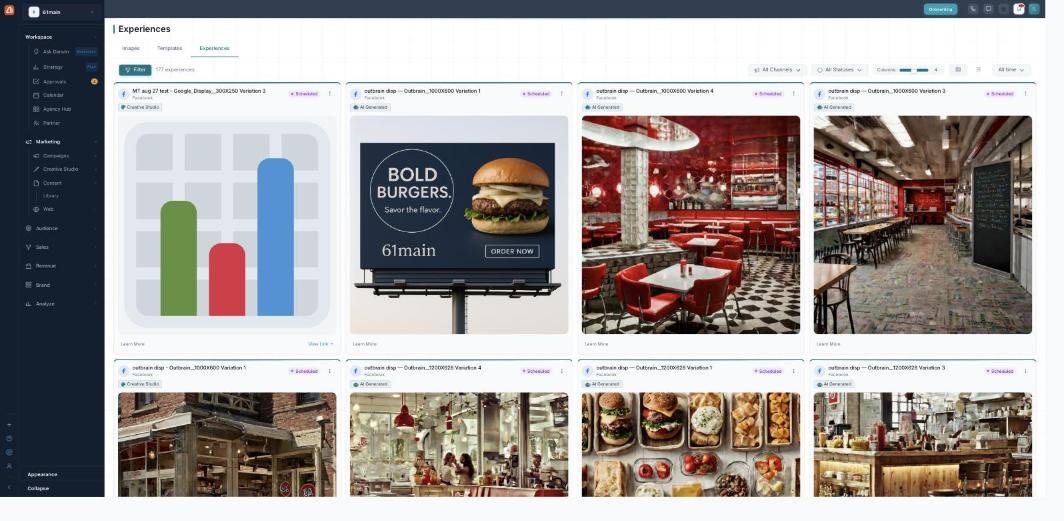
Experiences — every creative you've made, in one gallery.
What's in the gallery
Each card is a finished creative — an email preview or a display/social image — showing its channel, its source (Creative Studio, Email Builder, Design Canvas, Import, Manual, or AI Generated), and its status (Draft, Pending Approval, Approved, Scheduled, Active, Live, Paused, Completed, or Archived). View Details opens the full drawer; View Link → opens the live version. The header shows the total count (e.g. 177 experiences).
Finding one
Filter the gallery by Channel (Facebook, Instagram, LinkedIn, X, TikTok, Google Display & Search, Pinterest, Snapchat, Email, Display / Web Banner), by Status, and by date range (last 7 / 30 / 90 days, 6 months, year, or all time). Adjust the columns or switch to a list.
The details drawer
Open View Details for the full picture: the Content (headline, body, call-to-action, email subject), Delivery (channel, format, brand, dates), Performance (impressions, clicks, CTR, spend — when measured), and where it was made. Depending on status, the ⋮ menu also offers Duplicate, Submit for Approval, Approve / Reject, Activate / Pause / Resume, or Archive.
Where they come from
Experiences are produced in Creative Studio, the Email Builder, and Design Canvas (or imported / AI-generated) — this tab is the shared gallery over all of them, so a creative made for one campaign is easy to find and reuse in another.
What’s next
- Back to Content & the asset library.
- See Adding assets.
- See Editing & enhancing images.
- See Templates.