
Manage is your forms dashboard — the numbers on how your forms are doing, plus a list of every form to edit or check.
Where to find it: Left menu → Marketing → Web → Forms → Manage. Part of the Forms guide.
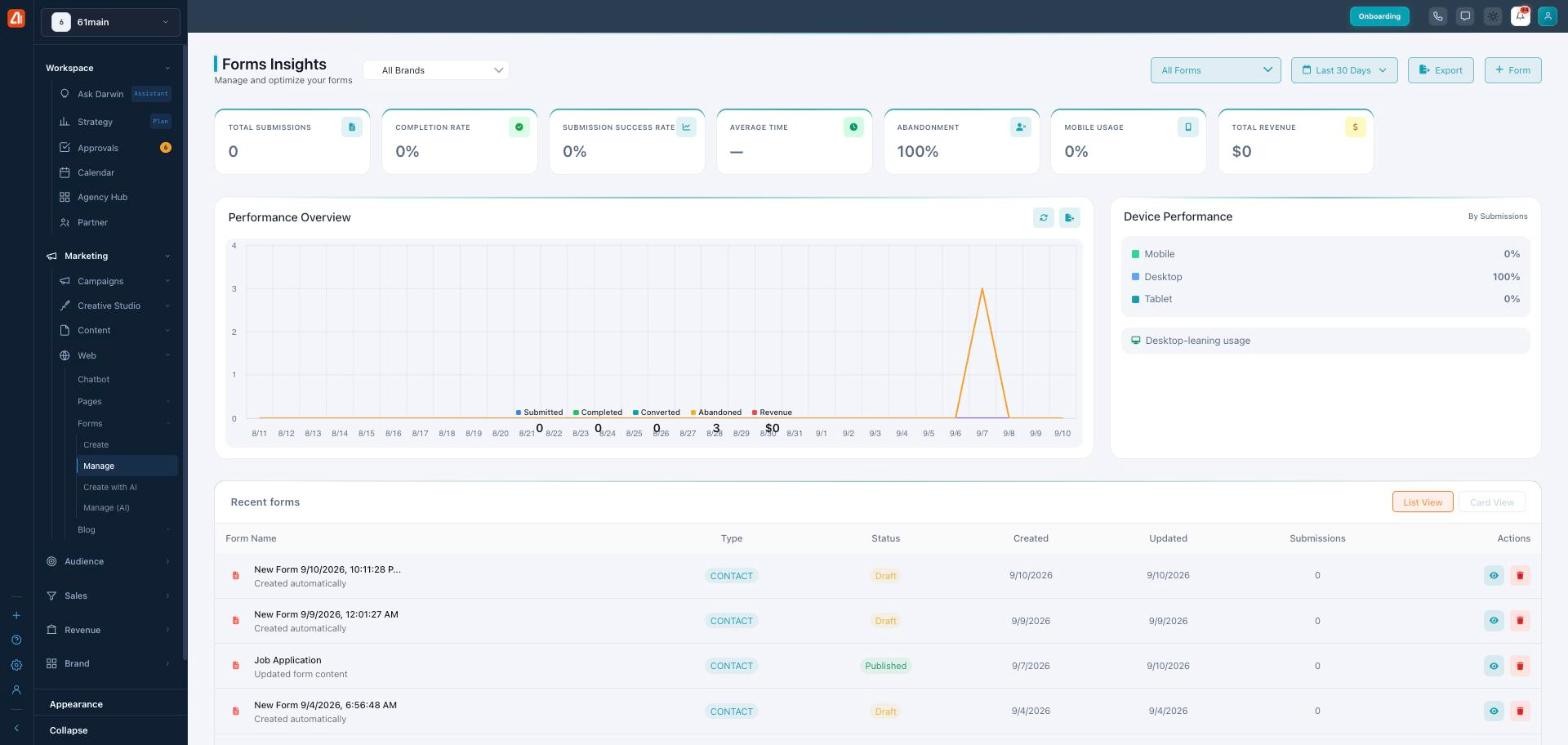
Manage is your forms dashboard — how they’re performing, and every form you have.
Forms Insights
The top of the page is Forms Insights — stat cards for Total Submissions, Completion Rate, Submission Success Rate, Average Time, Abandonment, Mobile Usage, and Total Revenue. Filter by brand and by time range (e.g. Last 30 Days), or Export the data. (Submission Success Rate is how many submissions processed successfully — not a sales conversion — and Total Revenue only shows a figure for forms that collect payment.)
Performance & devices
A Performance Overview chart plots Submitted, Completed, Converted, Abandoned, and Revenue over time, and Device Performance breaks submissions down by Mobile, Desktop, and Tablet — so you can see where people fill your forms out and where they drop off.
Your forms
Recent forms lists each form with its type (e.g. Contact), status (Draft or Published), when it was created and updated, and its submissions count. Row actions let you view or delete a form; switch between List and Card views. Use + Form to start a new one.
What’s next
- Back to the Forms overview.
- See Create (the builder).
- See Create with AI.
- See Manage (AI).