
Find exactly who you need with advanced filters, and tailor the table by showing or hiding columns.
Where to find it: Left menu → Contacts. Part of the Contacts guide.
Advanced filtering
When you need more than a quick chip, the Advanced Filter opens the “Complete Filter View” window, where you build precise rules. Here’s how:
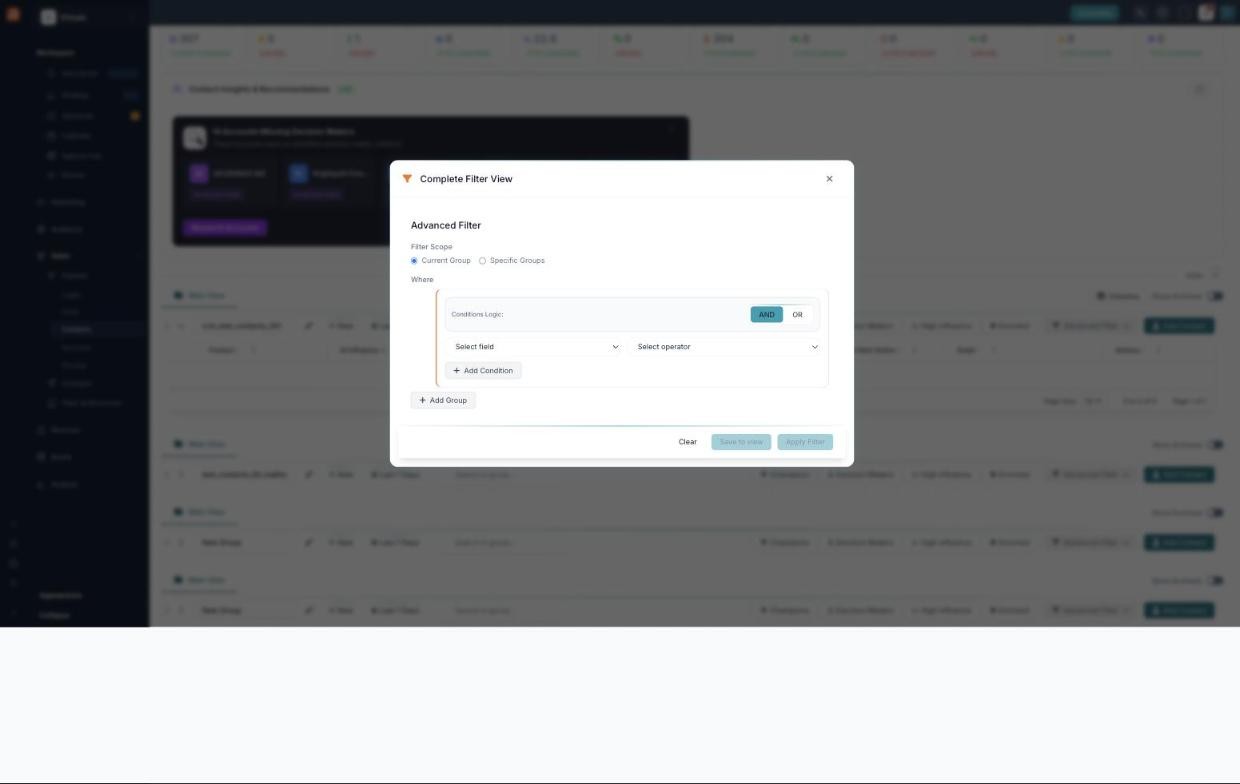
Build precise filters with the Advanced Filter.
- Open Advanced Filter from a group’s toolbar.
- Pick a Filter Scope — Current Group or Specific Groups.
- Build your Where clause: choose a field, pick an operator, then use Add Condition to add more rules (or Add Group for nested rules).
- Set the Conditions Logic to AND (all rules must match) or OR (any rule can match).
- When it looks right, Apply Filter to see the results, or Save to view to reuse it later. Use Clear to start over.
Show or hide columns
The contact grid can show a lot of columns. You choose which ones you see with Column Visibility — so you keep the details you care about and hide the rest.
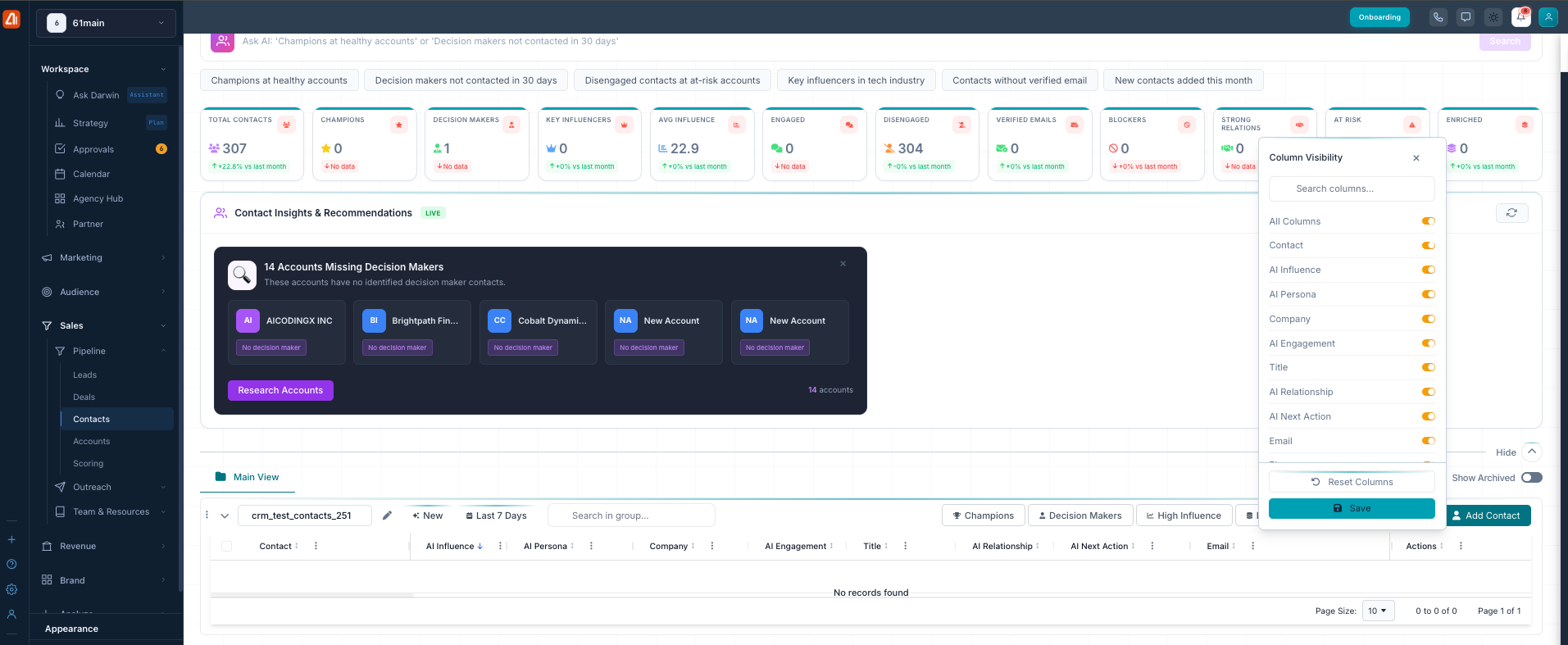
Turn columns on or off with Column Visibility, then Save.
Click Columns above the grid to open the Column Visibility panel. Then:
- Flip a column’s toggle on to show it or off to hide it — Contact, AI Influence, AI Persona, Company, AI Engagement, Title, AI Relationship, AI Next Action, Email, and more.
- Use All Columns to show or hide every column at once.
- Type in the Search columns box to find a column fast.
- Reset Columns puts the default set back.
- Click Save to keep your choice.
You can also rearrange the grid itself — drag a column’s header to move it, or drag its edge to make it wider or narrower.
How Darwin works on your contacts
Darwin reads your whole contact book and scores each person on influence, engagement, and relationship strength. It enriches contacts by filling in missing details, flags gaps like accounts with no decision maker, and suggests the next action to take. All of this stays in sync as your contacts change, so the picture you see is always current — Darwin does the analysis, and you decide what to act on.