
Groups let you organize your contacts into reusable lists you can target, filter, and act on.
Where to find it: Left menu → Contacts → Groups. Part of the Contacts guide.
Groups: organize your contacts
Your contacts are organized into groups — think of each as its own folder of people. Examples include crm_test_contacts_251, a mailing list, or a New Group you create yourself. Each group is its own section on the page.
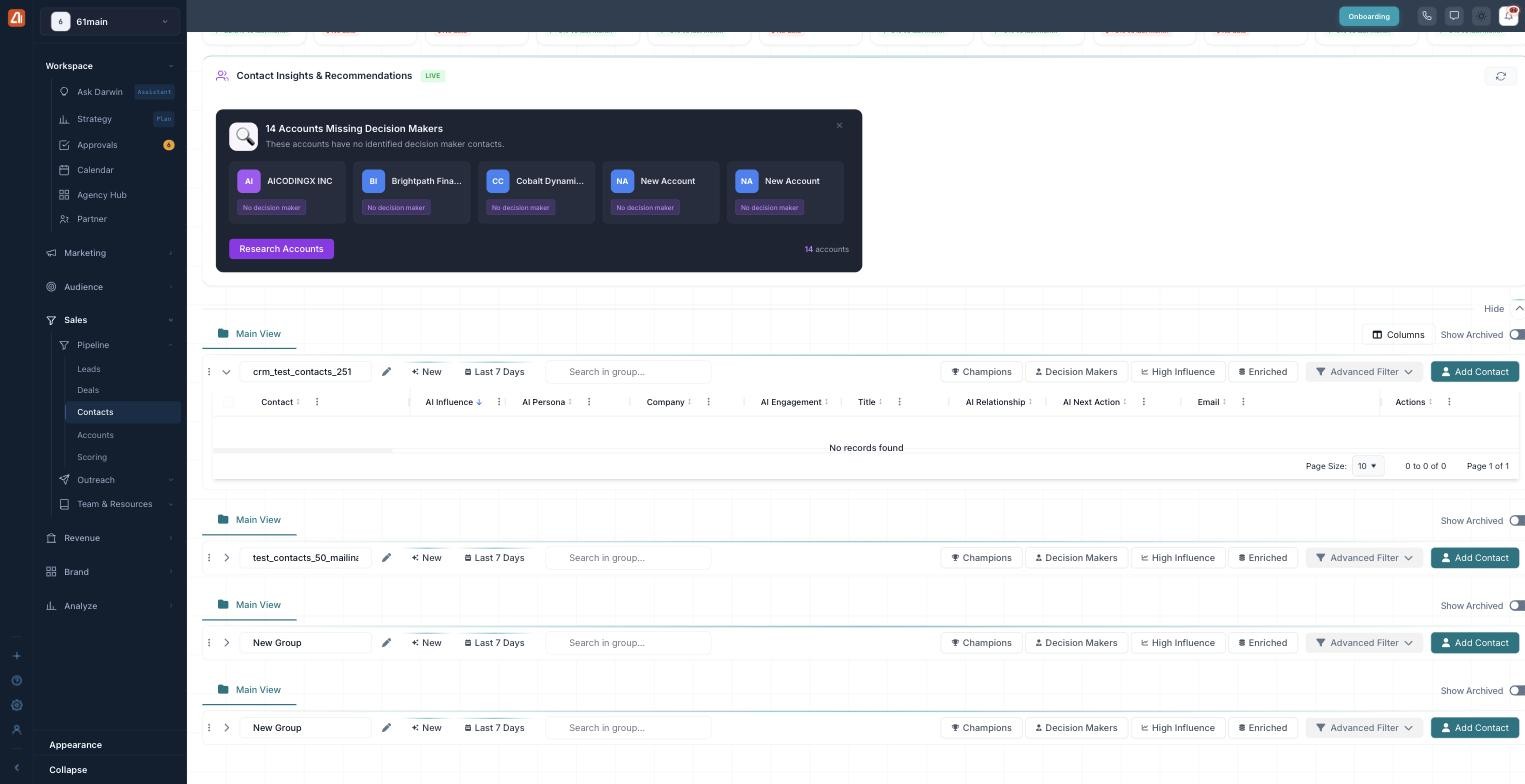
Organize contacts into groups — each with its own filters.
Every group has its own little toolbar so you can work inside it without touching the others:
- A group name and a New button.
- A date range (like Last 7 Days).
- A Search in group box.
- Quick chips: Champions, Decision Makers, High Influence, Enriched.
- An Advanced Filter for precise rules.
- Add Contact to drop someone new into the group.
To start a fresh group, use Add Group at the top right of the page.
What’s next
- Back to the Contacts overview.
- See Filtering & Columns.