
There are three ways to build a sequence. All of them end with AI writing the messages; they differ in how much you set up first.
Where to find it: Left menu → Sales → Outreach → Sequences. Part of the Sequences guide.
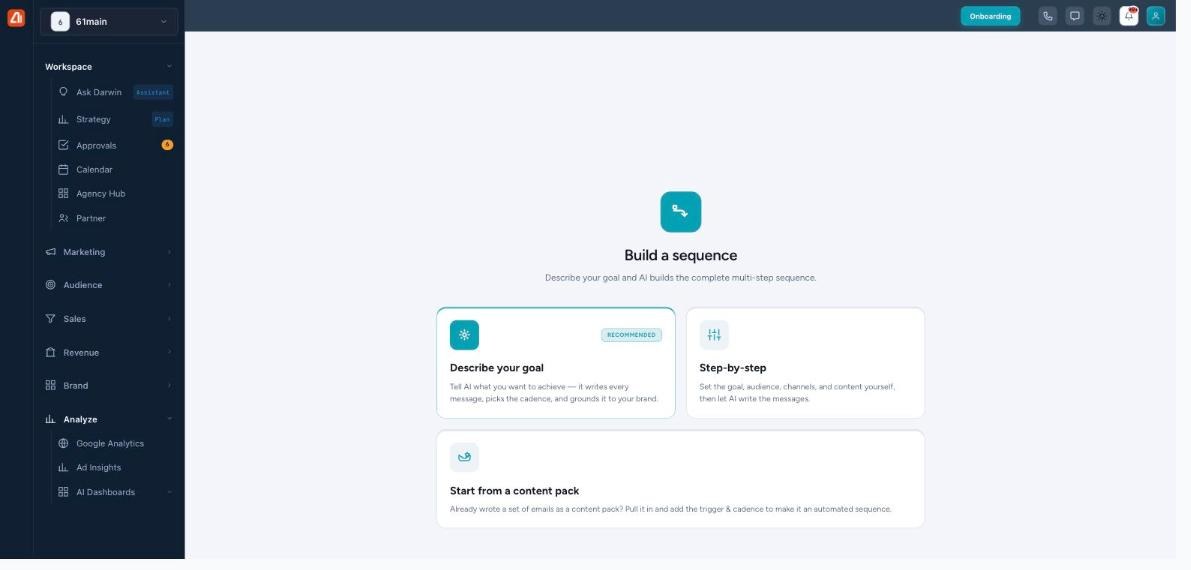
Three ways to build a sequence — pick the one that fits.
Describe your goal (Express)
Describe your goal is the recommended way (also called Express). Tell AI what you want to achieve and it writes every message, picks the cadence, and grounds it to your brand. It’s one screen — see Describe your goal.
Step-by-step
Step-by-step lets you set the goal, audience, channels, and content yourself, then AI writes the messages. It runs across three steps — Setup, Audience & channels, and Content — giving you more control over who it targets and which channels it uses.
Start from a content pack
Start from a content pack is for when you’ve already written a set of emails. Pull the pack in and add a trigger & cadence to turn it into an automated sequence.
Or just tell Darwin
The Sequences menu opens an AI Sequence Builder chat — “Tell Darwin what campaign you want to create.” Type what you want or tap a preset (Abandoned cart recovery, Welcome series, Re-engage inactive users, Product launch, Custom campaign), and Advanced opens the full wizard.
What’s next
- Back to the Sequences overview.
- See Describe your goal (Express).
- See Steps, channels & preview.
- See Editing & regenerating steps.
- See Review & Activate.