
Connect your TikTok account to Marketing Titan to publish and schedule videos and photo posts to your own TikTok profile from the same calendar you use for your other social channels, and to see how those posts perform.
This guide explains how to connect TikTok, how to use it, what TikTok data Marketing Titan uses, and how to disconnect it.
What the TikTok integration does
- Publish to your profile. Create a post in Marketing Titan, choose TikTok, pick who can view it, and publish it to your TikTok profile now or at a scheduled time.
- Send a draft to TikTok. Instead of posting, you can send the video to your TikTok inbox and finish and publish it in the TikTok app.
- Photo posts. Post a set of images to TikTok as a photo post.
- Post performance. See view, like, comment and share counts for the videos on your profile, and your follower count, in Marketing Titan's social reports next to your other channels.
Marketing Titan only posts what you create, approve or schedule. It does not read your TikTok messages, other people's accounts, or TikTok ads accounts.
Prerequisites
- A Marketing Titan account.
- A TikTok account you can sign in to. Posts are published to the TikTok account you connect.
Connecting TikTok
- Sign in to Marketing Titan and open Settings.
- In the Settings menu choose Communication & CRM, then the Social Media tab.
- Find the TikTok card ("Create and schedule content for TikTok and analyze engagement metrics.") and click Connect. If a TikTok account is already connected, the button says Add another.
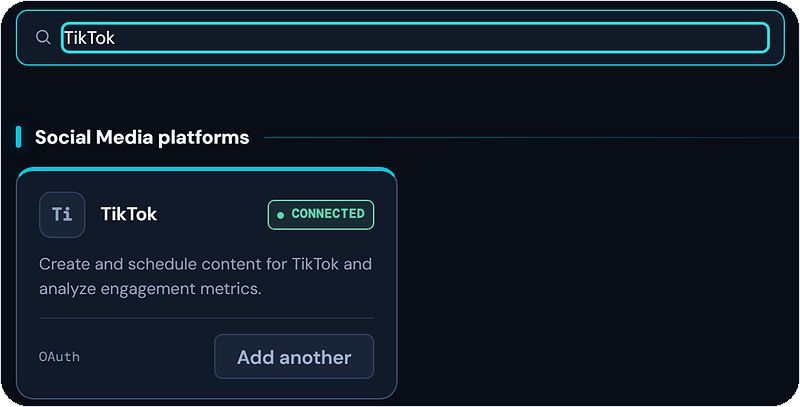
The TikTok card on the Social Media tab.
- A TikTok window opens. Sign in to the TikTok account you want to use, review the permissions Marketing Titan asks for (listed below), and click Authorize.
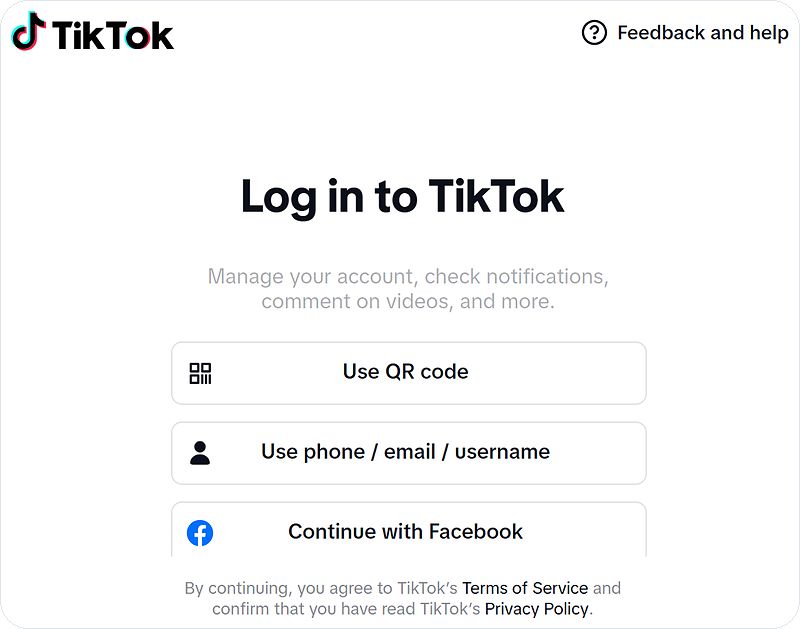
TikTok asks you to sign in, then shows the permissions to approve.
- The window closes and you are back in Marketing Titan. Your TikTok account appears in the Connected list as Active. Click Test on that row to confirm the connection works.

A connected TikTok account (name blurred).
Permissions Marketing Titan requests
| TikTok scope | What it lets Marketing Titan do |
|---|---|
user.info.basic | Read your TikTok ID, display name and avatar, to show which account is connected. |
user.info.profile | Read your profile link, bio and verified status, to show your profile on the connected account. |
user.info.stats | Read your follower, following, like and video counts, for account growth in your reports. |
video.list | Read your public videos and their view, like, comment and share counts, for post performance reports. |
video.upload | Send a video to your TikTok inbox as a draft when you choose to finish it in the TikTok app. |
video.publish | Publish a video or photo post you created or scheduled to your TikTok profile. |
Using TikTok
Publish or schedule a post
- Create a social post and choose TikTok as a channel.
- Add your video (or images for a photo post) and caption.
- Choose who can view the post on TikTok. Marketing Titan never picks this for you.
- Publish now or pick a date and time. Marketing Titan posts it to your TikTok profile at that time.
See how your posts perform
Marketing Titan reads the view, like, comment and share counts for the videos on your connected TikTok profile, and your follower count, and shows them with the results from your other social channels.
Disconnecting TikTok
Option A: in Marketing Titan
- Go to Settings → Communication & CRM → Social Media.
- In the Connected list, find your TikTok account and click Remove account (the bin icon).
Option B: in TikTok
- In the TikTok app, open Settings and privacy → Security → Apps and services (on the web: Settings → Security → Manage app permissions).
- Choose Marketing Titan and remove access. Marketing Titan can no longer post or read data for that account.
Your data
Marketing Titan uses the TikTok data above only to run the features in this guide. It does not sell your TikTok data or use it to train AI models. For how we store, protect and delete data, see the Privacy Policy (section 3.10, TikTok) and Terms of Use. Questions: privacy@marketingtitan.ai.