
The Money tab is where you record what each client pays you and what it buys. It keeps two different kinds of money separate: the retainer a client pays you for your services, and the subscription a client pays for their platform plan. Five sub-tabs cover the full picture.
Where to find it: Left menu → Agency Hub → Money. Part of the Agency Hub suite.
The five sub-tabs
| Sub-tab | What it’s for |
|---|---|
| Retainers | The monthly (or quarterly/annual) fee each client pays you for your work. |
| Renewals | Contracts coming up for renewal, so nothing lapses by surprise. |
| Subscriptions | What clients pay for their platform plan — billed through your connected Stripe account. |
| Overages | Usage above a plan’s limits, ready to re-bill. |
| Commissions | What your team earns. |
Retainers
Money opens on Retainers. Two cards show your Active Retainers and total Recurring Revenue per month. Recording retainers here is what makes recurring revenue and renewal dates something the product can actually show you.
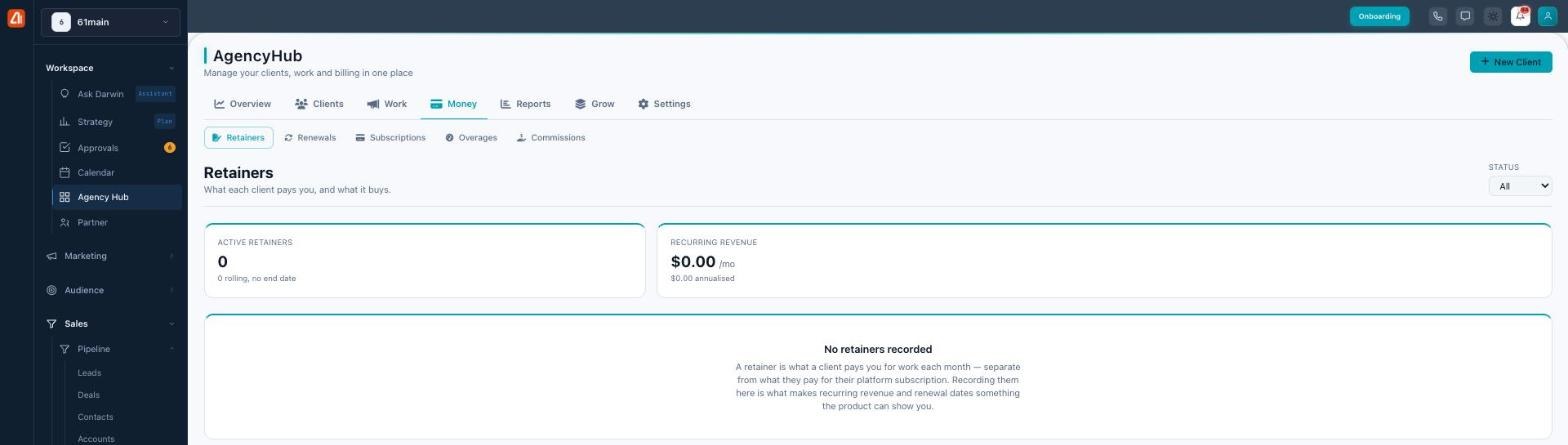
Track retainers, renewals, subscriptions, overages, and commissions.
Each retainer records the amount and currency, a billing period (Monthly, Quarterly, or Annual), when it started, when it ends (leave it open and it shows as Rolling — renews until you stop it), a status (Active, Paused, or Ended), and an optional scope of what’s included.
Built to be honest about money
Retainers never mix currencies — if some clients pay in USD and others in EUR, you get a clean per-currency split instead of a meaningless combined total. An open-ended retainer shows Rolling, not a blank or “Ended.” And because it tracks the fee rather than delivery, it won’t pretend to know a “% used.”
Subscriptions & invoices
The Subscriptions sub-tab is the reseller-billing side — what your clients pay for their platform plans, billed through your Stripe Connect account. It has two views, Subscriptions and Invoices, and you can filter by status: All, Active, Trialing, Past Due, or Canceled. A Total MRR figure is computed from active and trialing subscriptions.
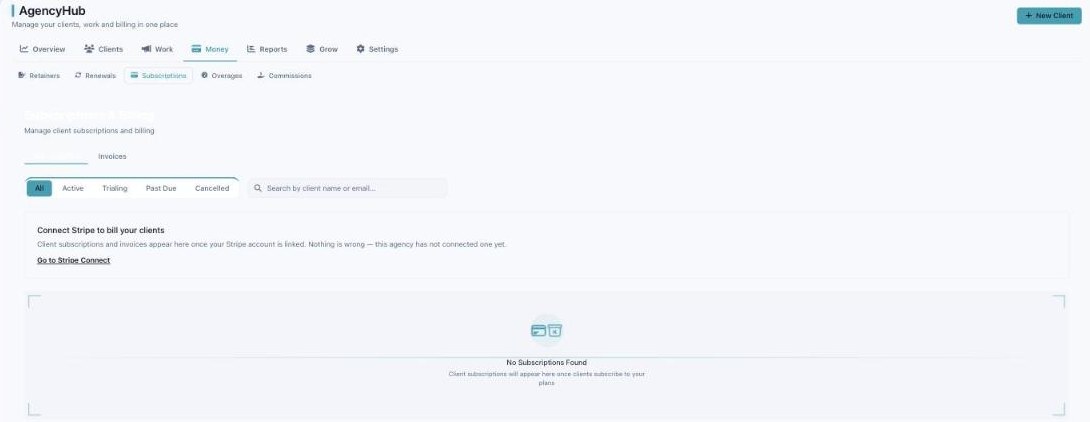
Subscriptions & invoices — client platform billing through your Stripe account.
Subscriptions and invoices only appear once your Stripe account is connected (Settings → Stripe Connect). An empty list with a “Connect Stripe” prompt means nothing’s wrong — you just haven’t linked Stripe yet.
Common questions
What’s the difference between a retainer and a subscription?
A retainer is what a client pays you for your work. A subscription is what a client pays for their platform plan. Both live here, on separate sub-tabs.
What does “Rolling” mean on a retainer?
The retainer has no end date — it keeps renewing each period until you pause or end it.
Why is the Subscriptions tab empty?
Client subscriptions and invoices flow in only after you connect Stripe. Until then it shows a Connect Stripe prompt, not an error.
Can clients pay in different currencies?
Yes — retainers keep each currency separate and never sum across them.
What’s next
- Record a retainer for each client you bill.
- Connect Stripe so subscriptions and invoices appear.
- Build the plans clients subscribe to in the Grow tab.