
Call History is the record of every call — outbound campaign calls, one-off Quick Calls, and inbound receptionist calls — with the outcome, how long it lasted, and how the caller sounded.
Where to find it: Left menu → Sales → Outreach → AI Caller → Call History. Part of the AI Caller guide.
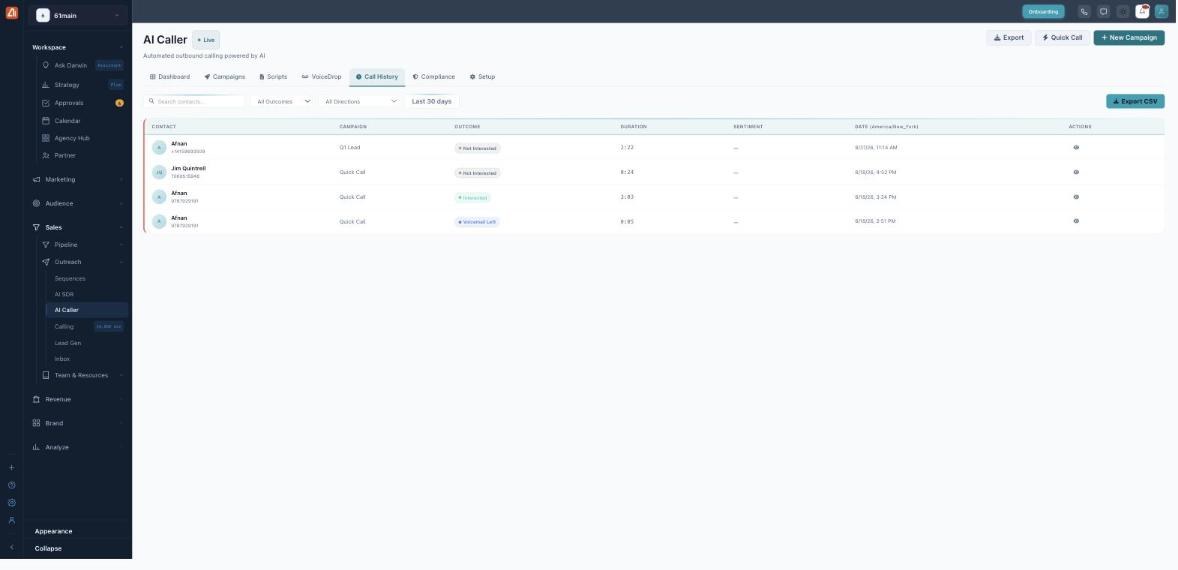
Every call with its outcome, duration and sentiment.
How to find a call
- Open AI Caller → Call History.
- Filter by Outcome, by Direction (Outbound or Inbound), and by date range.
- Or type a name/number in the search box.
- Open a row’s action (👁) to see the full call detail.
What the outcomes mean
| Outcome | Meaning |
|---|---|
| Qualified / Demo Booked | The prospect met your criteria / a meeting was booked. |
| Interested / Not Interested | How the prospect responded to the pitch. |
| Callback | They asked to be called back later. |
| Voicemail | The AI reached voicemail and left a message. |
| No Answer / Busy | The phone rang out / the line was busy. |
| Not Reached | The call couldn’t connect at all. |
| Wrong Number | The number didn’t belong to the contact. |
| Failed | A technical problem stopped the call. |
| DNC | Blocked because the number is on your Do-Not-Call list. |
Reading a row
Each row shows the Contact and number, the Campaign it belonged to, the Outcome, the Duration, the Sentiment (how positive the caller sounded), and the Date in your timezone.
Export
Export CSV downloads exactly what you’re looking at — whatever filter is applied — so you can report on it or push it into another tool.
💡 Tip: Filter to Interested or Callback, then Export CSV, to get a ready-made follow-up list of your warmest calls.
FAQ
What’s the difference between No Answer and Not Reached?
No Answer means the phone rang and no one picked up. Not Reached means the call couldn’t connect in the first place.
What is Sentiment?
An automatic read of how positive or negative the caller sounded during the conversation — a quick way to spot your best calls.
Does Export include every column?
Yes — the CSV mirrors the table for the current filter, so filter first, then export.