
A script is what the AI says on the call. It isn’t read word-for-word — the AI personalizes it for each contact and reacts to what the prospect says — but it sets the structure, the pitch and how to handle push-back. A campaign needs a script before it can dial.
Where to find it: Left menu → Sales → Outreach → AI Caller → Scripts. Part of the AI Caller guide.
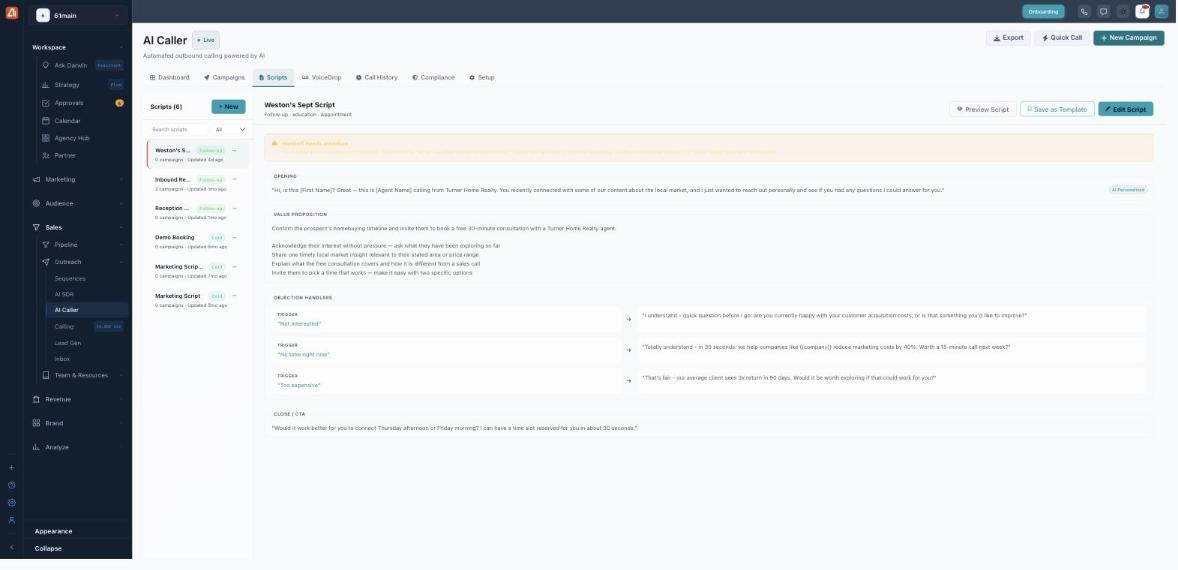
A script is built from an opening, a value pitch, objection handlers and a close.
How to create a script
- Click New at the top of the script list.
- Write the Opening — the first line, using tokens for anything that changes per contact.
- Fill in the Value Proposition — the goal and the points to make.
- Add Objection Handlers — a trigger phrase and the response the AI should give.
- Write the Close / CTA — how the AI asks for the meeting.
- Use Preview Script to hear it, then save. It’s now selectable when you create a campaign.
What’s in a script
| Section | Purpose |
|---|---|
| Opening | The first line. Marked AI Personalized — tokens like [First Name], {{company}} and the AI’s own name are filled in per contact. |
| Value Proposition | The goal of the call and the key points the AI should land. |
| Objection Handlers | Pairs of a Trigger (what the prospect says) and the AI’s response — e.g. “Not interested”, “No time right now”, “Too expensive”. |
| Close / CTA | How the AI asks for the meeting or next step, usually offering two specific times. |
Personalization tokens
Tokens are placeholders the AI swaps for the contact’s real details at call time, so every call sounds tailored. Common ones include {{name}} / [First Name], {{company}} and the AI’s own name. Anything marked AI Personalized is rewritten on the fly to fit the conversation.
Manage your scripts
The list shows each script’s type tag (e.g. Cold or Follow-up), how many campaigns use it, and when it was last updated. Filter by All / Active / Inactive / Drafts. On a script you can Preview Script (hear it), Save as Template (reuse it later) or Edit Script.
💡 Good to know: If a script hands qualified calls to a person, it needs a transfer number. When none is set you’ll see a “Handoff needs attention” banner and the call falls back to booking a meeting — add a transfer phone in Setup.
FAQ
Does the AI read the script word-for-word?
No. It uses the script as a guide, personalizes it per contact and adapts to what the prospect says — while still hitting your value points and close.
How do objection handlers work?
Each handler is a trigger (what the prospect says) plus the response you want. When the AI hears something close to the trigger, it answers with your line.
Can I reuse a script across campaigns?
Yes — one script can power many campaigns, and Save as Template lets you clone it as a starting point.