
VoiceDrop delivers a pre-recorded message straight to a contact’s voicemail — the phone never rings. It’s a lighter-touch alternative to a live call, ideal for reminders, follow-ups and re-engaging cold contacts at scale.
Where to find it: Left menu → Sales → Outreach → AI Caller → VoiceDrop. Part of the AI Caller guide.
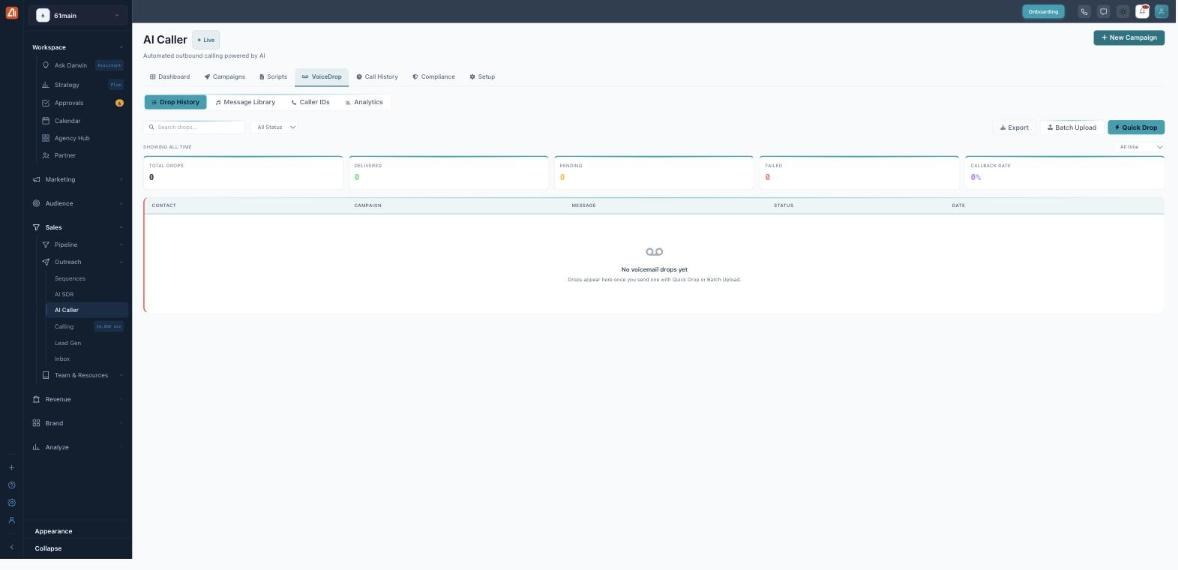
Send ringless voicemails and track delivery on the VoiceDrop tab.
How to send a Quick Drop
- Open AI Caller → VoiceDrop.
- Click Quick Drop.
- Choose the message from your Message Library and the contact.
- Send — the drop appears in Drop History with a status.
How to send to a whole list
- Click Batch Upload.
- Upload your list of contacts.
- Pick the voicemail message and confirm — every drop is tracked in Drop History.
You can also run VoiceDrop as a campaign: choose Voicemail or Hybrid when you create a campaign.
The four sub-tabs
| Sub-tab | What’s there |
|---|---|
| Drop History | Every drop with its status and date. |
| Message Library | Your saved voicemail recordings to drop. |
| Caller IDs | The numbers drops are sent from. |
| Analytics | Delivery and callback trends over time. |
Delivery statuses & metrics
A drop moves through Pending → Queued → Delivered (or Failed). The metric strip tracks Total Drops, Delivered, Pending, Failed and your Callback Rate — how many recipients called back. Use Export to pull the history out, and the date range (All time / Last 30 days / Last 7 days) to focus it.
💡 Tip: Keep voicemail messages short and specific — a clear reason to call back lifts your Callback Rate more than a long pitch.
FAQ
Does the recipient’s phone ring?
No — that’s the point of “ringless”. The message is placed directly into voicemail.
What is Callback Rate?
The share of people who returned your call after hearing the drop — the main measure of how well a message works.
Can I combine drops with calling?
Yes — a Hybrid campaign calls first and leaves a voicemail only when there’s no answer.