
The AI proposes audiences worth building and flags ways to improve the ones you have.
Where to find it: Left menu → Audience. Part of the Audience Manager guide.
Smart Suggestions from the AI
Let Darwin do the first draft
When you build an audience, Darwin offers Smart Suggestions — ready-made picks pulled from your CRM data. Instead of starting from a blank page, you can choose things like “all active companies/accounts in your CRM,” “all active leads in your pipeline,” or “contacts with active deal opportunities.” Pick one and the AI sets up the audience for you, so you can refine it from there.
AI recommendations to improve
The AI doesn’t stop once an audience is built. A recommendations panel gives you Suggested Next Steps for each audience, so you always know how to make it better.
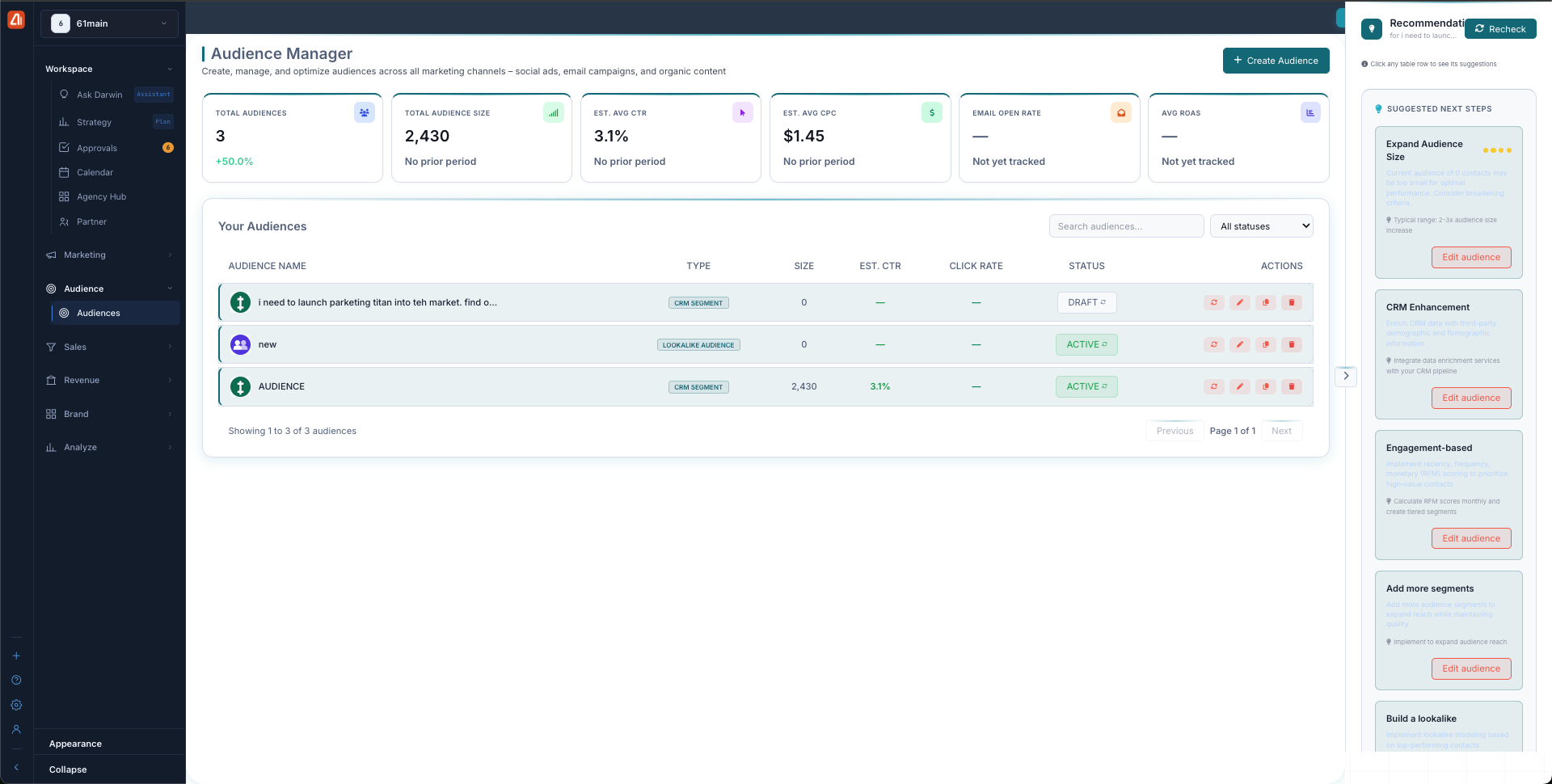
Click an audience to see its Suggested Next Steps for improving it.
Suggested Next Steps can include:
- Expand Audience Size — reach more of the right people.
- CRM Enhancement — improve the data behind the audience.
- Engagement-based segmenting — group people by how they interact.
- Add more segments — include extra CRM sources.
- Build a lookalike — find new people who match your best contacts.
To act on a suggestion, click any audience row to see its recommendations, then use Edit audience to make the change.
What’s next
- Back to the Audience Manager overview.
- See Create an Audience.