
A brand in Marketing Titan is the single source of truth for how your business looks and sounds — its colors, fonts, logos, icons, and voice. Think of it as the style guide your whole team (and your AI assistant) follows. You set it up once, and everything you make afterward stays consistent.
Here’s why that matters so much: once a brand is set up, Darwin uses it everywhere. Every ad, email, social post, and template is generated on-brand automatically, so everything you ship looks like it came from the same company — without you checking each piece by hand. Setting up your brand well is the highest-leverage thing you can do in Marketing Titan. It makes all of Darwin’s output better.
Find it in the left menu → Brand. The Brands area has its own left sidebar: Brand Guidelines (Home, Brand Analysis, Typography, Colors, Icons, Brand Voice), Brand Assets (Logo Library, Image Library, Video Library), and Templates (Social Media, Email Campaigns).
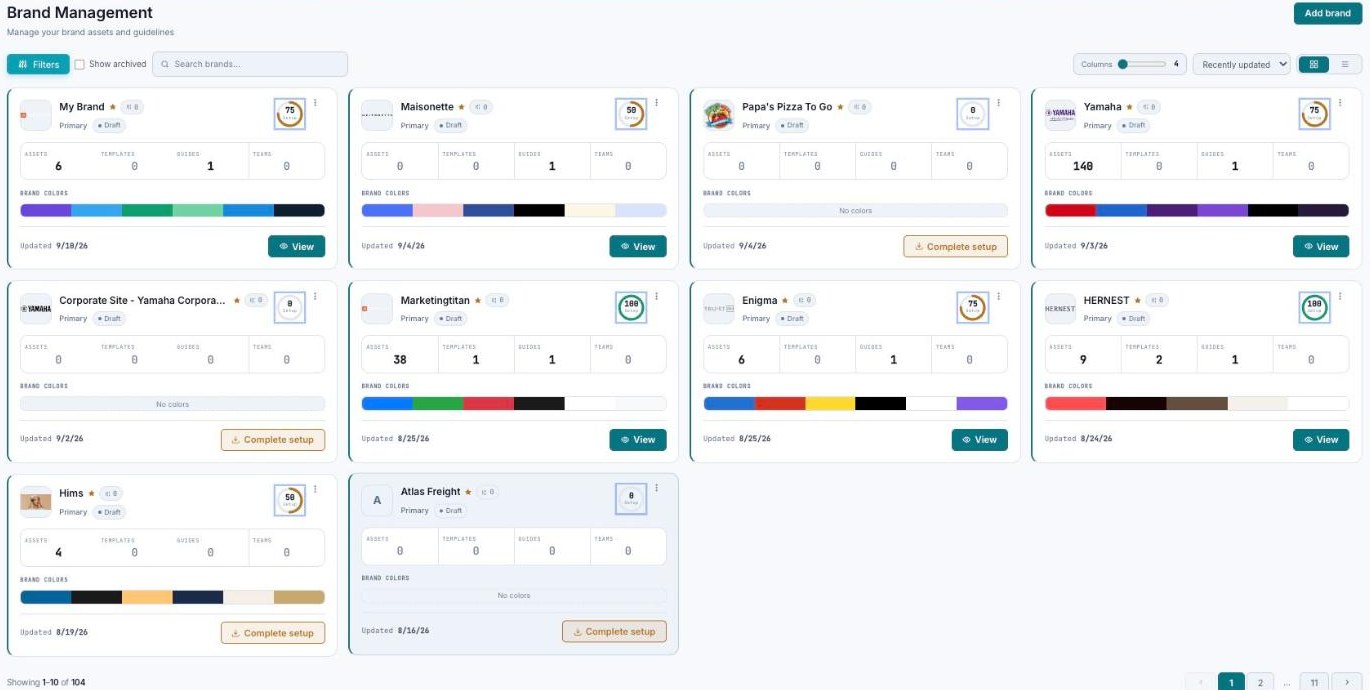
Brand Management — every brand as a card, with the Guidelines, Assets, and Templates sidebar.
The Brand Management home
The Home page is where all your brands live. Its job is simple: “Manage your brand assets and guidelines.” At the top you’ll find an Add brand button to create a new one, plus tools to find what you need — Filters, a Show archived toggle, a Search brands box, a Columns slider, a Recently updated sort, and a grid/list toggle. The example account has 104 brands, so these controls earn their keep.
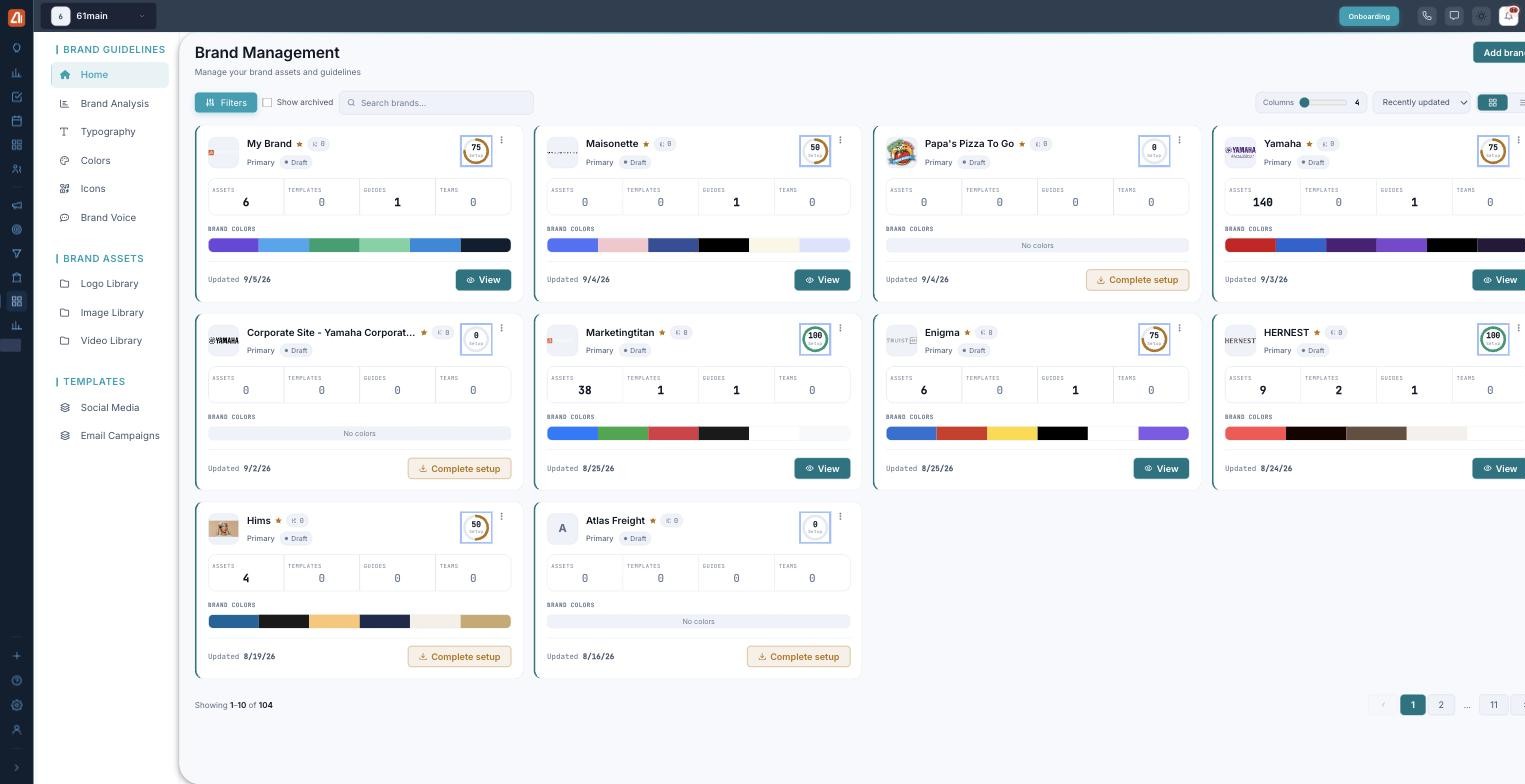
Every brand in one place, each with a completeness score.
Each brand shows up as a card. A card packs in a lot at a glance:
- The logo and name.
- A Primary / Draft badge so you know its status.
- A completeness ring — a percentage score of how complete the brand is.
- Quick stats: Assets, Templates, Guides, Teams.
- Its Brand Colors swatches and the last-updated date.
- A View button — or Complete setup if the brand still needs work.
The completeness ring is your to-do list at a glance. A brand sitting at a low percentage usually just needs its colors, typography, or voice filled in — and a higher score means better AI output.
The sections — each has its own guide
Brands is organized into the areas below. Open any one for the full, detailed walkthrough.
| Section | What it covers | Guide |
|---|---|---|
| Brand Analysis | Your brand health score and what drives it. | Open guide → |
| Brand Guidelines | Colors, typography, brand voice, and icons. | Open guide → |
| Brand Assets | Your logo, image, and video libraries. | Open guide → |
| Templates | Start on-brand with social and email templates. | Open guide → |
Common questions
What’s the completeness ring?
It’s a percentage score on each brand card showing how complete the brand is — colors, typography, voice, assets, and more. A higher score means Darwin has more to work with, so its output is more on-brand.
What’s the difference between Primary and Draft?
The badge on a card tells you a brand’s status. A Primary brand is set up and ready to use; a Draft is still being built out. A card showing Complete setup instead of View still needs finishing.
How does Darwin use my brand?
Automatically and everywhere. When Darwin generates an ad, email, social post, or template, it uses your brand’s colors, fonts, logos, icons, and voice rules — so everything ships consistent without you double-checking each piece.
What’s Brand Voice for?
Brand Voice teaches Darwin how to sound like you. Your mission, personality, tone tags, and do’s/don’ts become the exact rules Darwin follows when it writes copy.
Can I have more than one brand?
Yes. Marketing Titan is built for many brands — the example account has 104. Use the search, filters, and sort on the Home page to manage them.
What’s in Brand Analysis?
An AI brand health report: an Overall Brand Score out of 100, metric bars (Brand Reach, Engagement, Brand Impact, Digital Presence, Brand Authority), a SWOT panel, and an Identity section — across tabs for Overview, Brand Identity, Guidelines, SWOT, Target Audience, Assets, and Technical SEO.
Where do logos live?
Under Brand Assets → Logo Library. Images and video have their own libraries right beside it.
Why do colors show token references?
A hex code is the exact color; the token reference is the name the rest of the system uses to call that color. Token references keep your colors consistent wherever they’re used.
Having trouble? If a brand says Complete setup, open it and finish the missing pieces — usually colors, typography, or voice. If Darwin’s output looks off-brand, check that your colors and Brand Voice are actually set. And if a brand won’t save, make sure every required field is filled in.
What’s next
- Open the Brand Analysis guide.
- Open the Brand Guidelines guide.
- Open the Brand Assets guide.
- Open the Templates guide.