
Email Marketing

Email Builder Overview

Master the drag-and-drop email builder with AI-powered features. Learn to create stunning, responsive email templates with personalization, content blocks, and mobile optimization.

Beginner12 min read

Create beautiful, responsive emails with our drag-and-drop email builder. No coding required - just drag elements and customize to match your brand.
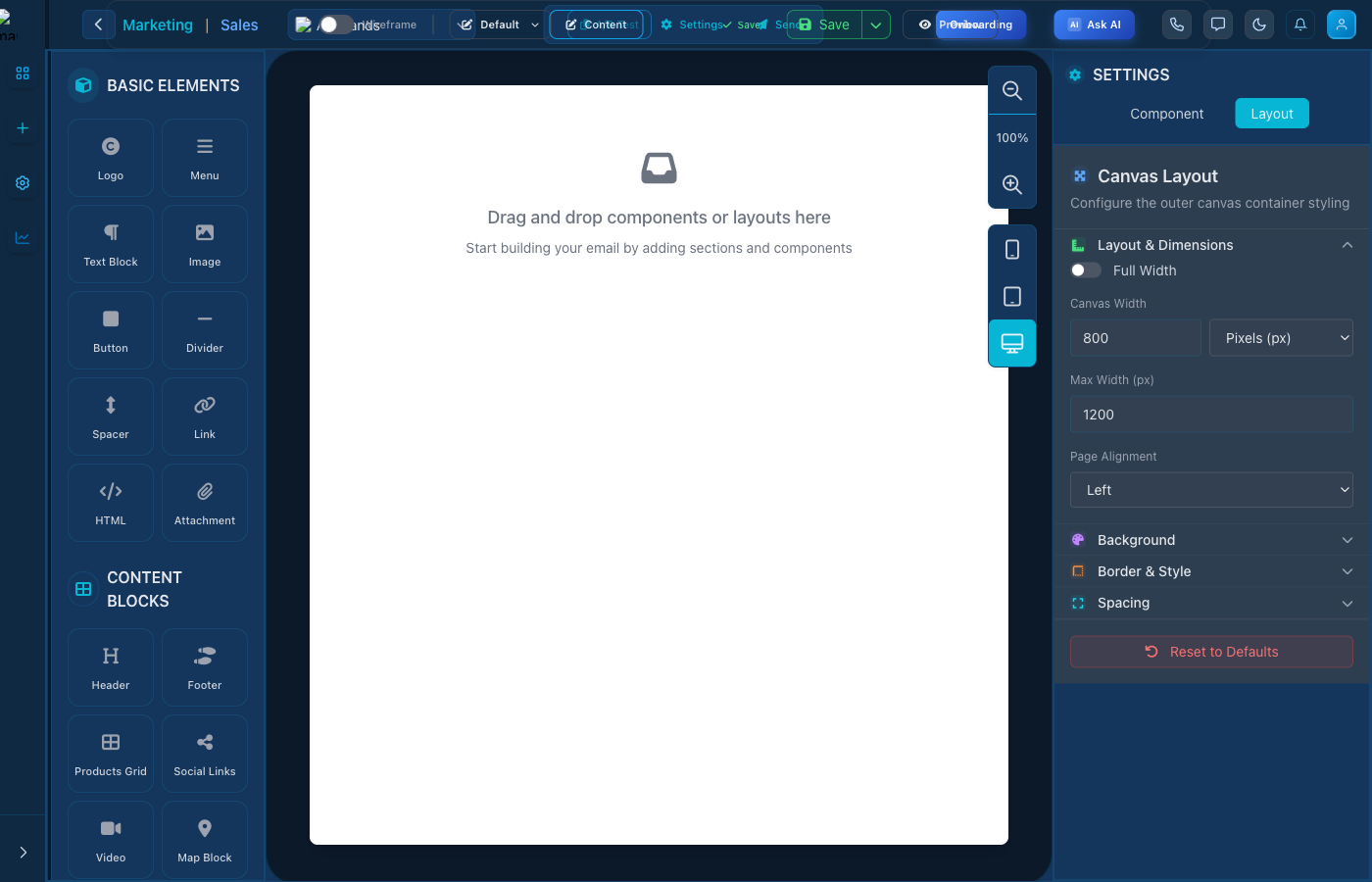
Email Builder Interface

Email Builder - Drag and drop email design

Builder Features

  • Drag & Drop: Intuitive block-based editor
  • Templates: Start from pre-designed templates
  • Mobile Preview: See how emails look on mobile
  • Brand Assets: Access your logos, colors, and fonts

Building an Email

  1. Choose a template or start blank
  2. Drag content blocks from the sidebar
  3. Edit text, images, and styling
  4. Preview and test your email
  5. Save or send when ready

Keep reading

More ways to get help

These guides are the same ones that sit inside the app’s help center, next to the screens they describe. If you prefer to watch, the Marketing Titan Academy has short video courses recorded in the product. Signed in, you can also ask Darwin, the built-in assistant, to explain a screen or do the step for you. If something is not covered here, contact us and a person will answer.

Try it yourself

Every guide here describes the live product.

Start free and follow along: every core module, unlimited users, no card required.