
Scoring gives every lead, contact, and deal a 0–100 score from rules you define — so your team can focus on the hottest records first. It’s rule-based (you decide what earns points), it runs automatically, and it’s part of your plan.
Where to find it: Left menu → Sales → Pipeline → Scoring. The scores you build here fill the Score column on your Leads, Contacts, and Deals boards.
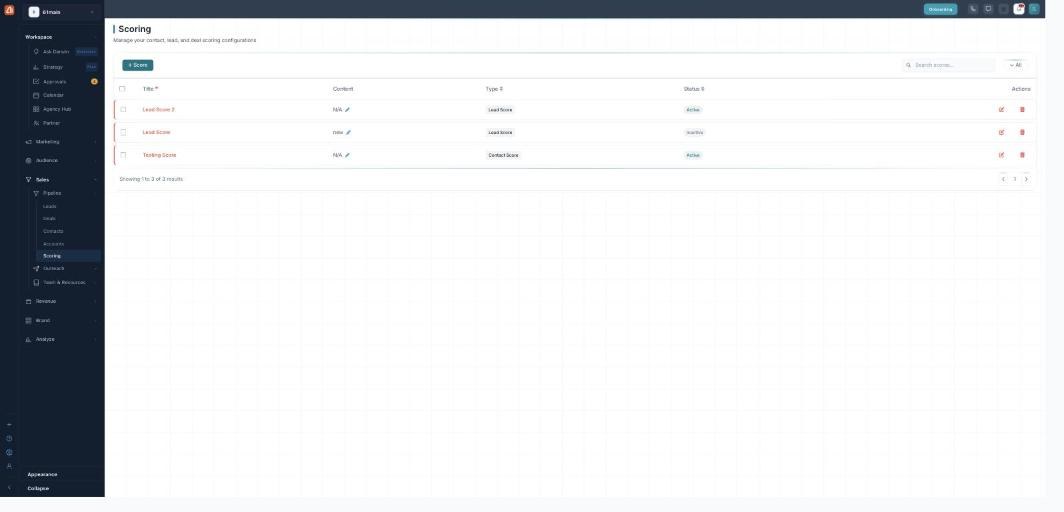
The Scoring list — every score configuration, its type, and whether it is active.
How scoring works
You build score configurations. Each one holds rules; when a record matches a rule, it earns that rule’s points. The points add up to a total (capped at 0–100) that shows on the board — higher means hotter.
The scores list
The main page is a table of every score you’ve made:
- Title — the score’s name.
- Content — a short description you can edit inline.
- Type — Lead Score, Contact Score, or Deal Score.
- Status — Active or Inactive. Only active scores are calculated.
Use + Score to add one, the Search box and All / Active / Inactive filter to find one, the pencil to edit its description, Edit to open it, or Delete to remove it.
Three kinds of score
Scoring covers all three CRM record types — a Lead Score for the Leads board, a Contact Score for Contacts, and a Deal Score for Deals. You pick the type when you create the score.
Where the score shows up
Once a score is active, its 0–100 total appears in the Score column on the matching board. Your rule-based score takes precedence; if a record type has no active rule score, the board can show an AI score instead, labeled AI. See Scores, bands & the board for the detail.
Learn each part
| Topic | What it covers | Guide |
|---|---|---|
| Score types & creating a score | Lead, contact, and deal scores, and how to add one. | Open → |
| Building rules | Rules, conditions, operators, points, and templates. | Open → |
| Scores, bands & the board | The 0-100 total, Hot / Warm / Cold bands, and the board. | Open → |
Rule-based and free
Scoring is deterministic — the same rules always give the same result, with no AI guesswork and no credits. It’s available on paid plans. Build the rules once and every matching record is scored (and re-scored) for you automatically.
What’s next
- Create one — score types & adding a score.
- Set the logic — building rules.
- See the result — scores, bands & the board.