
Ask Darwin is your AI marketing assistant. The AI is named Darwin. You ask about your account, find the right page, or get a draft started — all in plain English. No menus to hunt through. Just type what you want.
Darwin does the reading and the routing for you. Behind the scenes, it hands your question to the right expert. You get a clear answer, a draft, or a next step — fast.
Where to find it: Open
Ask Darwinfrom the left menu. It opens as a chat sidebar, right where you’re working.
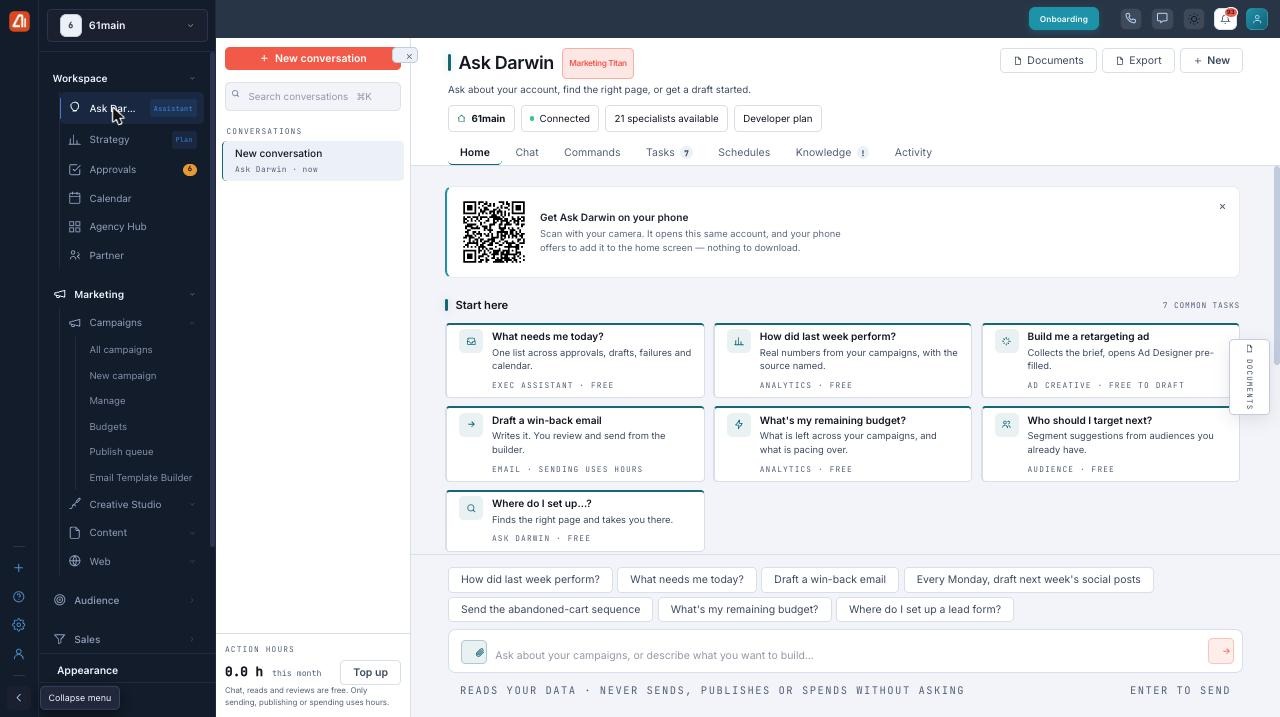
The Ask Darwin home — common tasks up top, and a chat box ready for your question.
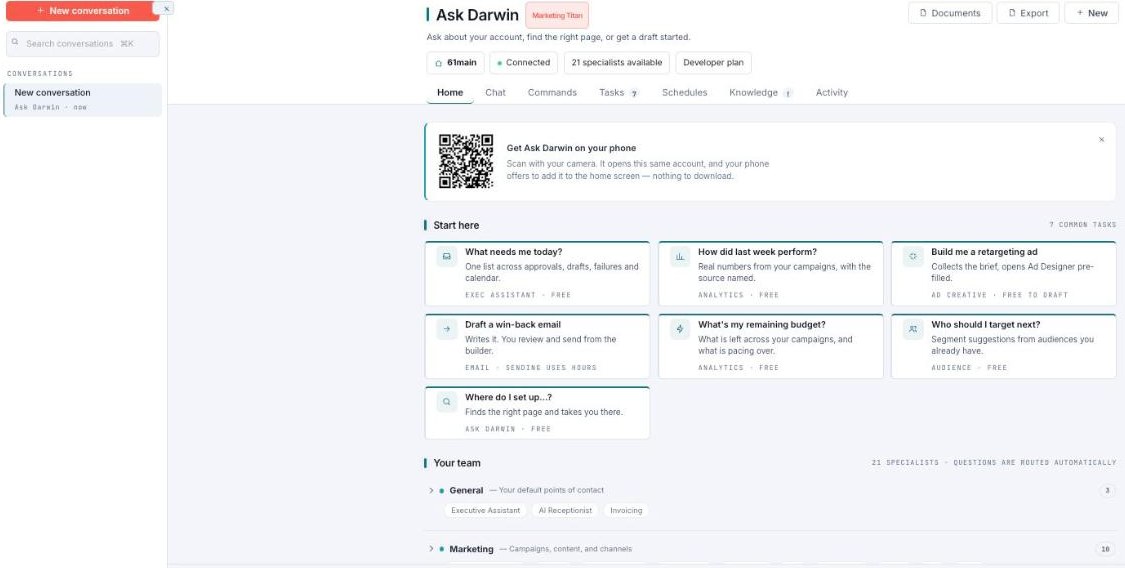
Ask Darwin — the Home tab, with Start-here tasks and your specialist team.
What is Ask Darwin?
Ask Darwin is a chat sidebar. You type a question, and Darwin answers. You can ask about your account, get pointed to the right page, or kick off a draft — like a new email or a piece of content.
The header sets the tone. It reads “Ask about your account, find the right page, or get a draft started.” It also shows your brand, a Connected status, 21 specialists available, and your plan.
Here’s the clever part. Ask Darwin routes your question to the right one of 21 specialists automatically. Think of a campaign manager, an email specialist, an ad-creative specialist, and an analytics specialist — each one an expert in its own area. You don’t pick one. You just ask, and Darwin sends your question to the right place.
Type like you talk. “How did last week’s email do?” or “Draft a welcome email for new signups” both work great.
Opening it and starting a task
- Click
Ask Darwinin the left menu. The chat sidebar opens. - Check the header. You should see a Connected status and 21 specialists available.
- Type your question or request in plain English in the chat box.
- Press enter. Darwin routes your ask to the right specialist and replies.
- Read the answer, or review the draft it made. If it wants to take an action, it asks you first.
That’s it. Chatting, reading, and reviewing are free — so ask away.
The sections — each has its own guide
Ask Darwin is organized into the areas below. Open any one for the full, detailed walkthrough.
| Section | What it covers | Guide |
|---|---|---|
| The Tabs | Commands, Tasks, Schedules, and Knowledge. | Open guide → |
| Free vs. Hours | What's free to ask and what uses your hours. | Open guide → |
Common questions
Do I have to pick a specialist?
No. You just ask in plain English. Ask Darwin routes your question to the right one of the 21 specialists automatically.
Will Darwin send an email or spend money on its own?
No. Reads your data, never sends, publishes, or spends without asking. Anything that would send waits for you in Tasks or Approvals, and goes out only after you approve it.
Does chatting cost me anything?
No. Chatting, reading, and reviewing are free. Only sending, publishing, or spending money uses your Action Hours.
What’s the difference between Tasks and Schedules?
Tasks are work a specialist has lined up and is waiting on you to review. Schedules are standing instructions that run on a cadence instead of waiting to be asked.
How does Darwin decide what can run on its own?
By blast radius, not preference. Reversible work can run on its own, staged work gets an undo window, and irreversible work — sends, publishing, or spend — is locked until you approve it.
How do I make Darwin’s answers less generic?
Fill in the Knowledge tab. Add your brand profile and voice, connect your platforms, and upload documents. Connecting your platforms is the highest-value thing to add.
Having trouble?
If the header doesn’t show a Connected status, or answers seem generic, check the Knowledge tab and your Connected platforms on the Integrations page. If an action won’t run, look in Tasks — it may be waiting on your approval. And if you’re low on Action Hours, use Top up to add more.
What’s next
- Open the The Tabs guide.
- Open the Free vs. Hours guide.