
The Commands tab is the full catalog of actions — what each specialist can do, and exactly what happens when it does.
Where to find it: Left menu → Ask Darwin → the Commands tab. Part of the Ask Darwin guide.
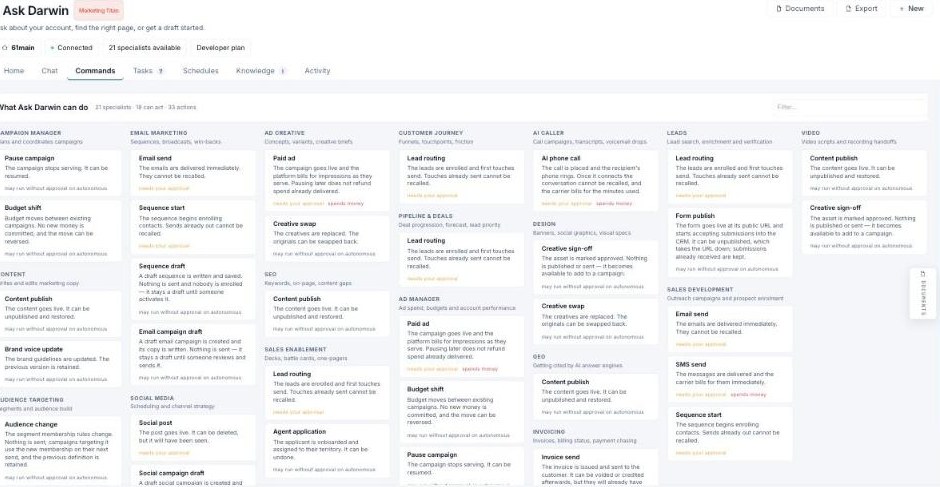
Commands — everything Ask Darwin can do, grouped by specialist.
Grouped by specialist
Actions are grouped under each specialist — Campaign Manager (Pause campaign, Budget shift), Email Marketing (Email send, Sequence start/draft, Email campaign draft), Ad Creative (Paid ad, Creative swap), Ad Manager, SEO, Social Media, Leads, AI Caller, Invoicing, Video, and more. A counter shows how many specialists there are, how many can act, and the total number of actions.
What each action tells you
Every command spells out what it does and its guardrail — whether it needs your approval, spends money, or may run without approval on autonomous. So you know before you ask whether an action is reversible, costs money, or sends immediately.