
Ask Darwin is your AI marketing team, organized into seven tabs. Each one is a different way to work with your specialists — ask, act, review, schedule, or audit.
Where to find it: Left menu → Ask Darwin (top of the Workspace menu).
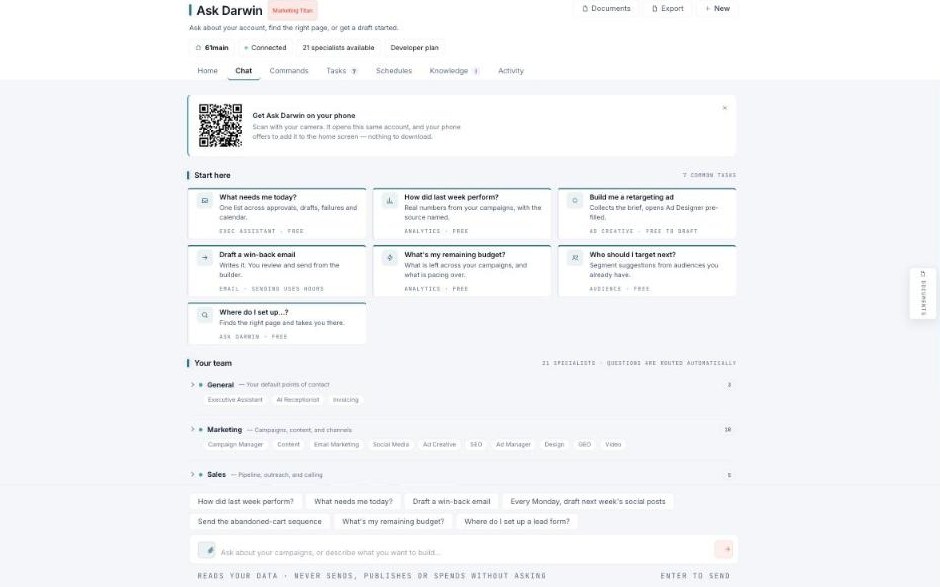
Ask Darwin — ask in plain English and the right specialist answers.
The seven tabs — each has its own guide
| Tab | What it’s for | Guide |
|---|---|---|
| Home | Your account, plan, and connection status. | Open → |
| Chat | Ask a question or describe what to build. | Open → |
| Commands | The full catalog of what Ask Darwin can do. | Open → |
| Tasks | Everything queued for your review. | Open → |
| Schedules | Put a specialist on a cadence (standing instructions). | Open → |
| Knowledge | What Ask Darwin knows about you. | Open → |
| Activity | A complete log of every action. | Open → |