
The Schedules tab lets a specialist run on a schedule instead of waiting to be asked — a standing instruction.
Where to find it: Left menu → Ask Darwin → the Schedules tab. Part of the Ask Darwin guide.
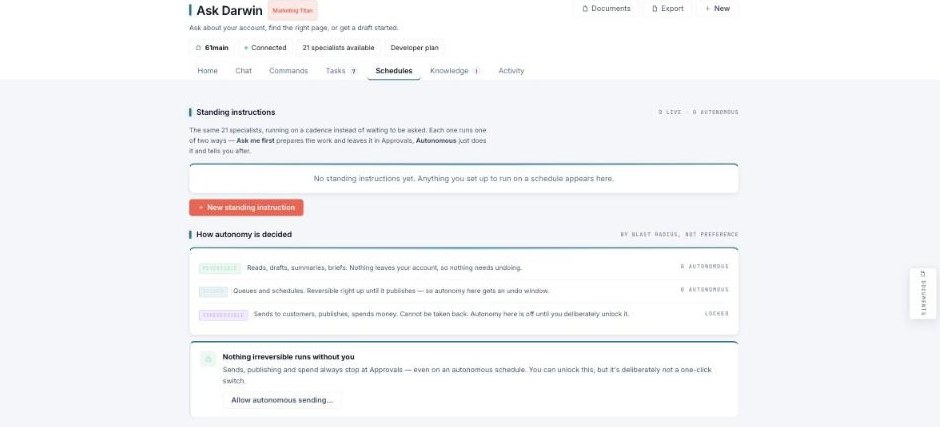
Schedules — the same specialists, running on a cadence.
Standing instructions
A standing instruction runs one of two ways: Ask me first — it prepares the work and leaves it in Approvals for you; or Autonomous — it just does it and tells you after. Use New standing instruction to set one up.
How autonomy is decided
Autonomy is decided by blast radius, not preference:
- Reversible — reads, drafts, summaries, briefs. Nothing leaves your account, so nothing needs undoing (can be autonomous).
- Queues & schedules — reversible right up until it publishes, so autonomy here gets an undo window.
- Irreversible — sends to customers, publishes, spends money. This is Locked: autonomy is off until you deliberately unlock it.
The guarantee
Nothing irreversible runs without you. Sends, publishing, and spend always stop at Approvals — even on an autonomous schedule. You can unlock this, but it’s deliberately not a one-click switch.