
Chat is the main way you talk to Ask Darwin. Ask a question in plain English and the right specialist answers — questions are routed automatically.
Where to find it: Left menu → Ask Darwin → the Chat tab. Part of the Ask Darwin guide.
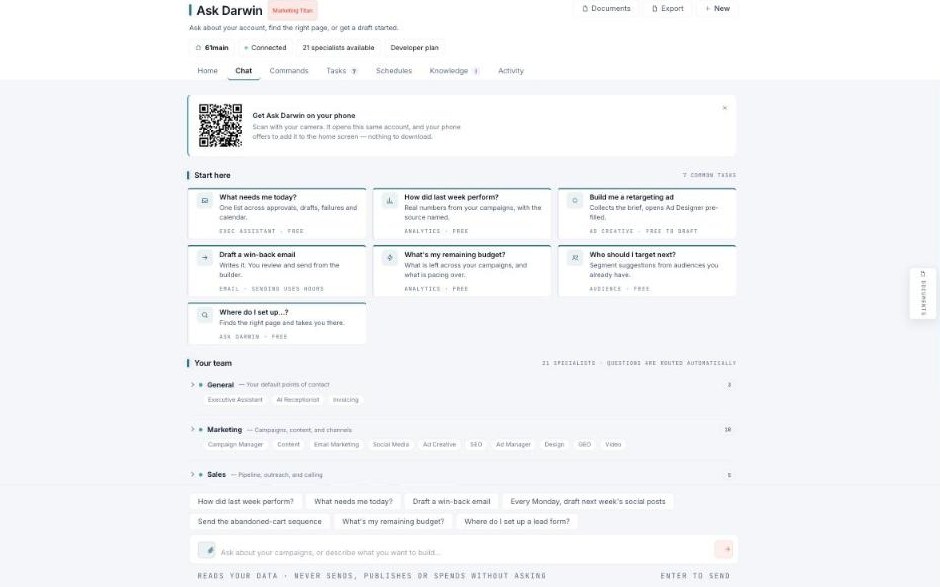
Chat — ask about your account, find the right page, or get a draft started.
Start here
A Start here panel offers common tasks as one-click cards — “What needs me today?”, “How did last week perform?”, “Build me a retargeting ad”, “Draft a win-back email”, “What’s my remaining budget?”, and more. Each card notes the specialist and whether it’s free.
Your team
Below that, Your team lists every specialist grouped by area — General (Executive Assistant, AI Receptionist, Invoicing), Marketing (Campaign Manager, Content, Email Marketing, Social Media, Ad Creative, SEO, Ad Manager, Design, GEO, Video), Sales, and more. You don’t pick one — you just ask, and the question routes to the right specialist.
The safety line
The composer reminds you: Ask Darwin reads your data but never sends, publishes, or spends without asking. Press Enter to send.