
The Email Template Builder is where you design reusable layouts your team can send again and again.
Where to find it: Email Marketing → Templates. Part of the Email Marketing guide.
The Email Template Builder
The Email Template Builder is an AI chat that designs your email through conversation. You describe what you want — for example, “Announce a new product to existing customers” — and it confirms, asks a couple of quick questions (who it’s for, whether to add a hero image, how many variations), then builds.
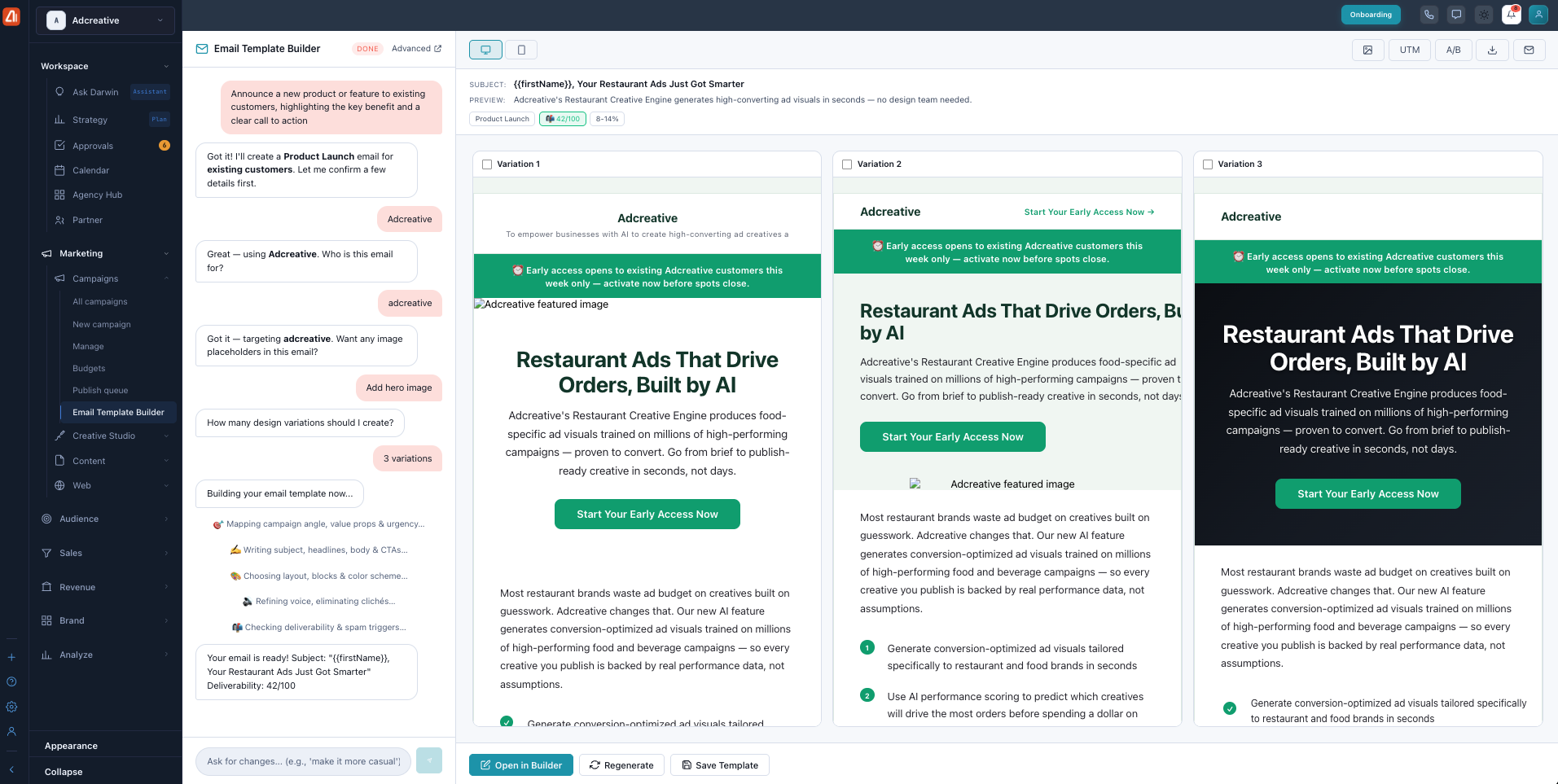
The Email Template Builder — describe your email and compare design variations.
It shows several design variations side by side with a live preview and a deliverability score. You can preview desktop or mobile, add UTM tracking, and run an A/B test. When you like one, choose Open in Builder, Regenerate, or Save Template. Want a change? Just ask in plain words, like “make it more casual.”
Learn the drag & drop editor in the Email Builder (drag & drop) guide.
What’s next
- Back to the Email Marketing overview.
- See One-time Campaigns.
- See Sequences.
- See Track Results & Tips.