
See how your emails perform, connect a sending provider so they deliver, and pick up a few tips for getting opened.
Where to find it: Left menu → Marketing. Part of the Email Marketing guide.
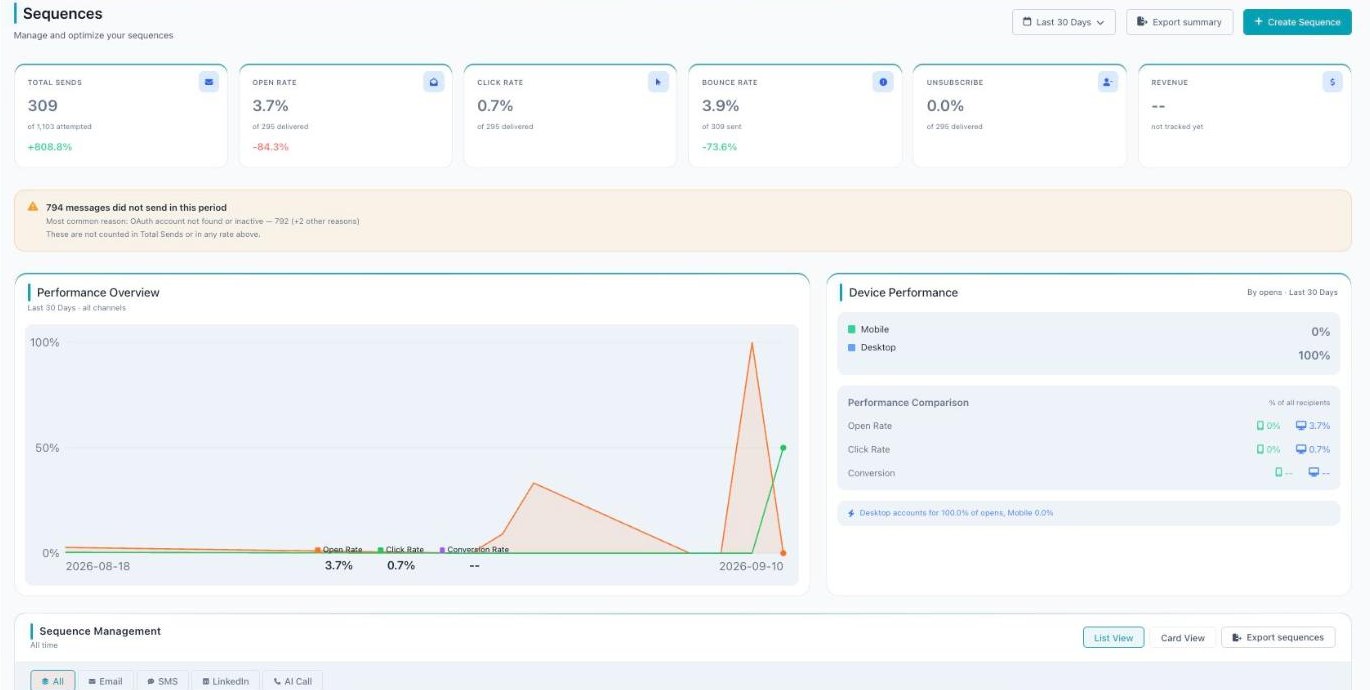
The Sequences dashboard — sends, open/click/bounce/unsubscribe rates, and performance over time.
Track your results
Both campaigns and sequences have their own dashboards so you can see what’s working and improve it.
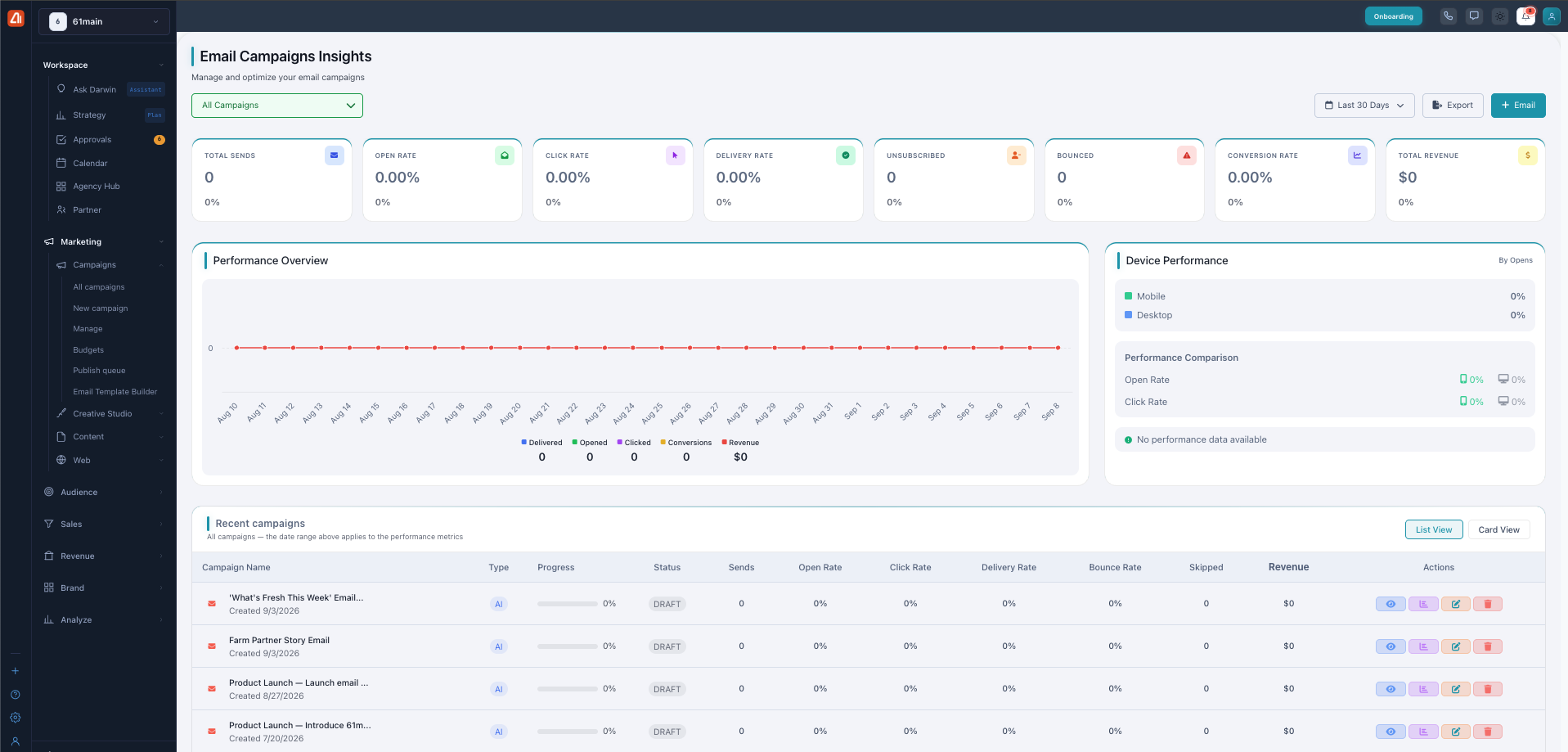
Email Campaigns Insights — manage and optimize your one-time emails.
The Email Campaigns Insights dashboard shows cards for Total Sends, Open Rate, Click Rate, Delivery Rate, Unsubscribed, Bounced, Conversion Rate, and Total Revenue. There’s a Performance Overview chart, Device Performance (Mobile vs Desktop), and a Recent Campaigns table with each campaign’s status and rates. You can filter by date, Export, and start a new email.
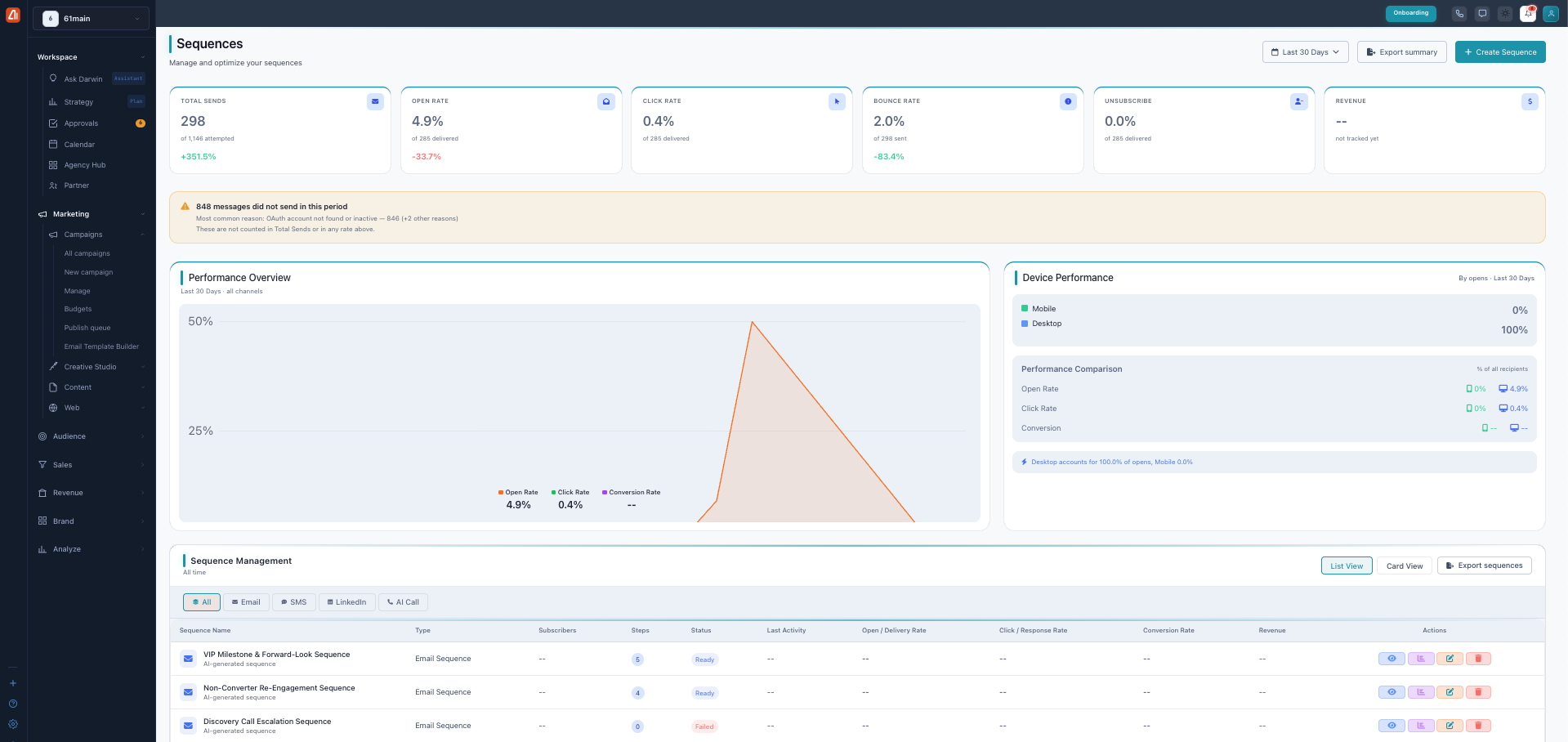
The Sequences dashboard — track every series across all channels.
The Sequences dashboard shows cards for Total Sends, Open Rate, Click Rate, Bounce Rate, Unsubscribe, and Revenue, plus a Performance Overview, Device Performance, and a Sequence Management table. You can filter that table by channel (All, Email, SMS, LinkedIn, AI Call) and see each sequence’s steps, status (Ready or Failed), and rates.
What the key metrics mean
| Metric | What it tells you |
|---|---|
| Open Rate | How many people opened your email. A strong subject line lifts this. |
| Click Rate | How many clicked a link or button inside. |
| Delivery Rate | How many emails actually reached inboxes. |
| Bounced / Bounce Rate | Emails that couldn’t be delivered — a high number means it’s time to clean your list. |
| Unsubscribed | People who opted out. Watch for spikes. |
| Conversion Rate / Revenue | Actions and money your emails drove. |
If some email accounts are disconnected, a few messages won’t send. The dashboard warns you (for example, “messages did not send — OAuth account not found or inactive”), and those messages aren’t counted in your totals.
How Darwin writes, designs, and improves your emails
You never start from a blank page. Describe your goal in plain words and Darwin writes the subject line and copy, designs the layout, and can plan a whole series — choosing the right channel for each step. It shows a live preview, a performance prediction, and a deliverability score so you can see quality before you send. Don’t like something? Ask for a change in everyday language, like “make it more casual,” and Darwin rebuilds it.
Before you send: connect an email provider
To actually send email, you need to connect an email provider first. You only do this once.
- Go to the Integrations page.
- Connect Gmail, Outlook, SendGrid, or Mailchimp.
- If a provider ever disconnects, reconnect it on the same page.
Sending emails uses your account’s sending. It’s smart to send a test to yourself first.
Tips for emails people open
A few small habits make a big difference:
- Write a clear subject line. Add it early so Darwin can predict your open rate.
- Send a test to yourself before the real send — check it on your phone too.
- Keep one main goal per email with one clear button.
- Pick the right audience (persona) so the copy sounds like it’s for them.
- Generate a few variations and A/B test to find the winner.
- Watch your bounce and unsubscribe numbers and clean your list when they climb.
What’s next
- Back to the Email Marketing overview.
- See One-time Campaigns.
- See Sequences.
- See Template Builder.