
Strategy

Strategy - AIOS Calendar

The plan laid out on a real calendar — when each task is scheduled to start.

Beginner3 min read

The AIOS Calendar tab takes the same plan and lays it on a real month grid, so you can see when each task is scheduled rather than just which week.

Where to find it: Left menu → Workspace → Strategy → a strategy → AIOS Calendar. Part of the Strategy guide.
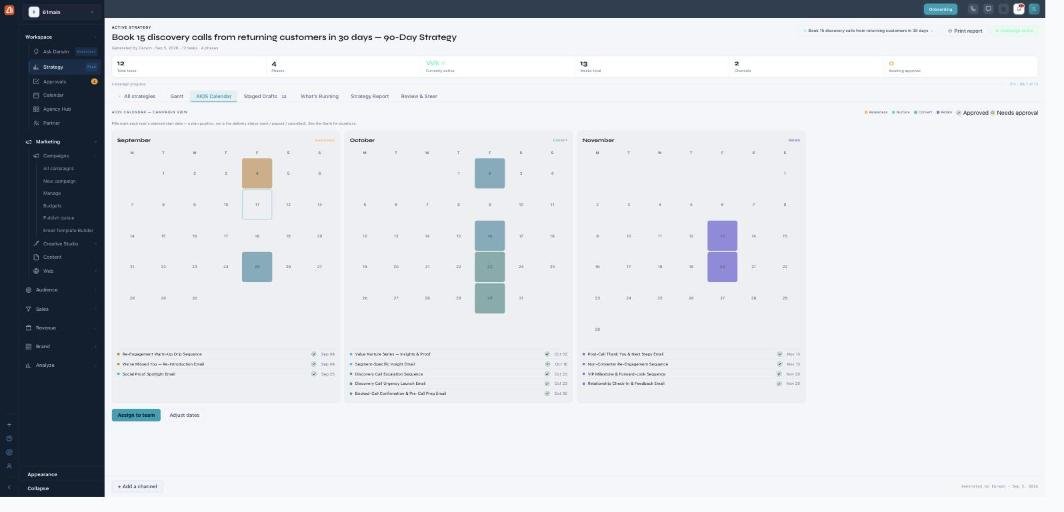
The AIOS Calendar view: a multi-month grid (September, October, November) with days highlighted for task start dates, a phase-colour legend, and a dated task list under each month.

The AIOS Calendar — every task on the dates it's planned for.

Reading the calendar

Each month shows the days a task is planned to start, colored by phase (awareness, nurture, convert, retain), with a matching Approved / Needs approval legend. Under each month is a dated list of the tasks landing that month.

It's a plan, not a live feed

The dates here are planned positions — where Darwin scheduled each task — not live delivery status. Use Assign to team to hand tasks to people and Adjust dates to shift the schedule; the whole plan re-maps around your change.

What’s next

Keep reading

  • Strategy - Staged Drafts & Approvals

    Review and approve the content Darwin wrote for every task — nothing sends until you do.

  • Strategy

    Your always-on, AI-built marketing plan — describe a goal and Darwin drafts the phases, tasks, calendar, KPIs, and content across every channel; you review and approve what ships.

  • Strategy - Strategy Report

    Projected outcomes, KPI targets vs actuals, budget split, channel roles, and audience segments.

More ways to get help

These guides are the same ones that sit inside the app’s help center, next to the screens they describe. If you prefer to watch, the Marketing Titan Academy has short video courses recorded in the product. Signed in, you can also ask Darwin, the built-in assistant, to explain a screen or do the step for you. If something is not covered here, contact us and a person will answer.

Try it yourself

Every guide here describes the live product.

Start free and follow along: every core module, unlimited users, no card required.