
Strategy is your always-on marketing plan, built by AI. You describe a goal, and Darwin (the platform’s AI) drafts the whole plan — phases, week-by-week tasks, a calendar, KPIs, a budget split, and pre-written content for every channel. You review and approve what ships. It’s shared across your team, so everyone works from the same plan.
Where to find it: Left menu → Workspace → Strategy (just under Ask Darwin).
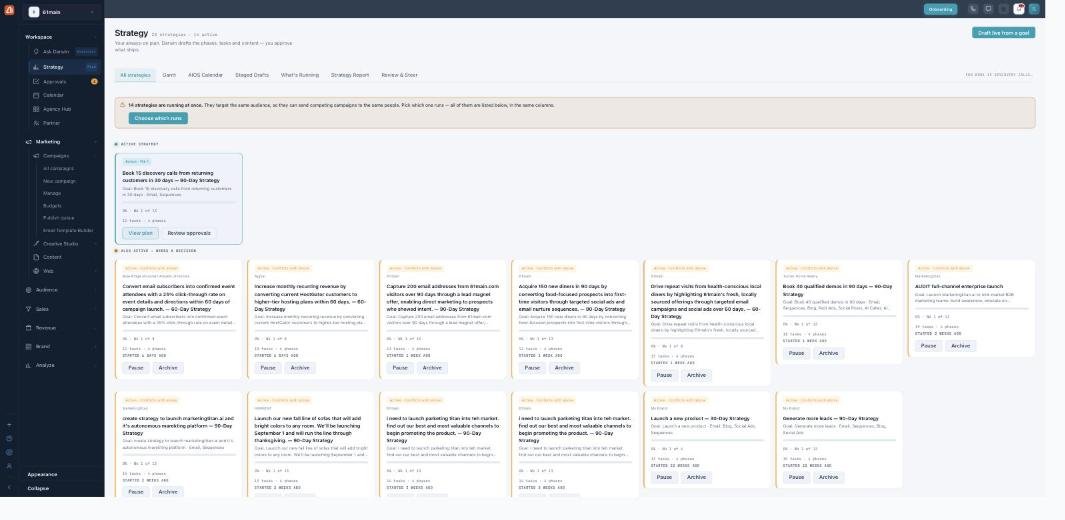
The Strategy page — every plan, its status, and what needs a decision.
The landing page
The Strategy page lists your strategies as cards, grouped by state: one Active Strategy up top, and an “also active — needs a decision” grid below. Each card shows the goal, audience, channels, timeline, and budget, plus progress (week X of Y) and how many drafts are awaiting approval. Draft live from a goal (or + New strategy) starts a new one.
When two strategies collide
Because strategies are always-on, two active ones can target the same audience and send competing campaigns to the same people. When that happens, a warning appears with Choose which runs so you can pick one — rather than quietly double-messaging your list.
How a strategy moves from idea to live
Every strategy follows the same path, and one step — approving the plan — is the only one that spends credits:
| Stage | What happens |
|---|---|
| Generating | Darwin writes the plan (phases, tasks, calendar, KPIs, drafts). |
| Plan ready | The plan exists to review and edit — nothing built yet, no spend. |
| Approve plan | Your sign-off — the one step that spends credits — kicks off building the drafts. |
| Assets ready | Real but inert drafts, waiting for per-draft review. |
| Activate | Turns the strategy on. An activation estimate shows the cost first. |
Live campaign creation depends on your plan’s settings — on many accounts it’s off, so activating records your approvals without starting real sends. The What’s Running tab always shows the honest state.
Every tab — each has its own guide
| Tab | What it covers | Guide |
|---|---|---|
| Create | Draft live, the 6-step wizard, or Quick Start from a website. | Open → |
| Gantt | The plan as phases and week-by-week tasks (editable). | Open → |
| AIOS Calendar | The plan on a real month grid, by date. | Open → |
| Staged Drafts | Review and approve the content Darwin wrote. | Open → |
| What’s Running | What’s real, what’s planned, what needs a step. | Open → |
| Strategy Report | Projections, KPIs, budget split, channel roles, export. | Open → |
| Review & Steer | Tune targets, segments, budget — or ask Darwin to revise. | Open → |
You approve what ships
Darwin drafts everything, but nothing goes out on its own. Content sits as staged drafts, sends need a confirmed audience, and going live needs your approval and activation — so the AI does the work and you stay in control.
What’s next
- Start with Create a strategy.
- See the plan in the Gantt and AIOS Calendar.
- Approve the content in Staged Drafts.