
The Strategy Report turns the plan into a scannable one-pager: what it’s aiming for, what it’s projected to do, and (once it runs) how it’s actually performing.
Where to find it: Left menu → Workspace → Strategy → a strategy → Strategy Report. Part of the Strategy guide.
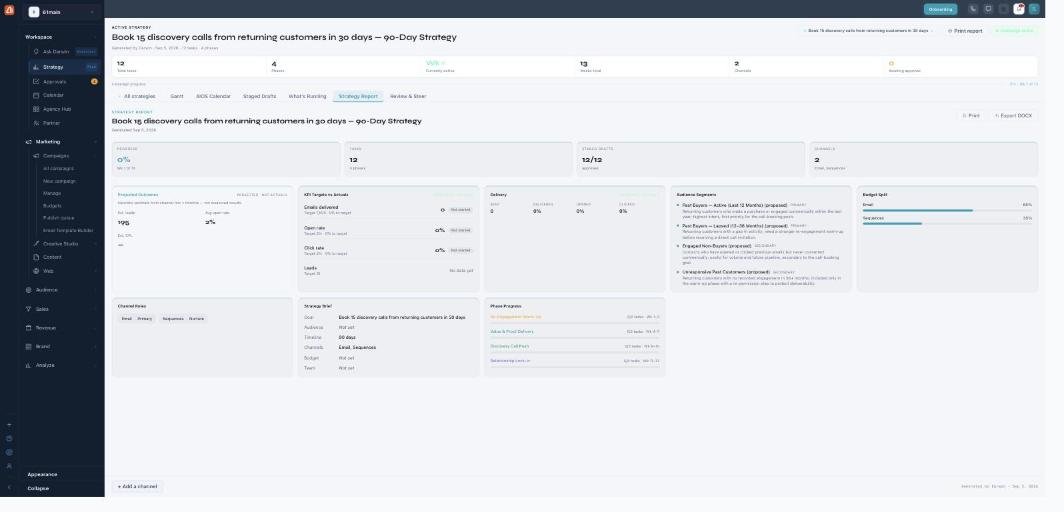
The Strategy Report — the plan's numbers, projections, and results in one place.
Projected vs actual
Two things are kept deliberately separate. Projected Outcomes (estimated leads, open rate, cost-per-lead) are clearly labeled “projected — not measured results.” KPI Targets vs Actuals and the Delivery numbers (sent, delivered, opened, clicked) show the real measured results once the plan is live — until then they read “no data yet.”
The plan at a glance
The report also lays out the Audience Segments the plan targets (with priority), the Budget Split across channels, the Channel Roles (which channel is primary vs nurture vs support), a Strategy Brief (goal, audience, timeline, channels, budget, team), and Phase Progress.
Honest KPI targets
Where a KPI target is based on your own history, it says so (“based on your last N campaigns”). Where there’s no history yet, it uses a sensible default — and never dresses a default up as your own number.
Export
Print or Export DOCX to share the report as a document — useful for a client or an internal sign-off.
What’s next
- Back to the Strategy overview.
- See Create a strategy.
- See Gantt.
- See AIOS Calendar.
- See Staged Drafts & approvals.
- See What’s Running.
- See Review & Steer.