
Strategy

Strategy - Review & Steer

Tune the strategy — targets, segments, budget, channels — or ask Darwin to revise it.

Beginner3 min read

The Review & Steer tab is where you fine-tune a strategy without regenerating it from scratch. As it reminds you at the top: nothing’s sent — you’re only shaping the plan.

Where to find it: Left menu → Workspace → Strategy → a strategy → Review & Steer. Part of the Strategy guide.
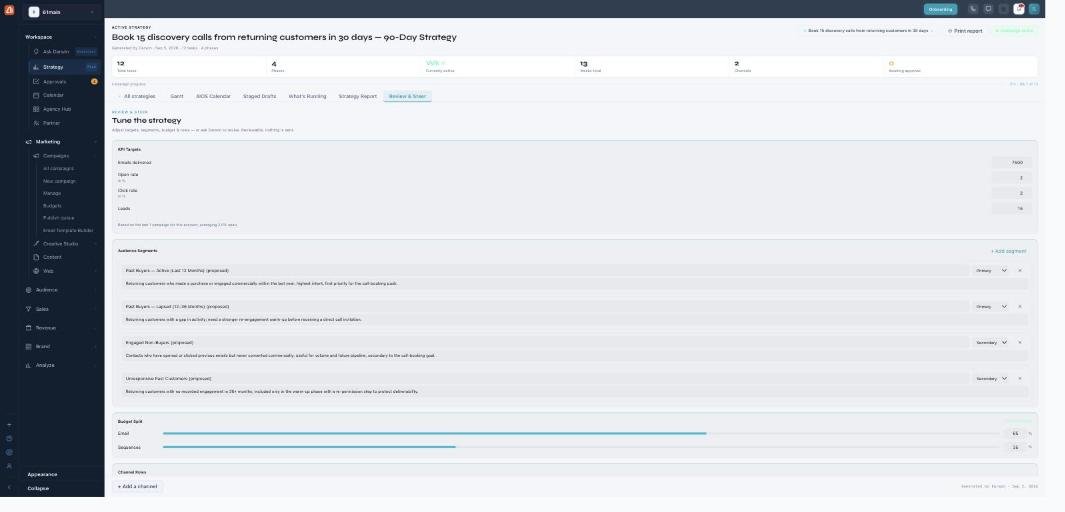
The Review & Steer view ('Tune the strategy'): editable KPI Targets, Audience Segments with role dropdowns, an editable Budget Split, and Channel Roles.

Review & Steer — adjust the plan, or send it back to Darwin.

What you can tune

Edit the plan’s levers directly: KPI Targets (emails delivered, open rate, click rate, leads), the Audience Segments and each one’s role (primary/secondary), the Budget Split across channels, and the Channel Roles. You can also change the goal, audience, channels, and timeline.

Ask Darwin to revise

For a bigger change, hand it back to Darwin with feedback and it revises the whole plan around your notes — re-drafting phases, tasks, and content to match. Your grounding (brand, personas, history) is reused, so the revision stays on-brand.

What’s next

Keep reading

  • Strategy - AIOS Calendar

    The plan laid out on a real calendar — when each task is scheduled to start.

  • Strategy - Staged Drafts & Approvals

    Review and approve the content Darwin wrote for every task — nothing sends until you do.

  • Strategy

    Your always-on, AI-built marketing plan — describe a goal and Darwin drafts the phases, tasks, calendar, KPIs, and content across every channel; you review and approve what ships.

More ways to get help

These guides are the same ones that sit inside the app’s help center, next to the screens they describe. If you prefer to watch, the Marketing Titan Academy has short video courses recorded in the product. Signed in, you can also ask Darwin, the built-in assistant, to explain a screen or do the step for you. If something is not covered here, contact us and a person will answer.

Try it yourself

Every guide here describes the live product.

Start free and follow along: every core module, unlimited users, no card required.