
The What’s Running tab answers one question plainly: is anything live yet? It lists every item the plan created and tells you exactly where each one stands.
Where to find it: Left menu → Workspace → Strategy → a strategy → What’s Running. Part of the Strategy guide.
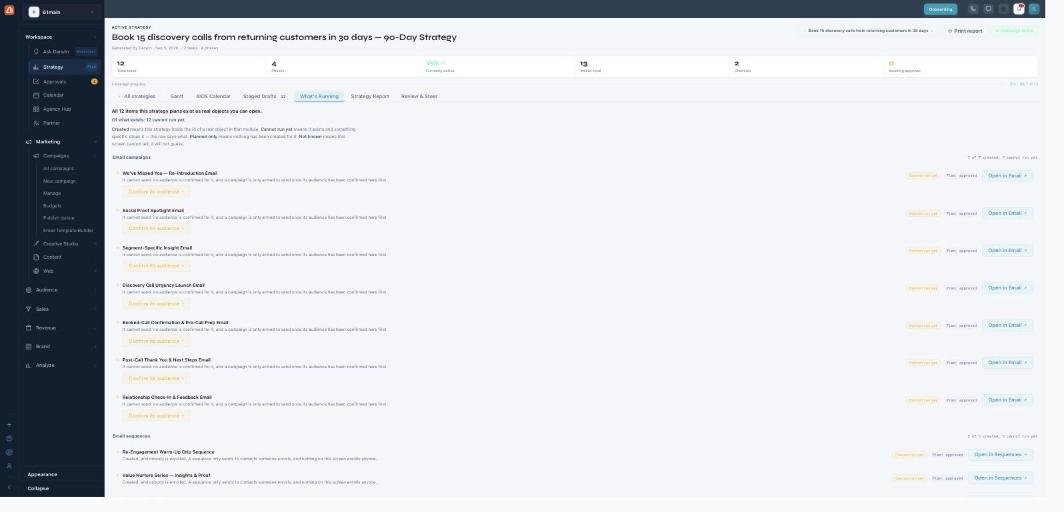
What's Running — what's real, what's planned, and what still needs a step.
The states
Each item is labeled so there’s no guessing:
| State | What it means |
|---|---|
| Created | The strategy built a real draft object in that module (Email, Sequences, etc.). |
| Cannot run yet | It exists, but it’s missing a step — usually a confirmed audience. |
| Planned only | The plan lists it but nothing has been created for it yet. |
Getting an item live
For anything marked cannot run yet, use Confirm its audience to choose who it targets, then Open in Email (or Sequences, etc.) to finish and send it in that module. This keeps a hard line between “Darwin drafted it” and “a human chose to send it.”
Why it may say nothing is live
On many plans, live campaign creation is turned off — so approving and activating records your decisions but doesn’t start real sends. This tab is where that shows honestly, rather than pretending a campaign is running when it isn’t.
What’s next
- Back to the Strategy overview.
- See Create a strategy.
- See Gantt.
- See AIOS Calendar.
- See Staged Drafts & approvals.
- See Strategy Report.
- See Review & Steer.