
Team Hierarchy is your org chart. Lay out who manages whom, group agents into teams, and see the whole structure three ways. It has three sub-tabs — each is its own view, and each has its own guide below.
Where to find it: Left menu → Sales → Team & Resources → Sales Teams → Team Hierarchy. Part of the Team Management guide.
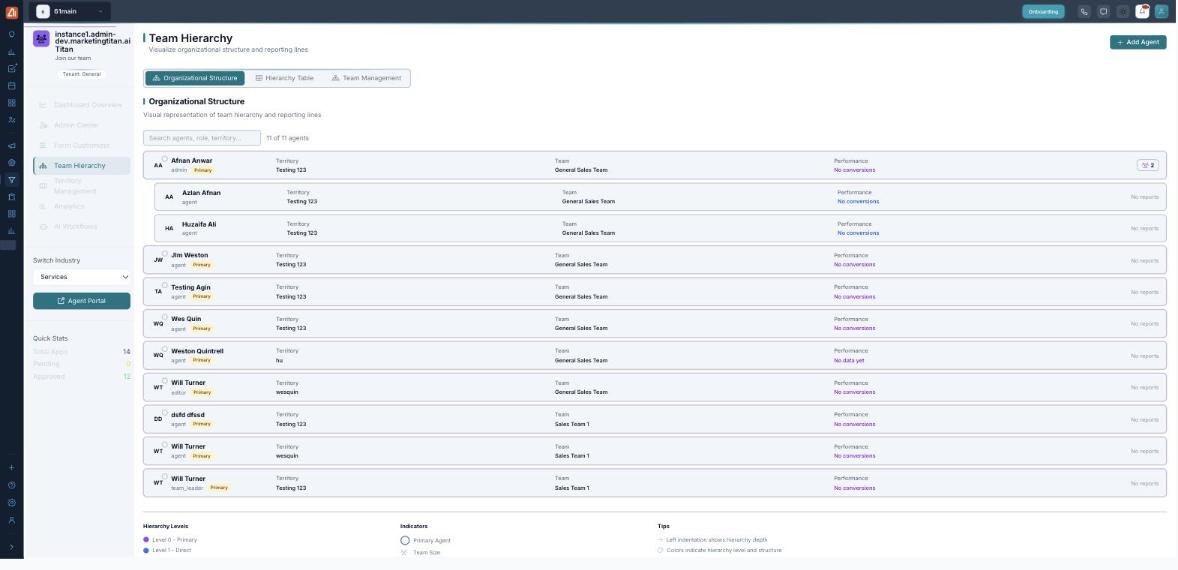
Team Hierarchy — three sub-tabs: Organizational Structure, Hierarchy Table and Team Management.
The three sub-tabs
| Sub-tab | What it shows | Guide |
|---|---|---|
| Organizational Structure | The visual org chart — the indented list of agents by hierarchy depth. | Open guide |
| Hierarchy Table | A sortable downline table with position, team size, performance and revenue. | Open guide |
| Team Management | Create teams and assign members within departments. | Open guide |
How the three fit together
- Create your teams in the Team Management sub-tab and pick each team’s department and specialization.
- Set reporting lines and downlines in the Hierarchy Table.
- Check the result on Organizational Structure — the indented chart reflects your changes.
💡 Tip: Approve people in the Admin Center first — only approved agents can be placed in the hierarchy.
FAQ
What is the difference between a team and a territory?
A team is who reports to whom; a territory is the geography or segment they cover. An agent has both.
Which sub-tab do I use to build the structure?
Use Team Management to create teams and Hierarchy Table to set downlines; Organizational Structure is the read-only overview.
Where do the people come from?
From approved applications — once a candidate is approved in the Admin Center they become available to place here.