
The Knowledge tab is the context Ask Darwin draws on. The more it knows, the less you have to explain — and the less generic its answers.
Where to find it: Left menu → Ask Darwin → the Knowledge tab. Part of the Ask Darwin guide.
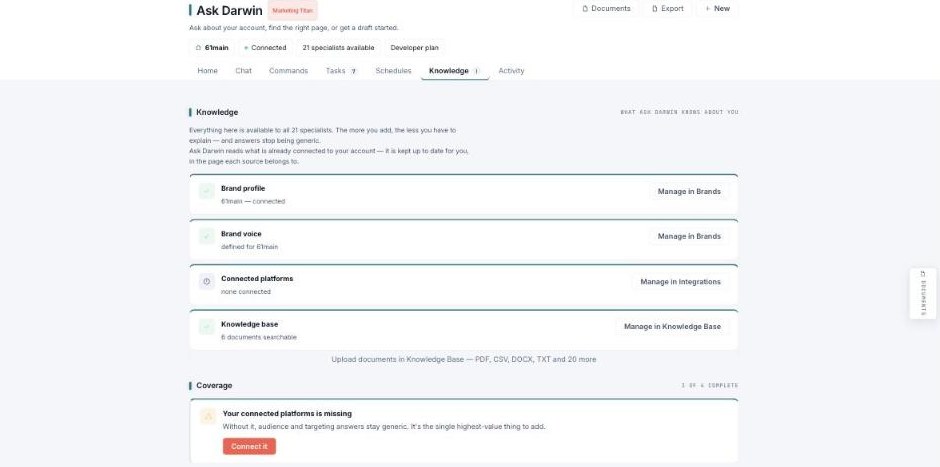
Knowledge — what Ask Darwin knows about you, available to every specialist.
What it knows
Four sources feed every specialist: your Brand profile (managed in Brands), your Brand voice, your Connected platforms (managed in Integrations), and your Knowledge base (documents you upload — PDF, CSV, DOCX, TXT, and more). Each says where its source belongs, so you can top it up.
Coverage
A Coverage meter shows how complete your context is (e.g. 3 of 4). When something high-value is missing — like connected platforms — it calls it out with a one-click way to add it, because without it, audience and targeting answers stay generic.