
The Commissions tab tracks your earnings from first calculated to paid out. The cards show this month’s estimate, what’s Pending, what’s Approved and ready for payout, and your Lifetime Total.
Where to find it: Left menu → Workspace → Partner → Commissions. Part of the Partner Program guide.
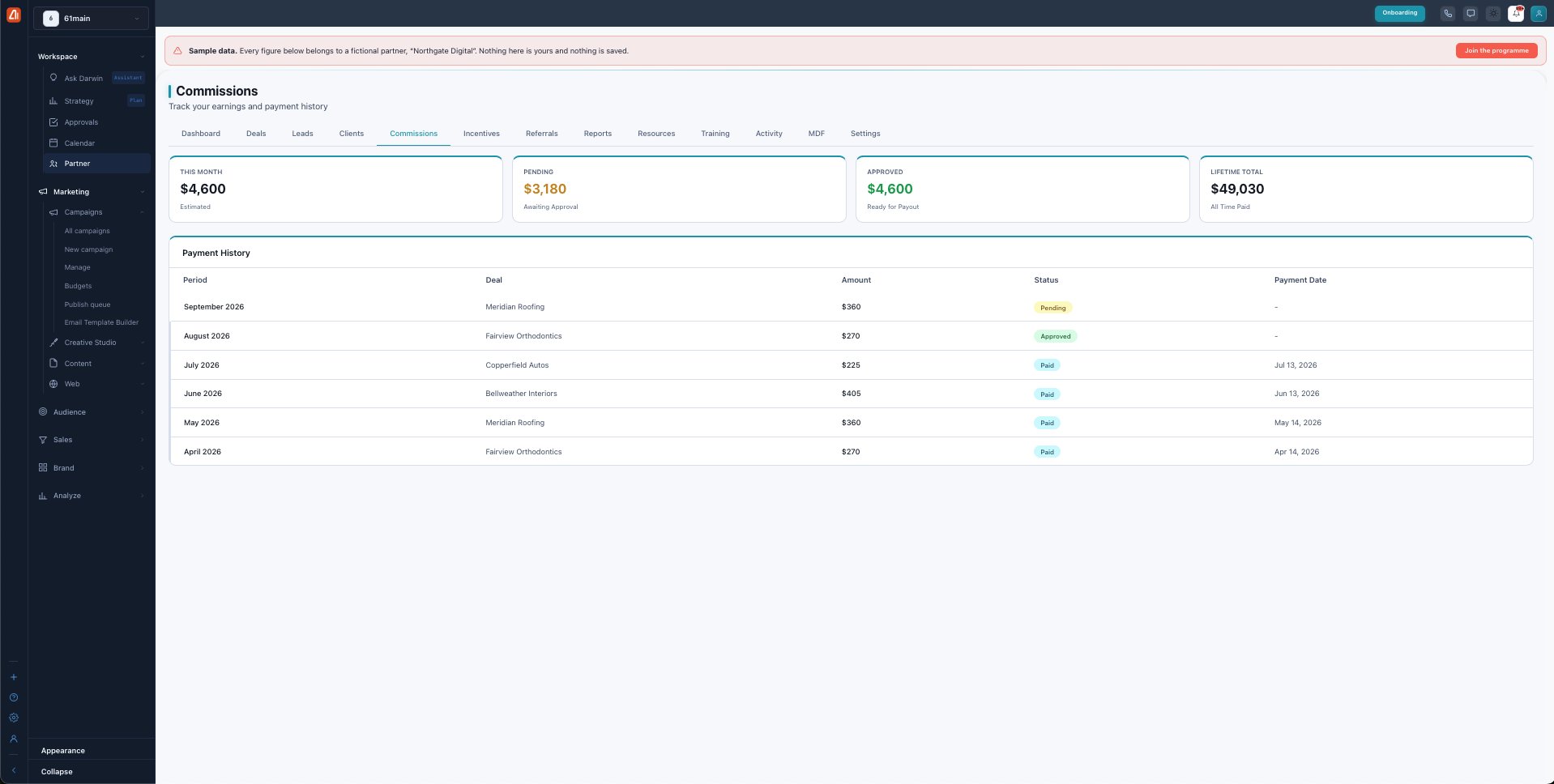
Commissions — your earnings by state, and every payment.
How a commission moves from earned to paid
Every commission runs through the same states so payouts are only sent on stable revenue:
| Status | What it means |
|---|---|
| Pending | Just calculated on a won deal or the monthly run. |
| Held | In a 30-day hold that lets the revenue settle. |
| Approved | Hold cleared — ready for the next payout. |
| Paid | Sent to you; the amount adds to your lifetime total. |
When you get paid
Approved commissions are paid out through Stripe once you’ve connected your account (see Settings). There’s a $50 minimum payout — smaller balances roll forward until they clear it. The Payment History table logs every period, its deal, amount, status, and payment date.
Clawbacks
If a client cancels soon after signing, the related commission can be clawed back: 100% if they cancel within 30 days, 50% between 31 and 90 days, and nothing after 90 days. This keeps commissions tied to revenue that actually sticks.
What’s next
- Back to the Partner Program overview.
- See Deals & registration.
- See Leads.
- See Clients.
- See Incentives & SPIFs.
- See Referrals.
- See Reports & scorecards.
- See Resources.
- See Training & certification.
- See Activity.
- See MDF.
- See Settings.