
The Referrals tab is where you share Marketing Titan and get credited. It gives you a personal referral link, a UTM builder for campaign tracking, and a live funnel of clicks, signups, and conversions.
Where to find it: Left menu → Workspace → Partner → Referrals. Part of the Partner Program guide.
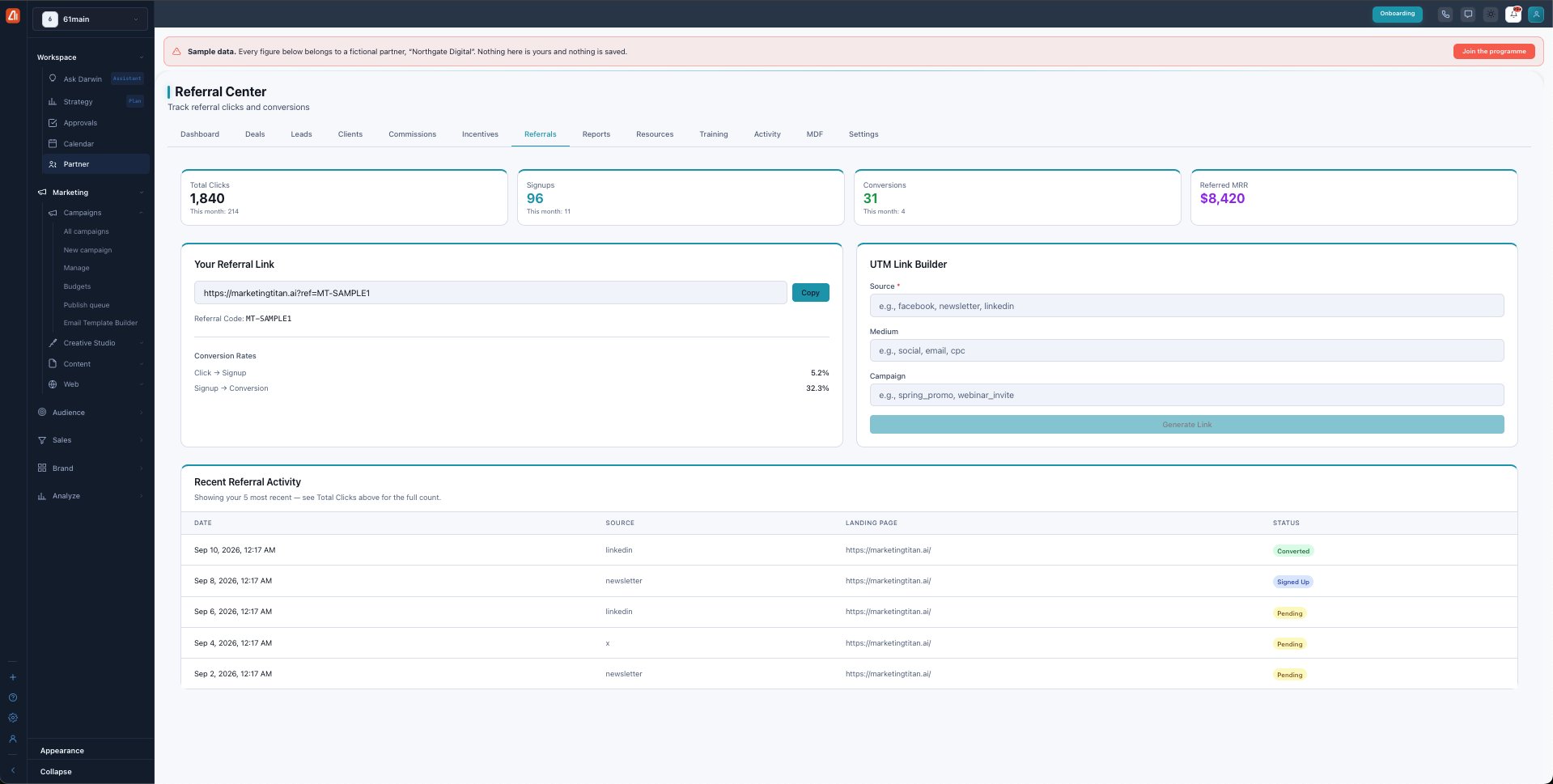
The Referral Center — your link, a UTM builder, and your referral funnel.
Your referral link
Every partner gets a unique referral code (like MT-SAMPLE1) and a ready-made link. Hit Copy and share it anywhere. Anyone who clicks is attributed to you for 90 days — if they sign up within that window, the referral is yours.
The UTM link builder
To see which channels work, add campaign tags with the UTM Link Builder: fill in Source (e.g. linkedin), Medium (e.g. social), and Campaign, then Generate Link. Clicks from that link are grouped by those tags in your activity.
The funnel
The cards track the whole journey — Total Clicks, Signups, Conversions, and the Referred MRR you’ve generated. Two Conversion Rates break it down: Click → Signup and Signup → Conversion.
Recent activity
The Recent Referral Activity table shows your latest referrals — the date, source, landing page, and status (Pending, Signed Up, or Converted). It shows your five most recent; the full count is in the cards above.
What’s next
- Back to the Partner Program overview.
- See Deals & registration.
- See Leads.
- See Clients.
- See Commissions.
- See Incentives & SPIFs.
- See Reports & scorecards.
- See Resources.
- See Training & certification.
- See Activity.
- See MDF.
- See Settings.