
The Deals tab is your sales pipeline. The columns across the top count and total your deals by stage, the All Deals table lists every opportunity, and Registered prospects shows the accounts you’ve locked to yourself. Use + Register Deal (top-right, on every tab) to add a new one.
Where to find it: Left menu → Workspace → Partner → Deals. Part of the Partner Program guide.
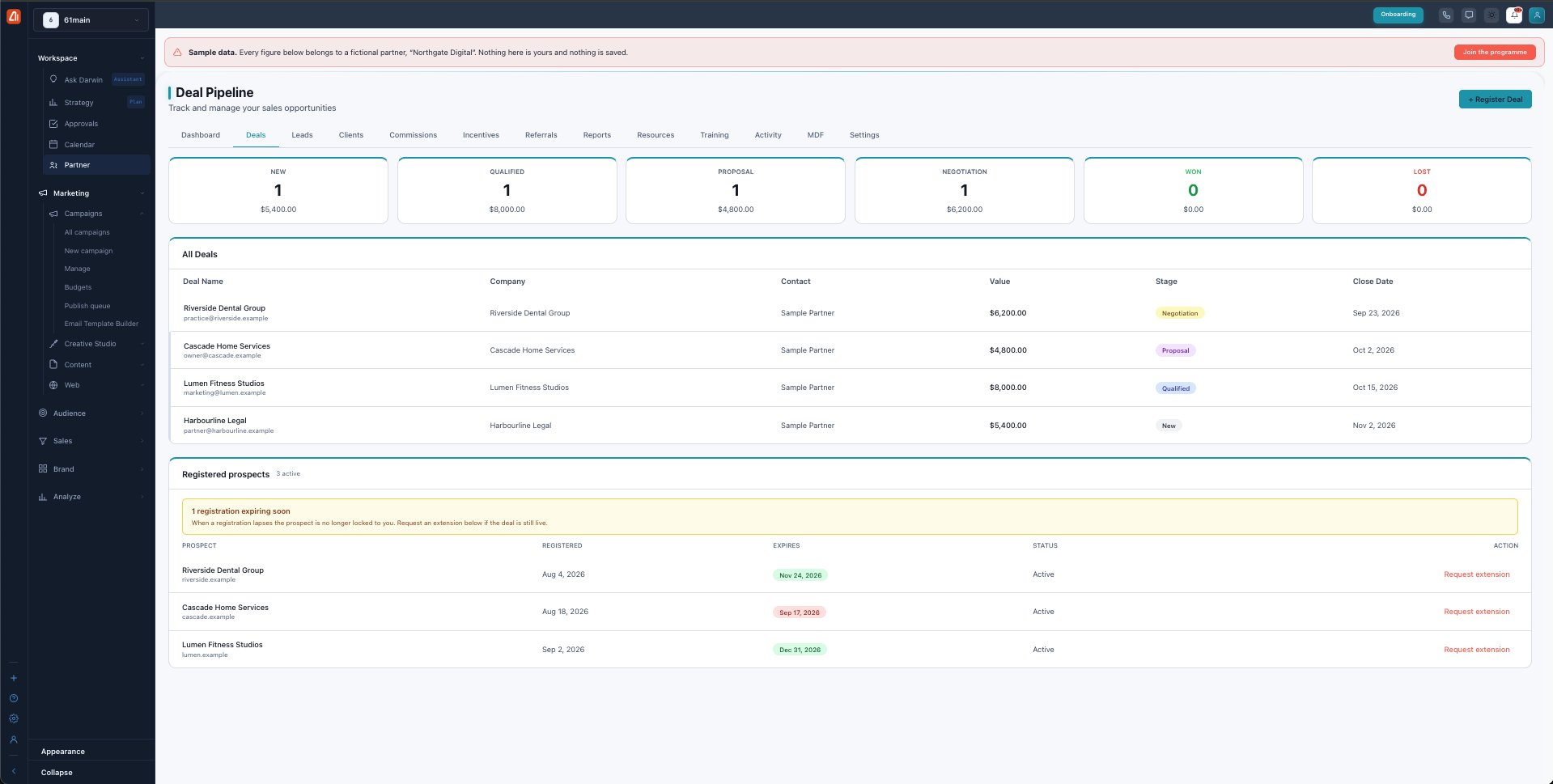
The Deal Pipeline — your opportunities by stage, and your registered prospects.
The pipeline stages
Every deal sits in one stage, and the header cards tally the count and dollar value in each. Deals move left to right as they progress:
| Stage | What it means |
|---|---|
| New | A fresh opportunity you’ve just added. |
| Qualified | You’ve confirmed the prospect is a real fit. |
| Proposal | A proposal or quote is out with them. |
| Negotiation | Working through terms and pricing. |
| Won | Closed — the deal becomes a client and starts earning commission. |
| Lost | Closed without a sale. |
Register a deal
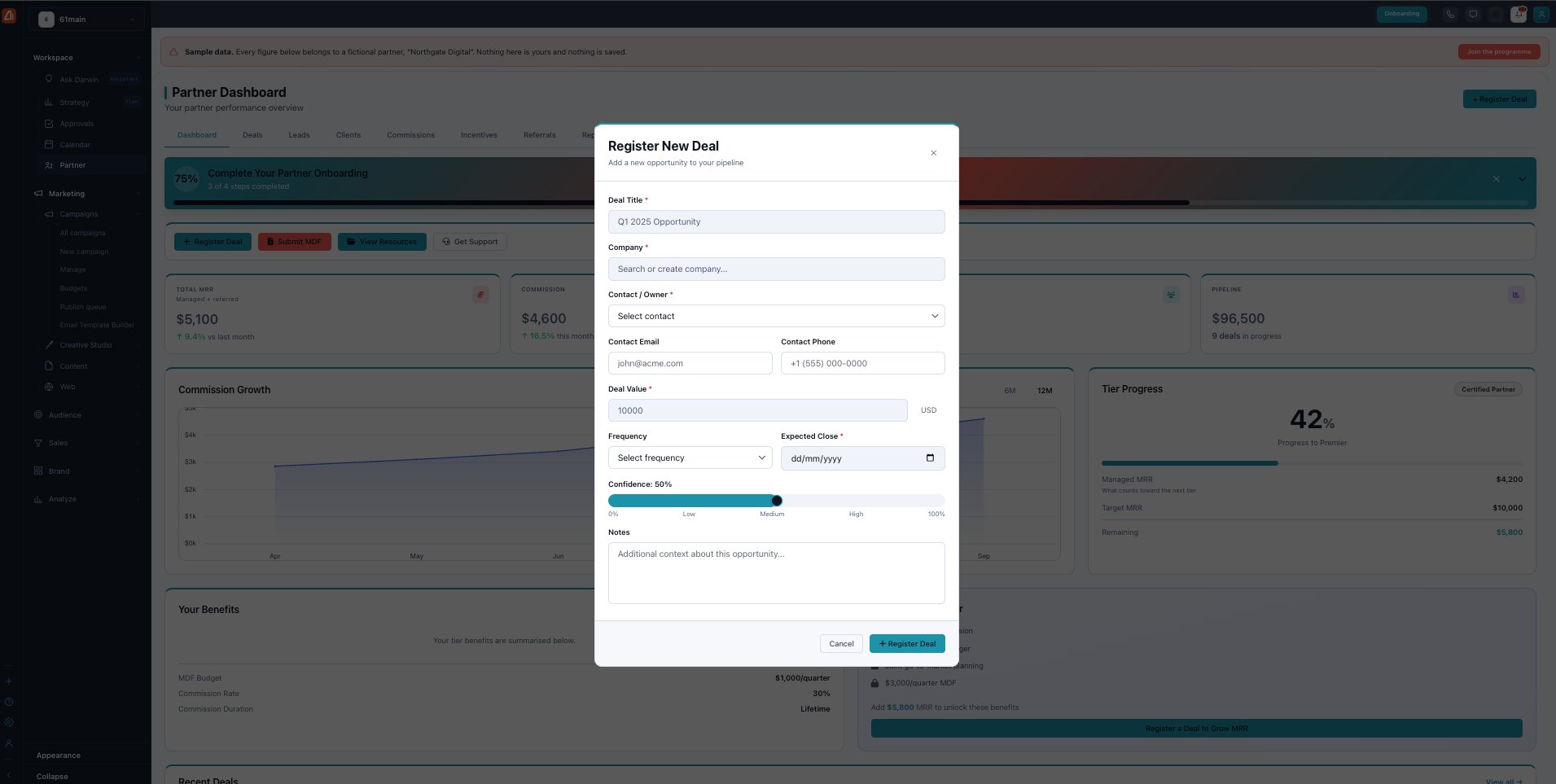
Register New Deal — add an opportunity and (optionally) lock the prospect to you.
+ Register Deal opens a form: Deal Title, Company (search or create), Contact / Owner, contact email and phone, Deal Value (always in USD), Frequency (Monthly / Quarterly / Annually), Expected Close date, a Confidence slider (0–100%), and Notes. Title, company and contact are required.
Deal registration protects your prospect for 90 days
Registering a prospect locks it to you for 90 days — while the lock is active, that account is credited to you. The Registered prospects table shows each prospect’s registered date, expiry date, and status. A banner warns you when a registration is expiring soon (within the next 7 days), because once a registration lapses the prospect is no longer locked to you.
Request an extension
If a deal is still live as its lock nears expiry, use Request extension on that row for a one-time 30-day extension. Each registration can be extended once; after that it must close or it lapses.
If two partners register the same prospect
Marketing Titan checks new registrations against other partners’ active locks by company name and email domain. A conflict is flagged as a warning but never blocks your registration — if both of you are genuinely working it, it can be resolved as a co-sell with a shared commission split.
What’s next
- Back to the Partner Program overview.
- See Leads.
- See Clients.
- See Commissions.
- See Incentives & SPIFs.
- See Referrals.
- See Reports & scorecards.
- See Resources.
- See Training & certification.
- See Activity.
- See MDF.
- See Settings.